ECD-1000 Product Manual
99
3.6 Configuring the Cameras
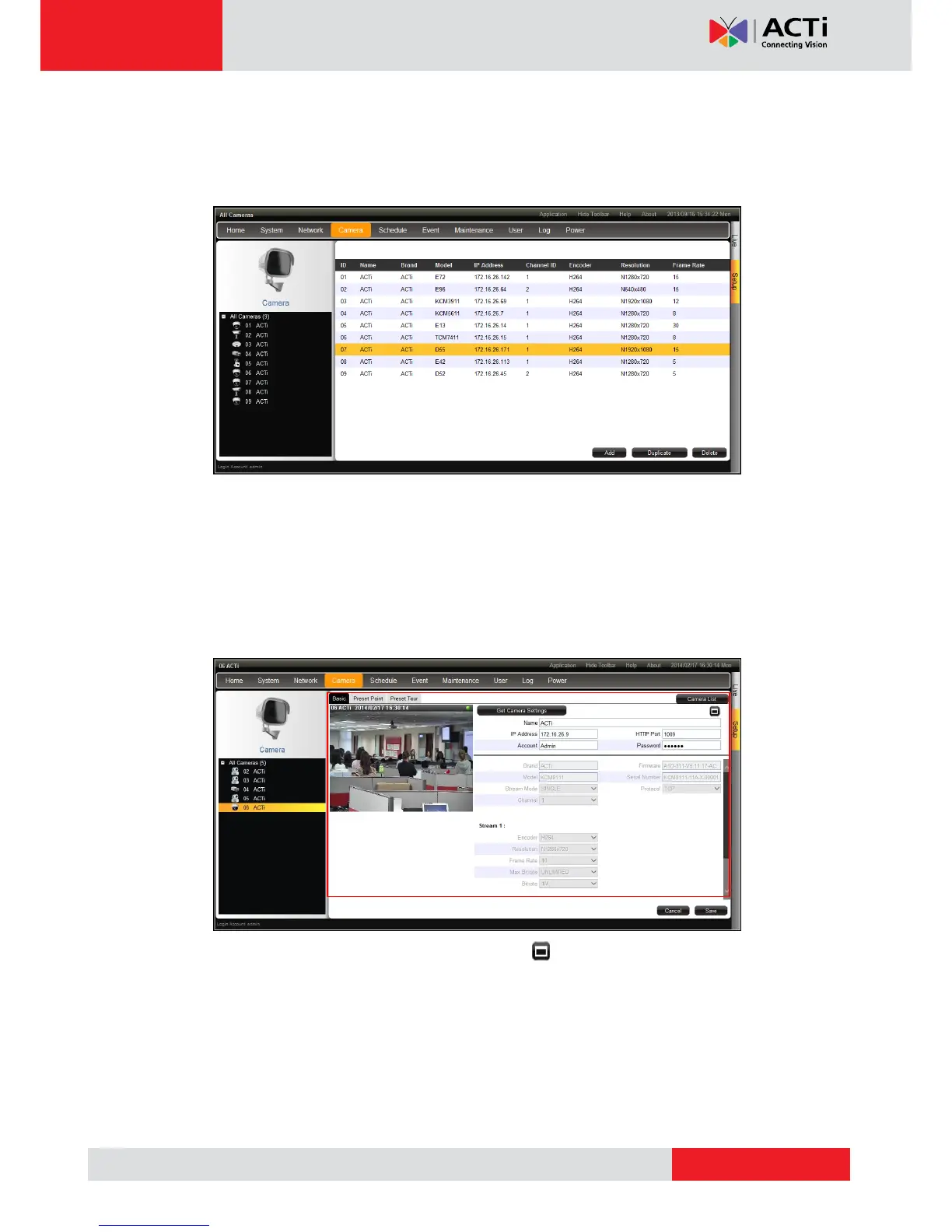
On the Setup screen, click Camera. The camera list table is displayed.
To add cameras, click Add. See Adding Cameras on page 100.
To add cameras with almost the same setting as an existing channel, see Duplicating
Cameras on page 104.
To delete cameras, see Deleting Cameras on page 107.
To access the camera properties, click a camera name from the camera list panel or
double-click a camera from the table. The camera properties are displayed.
To access the camera Web Configuration, click .
To view the camera list table, click Camera List.
To view other cameras, click the camera from the camera list panel on the left.
To configure preset points and tours of the camera, click the Preset Point or Preset
Tour tab. These tabs appear only in PTZ and zoom cameras only. See Setting Preset
Points on the Remote Client on page 108.



 To Next Page