ECD-1000 Product Manual
39
Setting Tours
Several preset points can be grouped into a “Tour” which directs the camera to cycle through
the series of preset points at specific interval time. Up to 32 tours can be set on the Decoder.
The tour configuration is saved only on the Decoder, not on the camera side.
On the Live View screen, move the mouse over the bottom of the screen to display the Menu
Panel, then click . You must login as an administrator to have PTZ control access (see 2.3
The Login Screen on page 33 for details). Then click the Preset Point Tab .
Click the tab to display the page:
PTZ (see page 33).
Preset Points (see page 37).
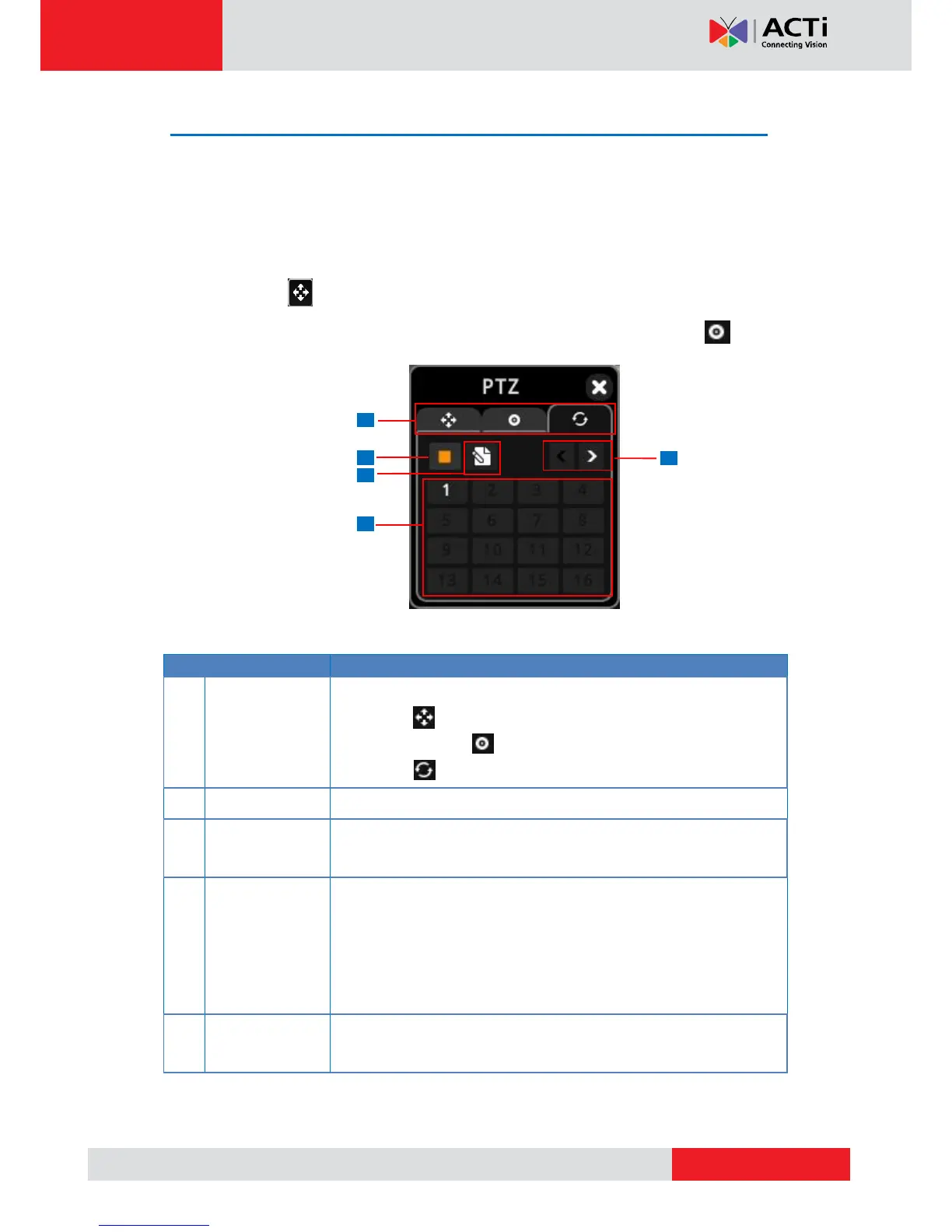
Tour
When the camera is on tour, click this icon to stop the tour.
Click this icon to create or modify a tour. See How to Create /
Modify Tours on page 40.
The numbers indicate the tour ID. If the number is:
Red: The tour is currently running.
White: The tour is set but not running.
Gray: The tour is not set.
Click a tour ID number to start the tour.
Click < to go back the previous page and > to go to the next page.



 To Next Page