ECD-1000 Product Manual
41
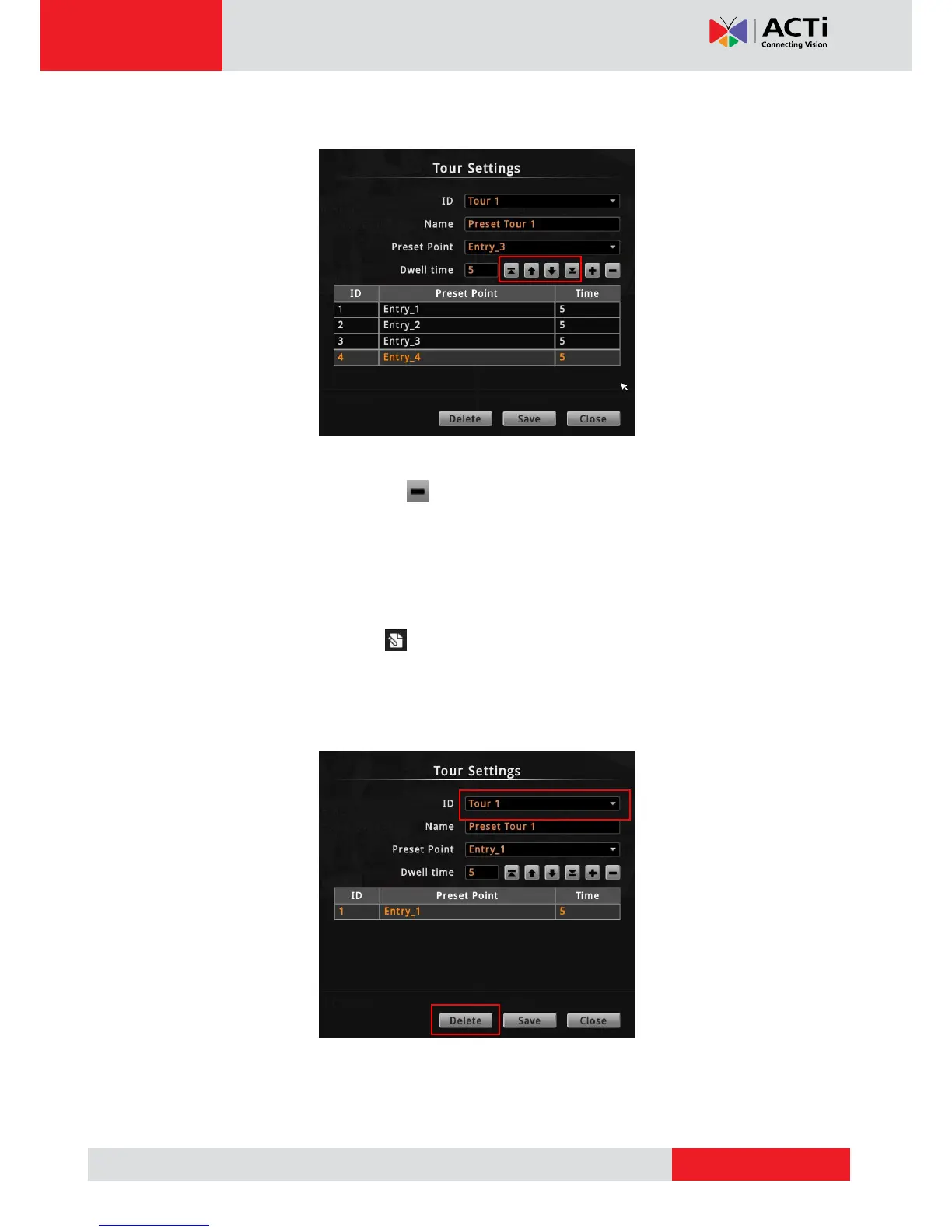
6. Repeat steps 4 to 5 to add more preset points to the tour.
TIP: Use the arrow keys to change the order sequence of preset points. Or, to remove a
preset point from the tour, click .
7. When done, click Save to complete the tour configuration.
How to Delete Tours
1. On the Tour page tab, click .
2. On ID, select the tour you want to remove.
3. Click Delete.
4. Click Close to close Tour Settings.



 To Next Page