ECD-1000 Product Manual
25
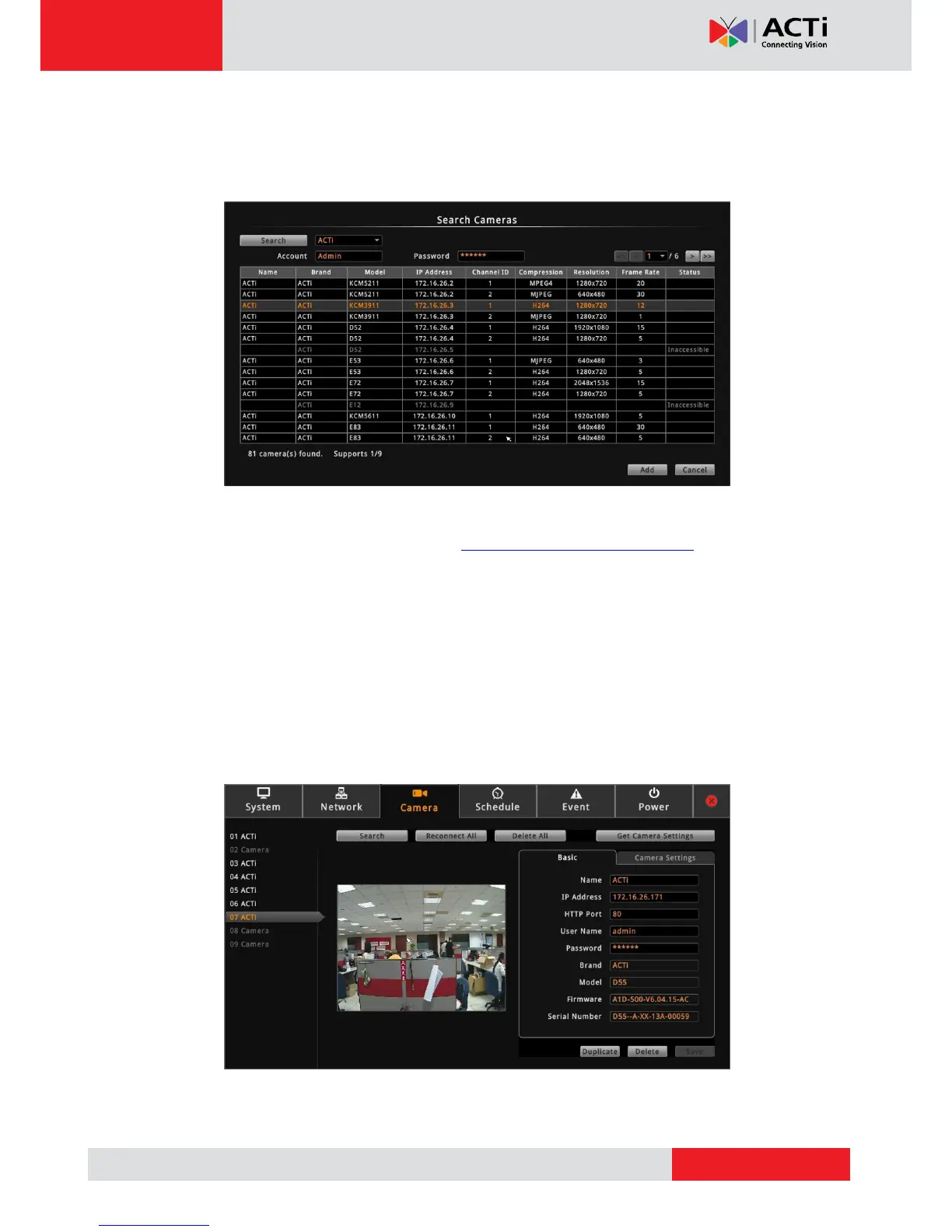
2. The Search Cameras screen appears with the list of cameras on the same network. By
default, the camera manufacturer, user account name and password for access are
already filed with ACTi default values. Modify these values as needed.
NOTE: The Decoder supports third-party cameras. To validate specific camera models
that can be integrated, visit our website (http://www.acti.com/3rdpartycamera).
3. Click one or more camera model(s). Selected cameras are displayed in orange.
NOTE: By default, a maximum of nine cameras can be added. You can add more than
nine cameras later by configuring Module to 12-channel or 16-channel mode, see Module
on page 44.
4. Click Add. The Camera screen appears with the list of the selected cameras on the left
panel. In the illustration below, only seven cameras are added.



 To Next Page