ECD-1000 Product Manual
60
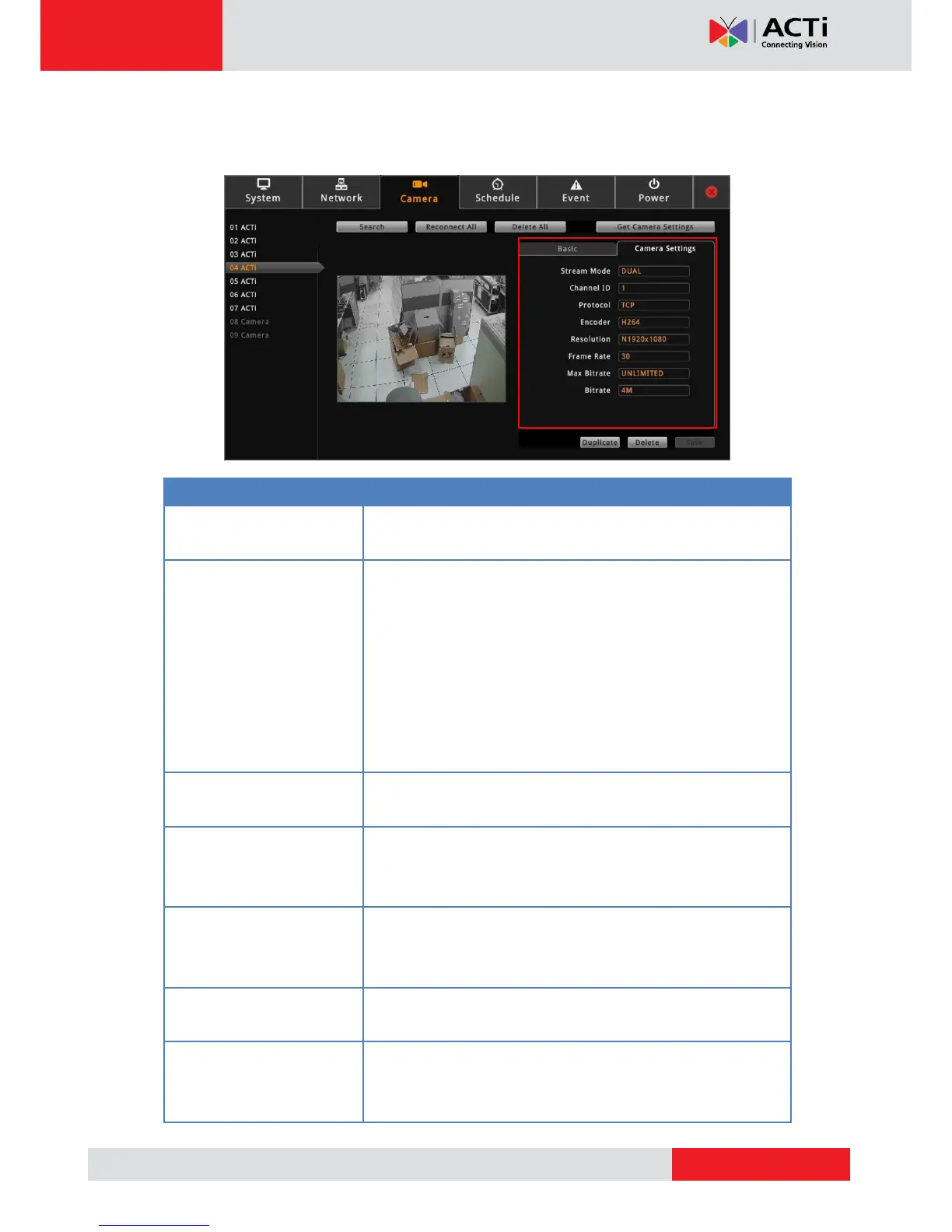
5. To modify streaming properties, click the Camera Settings tab, and modify the settings,
as needed.
Displays whether the camera has Single or Dual stream mode.
This field is not editable.
For dual stream cameras, select the stream to view. Usually,
stream 1 or Channel ID 1 is configured to be the best quality
stream for Network Video Recorder (NVR) recording purposes
and stream 2 or Channel ID 2 with basic quality for live viewing
on the NVR and the Decoder. Once the Channel ID is selected,
the succeeding camera properties, such as encoder, resolution,
etc., change according to the compression settings of the
selected stream.
Displays the video stream protocol. You can modify the video
stream protocol, as needed.
Displays the video stream encoder type. You can modify the
encoder type for the current stream, as needed. Note that for
local viewing, only H.264 is supported.
Displays the video stream resolution. You can modify the
resolution, as needed. Note that for local viewing, only up to 2
megapixels (1920 x 1080) is supported.
This is the amount of frame per second of the video stream. You
can modify the frame rate, as needed.
Max Bitrate
(only for H.264)
Defines the upper limit of the bitrate. The bitrate will be floating
slightly under that limit. For example, if the limit is set as 2M, the
bitrate will be floating around 1.6~2.0 Mbps.



 To Next Page