Setting Up the Oscilloscope
To inspect package contents
1-3
To inspect package contents
❏ Inspect the shipping container for damage.
Keep a damaged shipping container or cushioning material until you have
inspected the contents of the shipment for completeness and have checked the
oscilloscope mechanically and electrically.
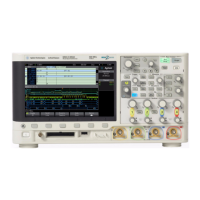
❏ Verify that you received the following items in the Infiniium Oscilloscope
packaging.
• Infiniium Oscilloscope (5483xB/D)
•Mouse
• (4) 1165A 10:1 10-MΩ passive probes (54831)
• (2) 1165A 10:1 10-MΩ passive probes (54830)
• Digital Probe (5483xD)
• Accessory Pouch
• Front Panel Cover
•Keyboard
• Power cord
• User’s Quick Start Guide—Includes CD-ROM with Programmer’s Guide,
Service Guide, and Probe manuals in Adobe® Acrobat format.
See figure 1-1. (See table 1-2 for the power cord.) If anything is missing, contact
your nearest Agilent Technologies Sales Office. If the shipment was damaged,
contact the carrier, then contact the nearest Agilent Technologies Sales Office.
❏ Inspect the oscilloscope.
• If there is mechanical damage or a defect, or if the oscilloscope does not
operate properly or does not pass performance tests, notify your Agilent
Technologies Sales Office.
• If the shipping container is damaged, or the cushioning materials show signs
of stress, notify the carrier and your Agilent Technologies Sales Office. Keep
the shipping materials for the carrier’s inspection. The Agilent Technologies
Sales Office will arrange for repair or replacement at Agilent’s option without
waiting for claim settlement.


 To Next Page
 Loading...