4
Chapter4 Client Program 113
SSL VPN Client Status Icon
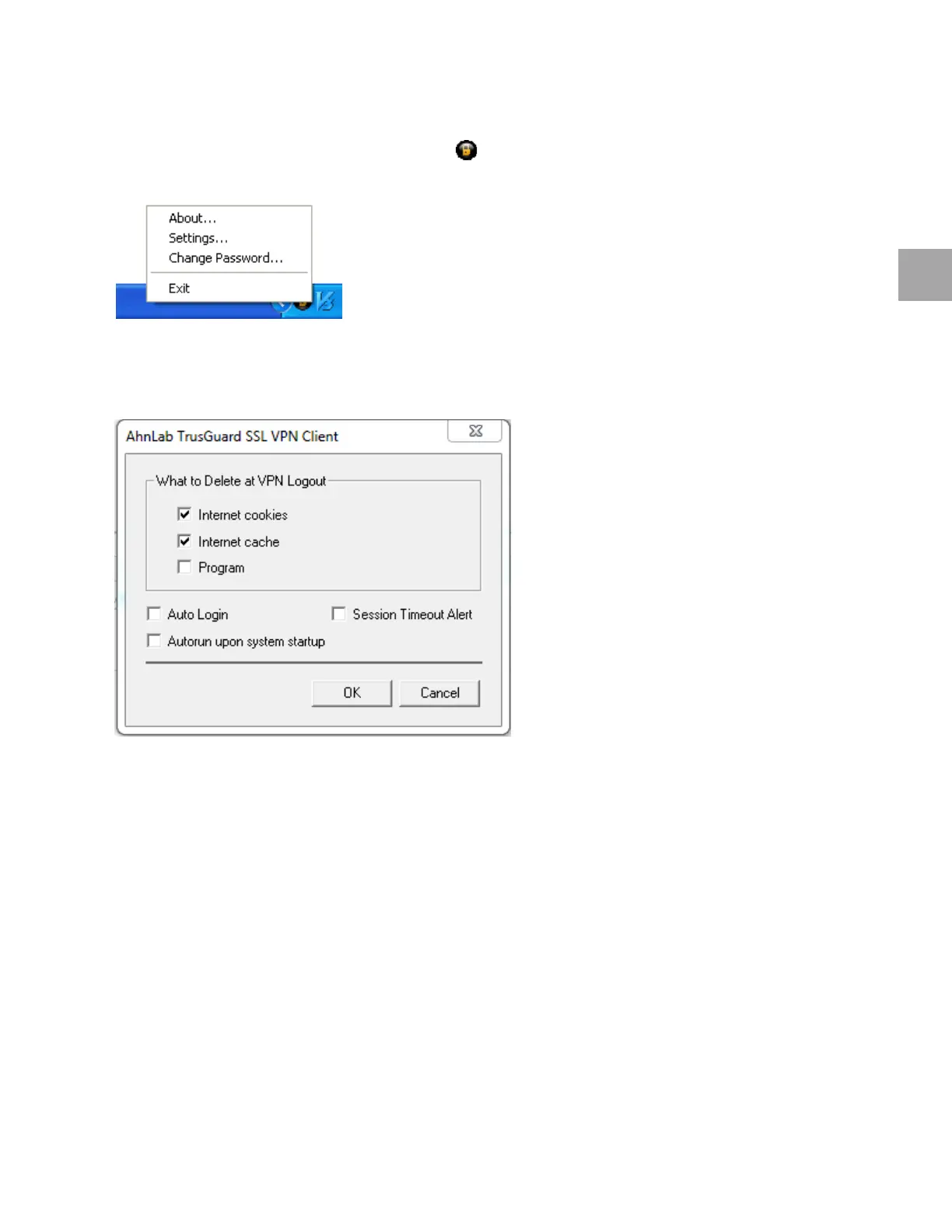
Right-click on theTrusGuard SSL VPN Client icon in the Windows notification area.
Settings
To change the TrusGuard SSL VPN Client settings, click Settings....
Internet cookie: When a user logs out of the SSL VPN, internet cookies will be removed.
Internet cache:
When a user logs out of the SSL VPN, temporary files stored in the web browser will
be removed.
Program: When
a user logs out of the SSL VPN, the TrusGuard SSL VPN Client will be removed.
Auto
Login: Select the checkbox to remember the login information and automatically log in.
Ses
sion Timeout Alert: Select the checkbox to display a session timeout alert.
Aut
orun upon system startup: Select the checkbox to automatically log in when the system starts.
Change Password
To change the password, click Password….
You can only
change the password for accounts managed by TrusGuard.



 To Next Page