3
Chapter3 Installation 61
DHCP/DHCPv6 Port
Get the IP address managed by DHCP or DHCPv6 server. You can also use DHCP in ISP connection.
DHCPv6 is a protocol that manages IPv6 addresses.
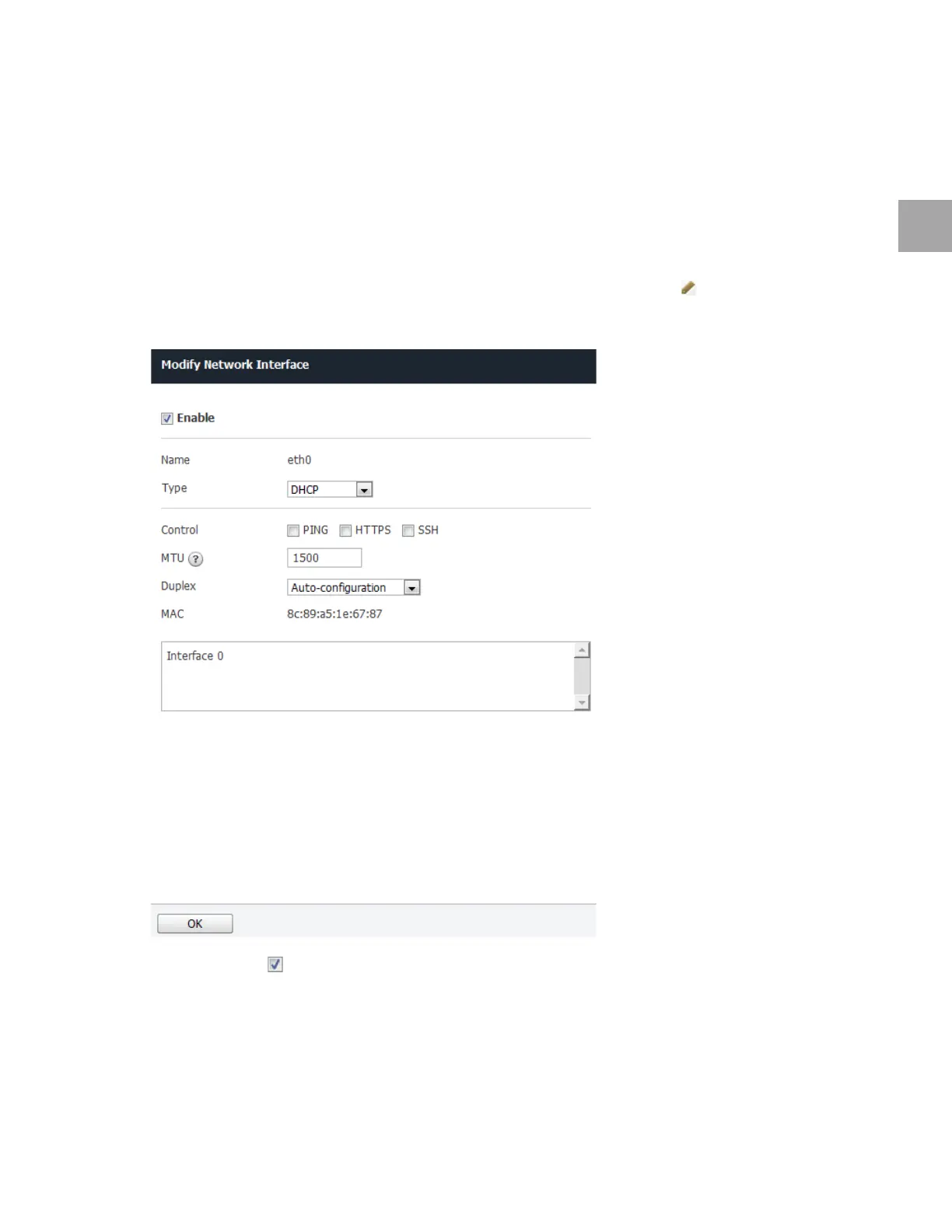
Set DHCP or DHCPv6 Port
Set the network interface as below. Use the default settings for any fields that have been left out.
1 Use
the DHCP to get an IP address. Select the network port to use, and click .
2 Specify
the settings as below.
• Select Enable ( ).
• Select DHCP fo
r Type. Select DHCPv6 if you need to get the IP address from an IPv6 network.
• Select the respo
nse protocol in Control.
▪ PING: To respond
to ICMP ping requests
▪ HTTP
S: To allow access to administrative web page



 To Next Page