3
58 AhnLab TrusGuard Installation Guide
PPPoE Port – For IPv4
This is used when PPPoE-based ISP line is used. This is the most appropriate method to connect
TrusGuard to the Internet in small-scale network with no static IP address.
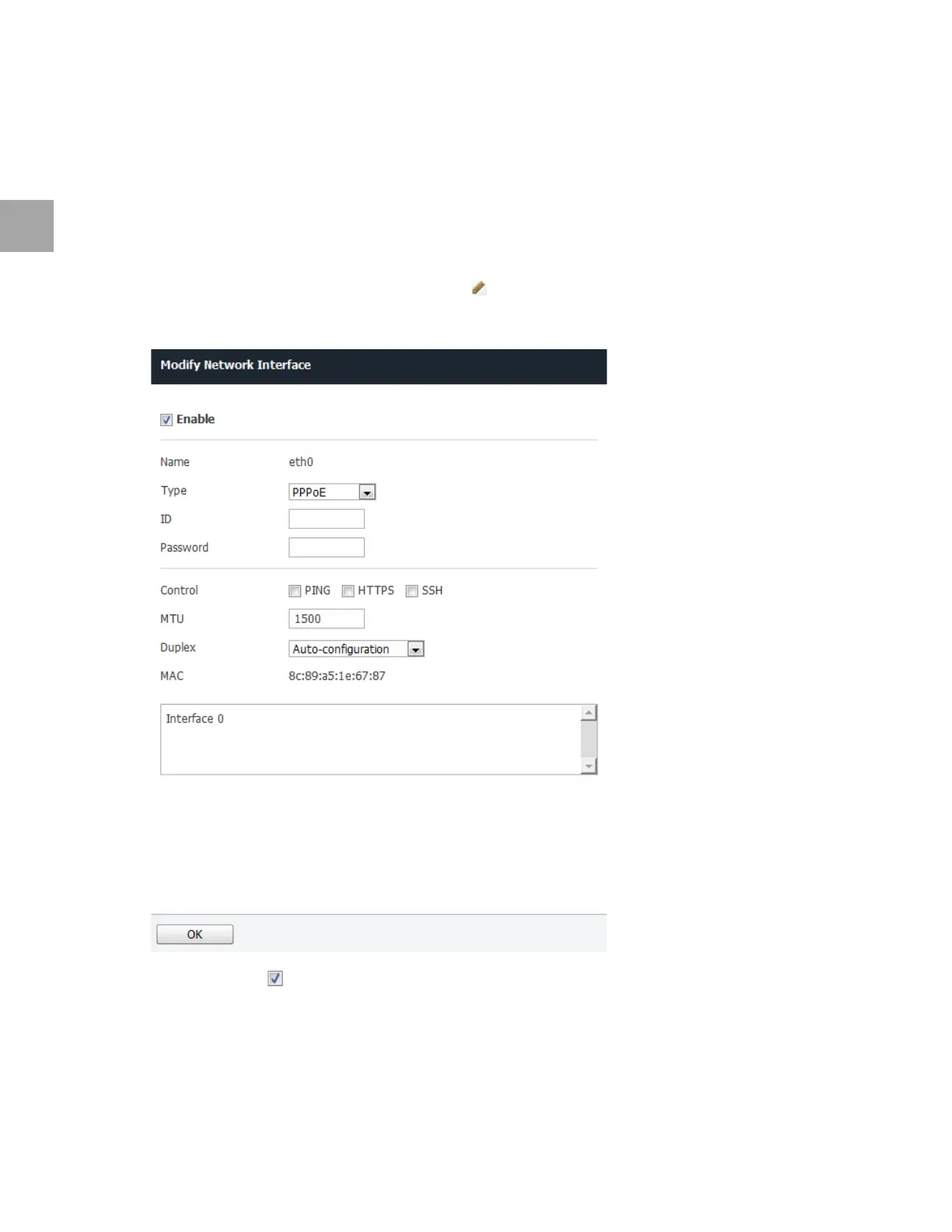
Set PPPoE Port
Set the PPPoE settings as below. Use the default settings for any fields that have been left out.
1 Select the network port to use xDSL, and click
.
2 Specify
the settings as below.
• Select Enable ( ).
• Select P
PPoE for Type.
▪ En
ter the PPPoE subscriber's ID.
▪ En
ter the PPPoE subscriber's Password.
• Select the respo
nse protocol in Control.



 To Next Page