3
68 AhnLab TrusGuard Installation Guide
VLAN
Set the VLAN interface when the network section to connect to uses VLAN. Routing between VLANs is
done in the system.
Set VLAN Interface
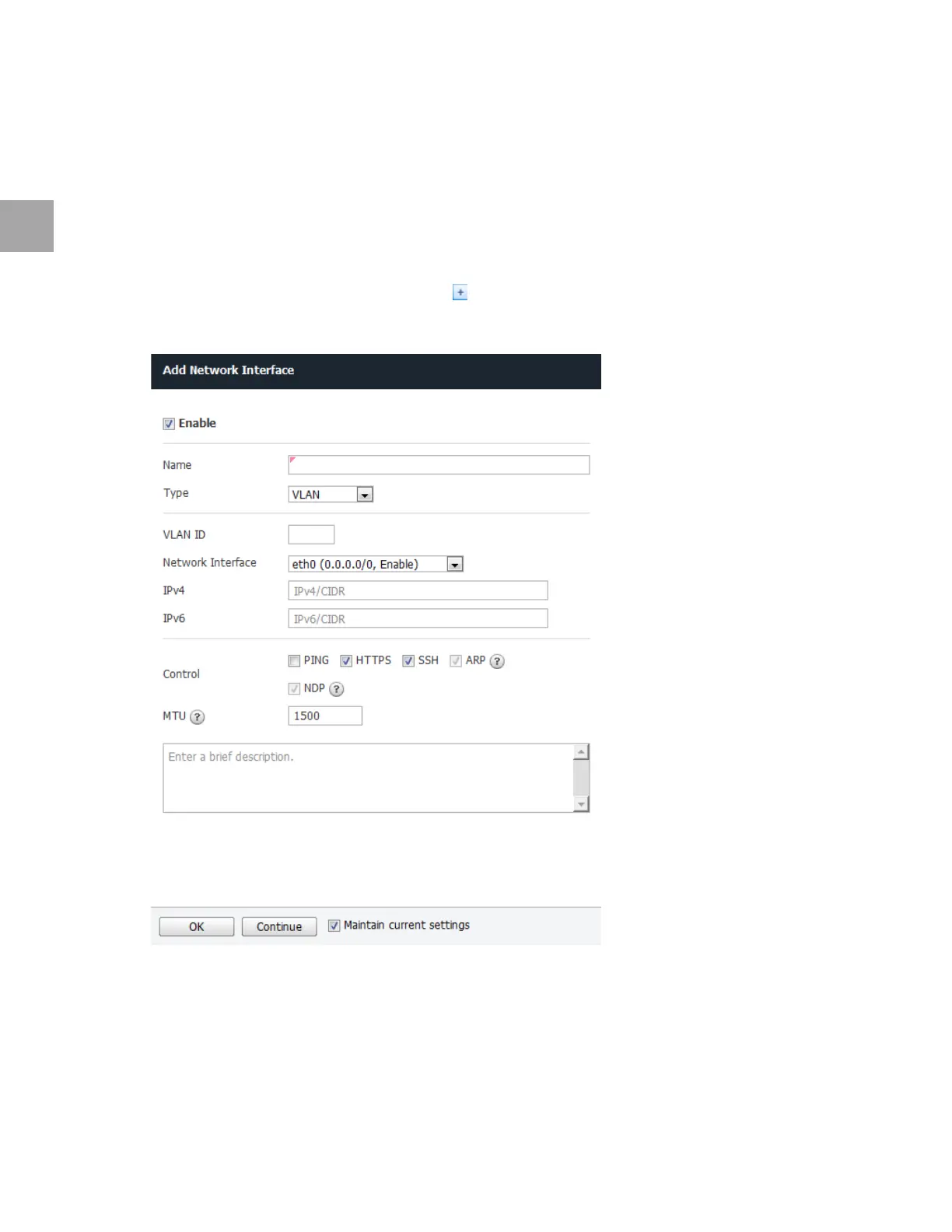
Set the VLAN interface as below. Use the default settings for any fields that have been left out.
1 In the profile/poli
cy modification tool, click .
2 Add Network Interface will appear. Sp
ecify the settings as below.
• Specify the VLAN interface Name (e.g.: vlan0).
• Select VLAN fo
r Type
• En
ter the VLAN ID (0 to 4,095).
• Select the Network Interface.
• En
ter the IPv4 address.



 To Next Page