3
Chapter3 Installation 63
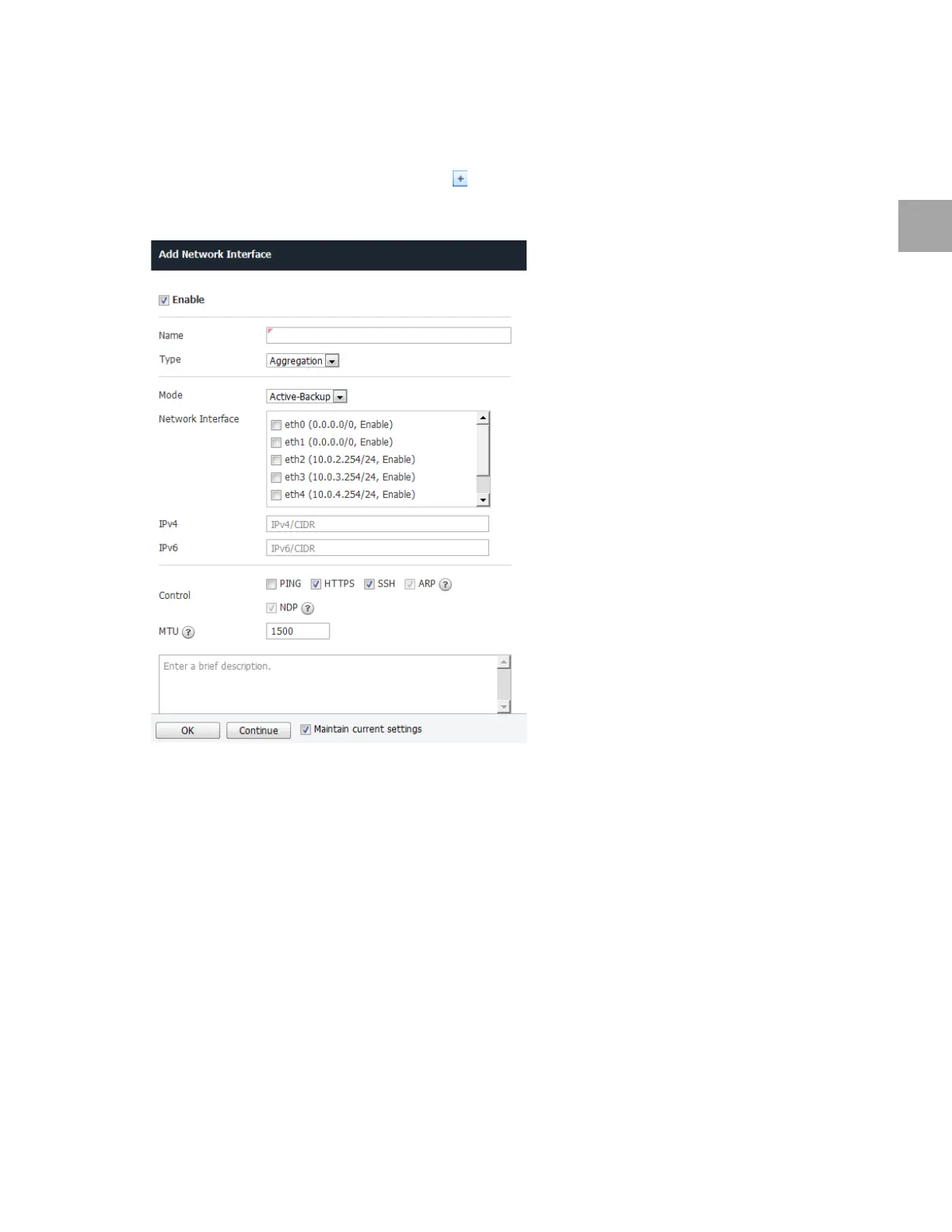
Set Aggregation Interface
Set the aggregation interface as below. Use the default settings for any fields that have been left out.
1 In the profile/poli
cy modification tool, click .
2 Add Network Interface will ap
pear. Specify the settings as below.
• Specify the aggregation interface Name (e.g.: agg0).
• Select Aggregation fo
r Type.
• Select the Mod
e: Active-Backup, Active-Active, 802.3ad (L2 load balancing), 802.3ad (L3/L2 load
balancin), 802.3ad (L4/L4 load balancin)
• Select
more than two Network Interfaces.
• En
ter the IPv4 address (if not used, enter 0.0.0.0/0).
• En
ter the IPv6 address (if not used, enter ::/0).
• Select the respo
nse protocol in Control.
▪ PING: To respond
to ICMP ping requests
▪ HTTP
S: To allow access to administrative web page
▪ SSH: To all
ow connection to SSH terminal
▪ ARP
: To allow resolution of network layer addresses into link layer addresses



 To Next Page