3
Chapter3 Installation 91
System Time
The logs recorded by the system, remote backup and firewall policies are all based on time. You must
set the time accurately.
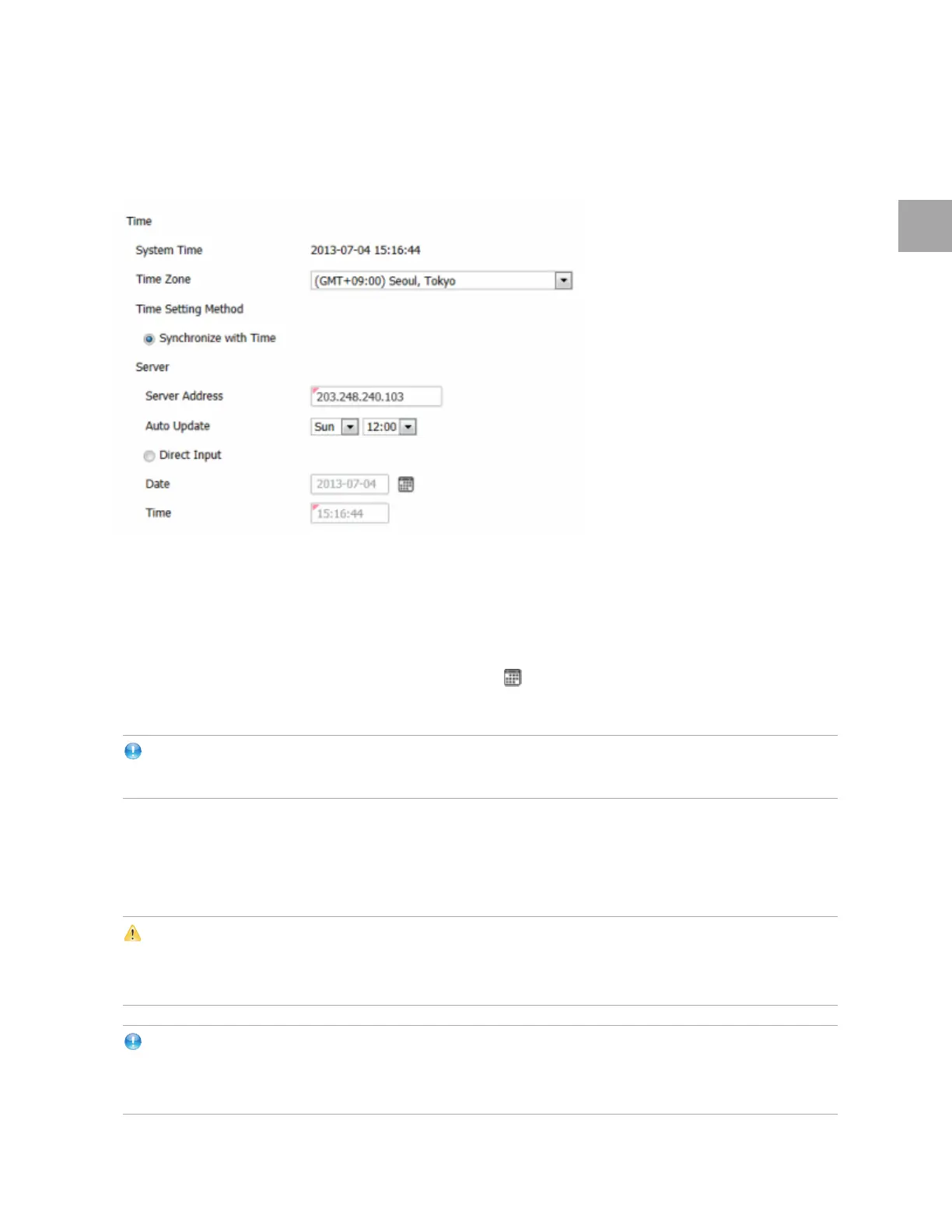
The Time Zone is (GMT +09:00) Seoul, Tokyo.
For the Time Setting Method, select Synchronize wi
th Time or Direct Input.
If
you choose to synchronize with the time server, specify the Server Address (203.248.240.103,
domain or IP address) and Auto Update time (Sun 12:00, Sunday to Saturday, 00:00 to 23:00).
If
you choose Direct Input, click the calendar icon ( ) and click the date, or enter the date in the
format of YYYY-MM-DD, and the time in hh:mm:ss.
Note
In TrusAnalyzer, this time is
shown as “Received Time”.
System Language
The logs, web interface an SSL VPN starting page will be in the language you choose. Only Korean and
English are supported now.
Caution
If you change the language while operating the system, the logs recorded before the change will get initialized
in Monitor Center, and will no longer be available. Logs already sent to TrusAnalyzer will not get affected.
Note
You can also choose the language from the login window
. Japanese and Chinese are on the list, but
currently not supported.



 To Next Page