Page 16
[3ch]
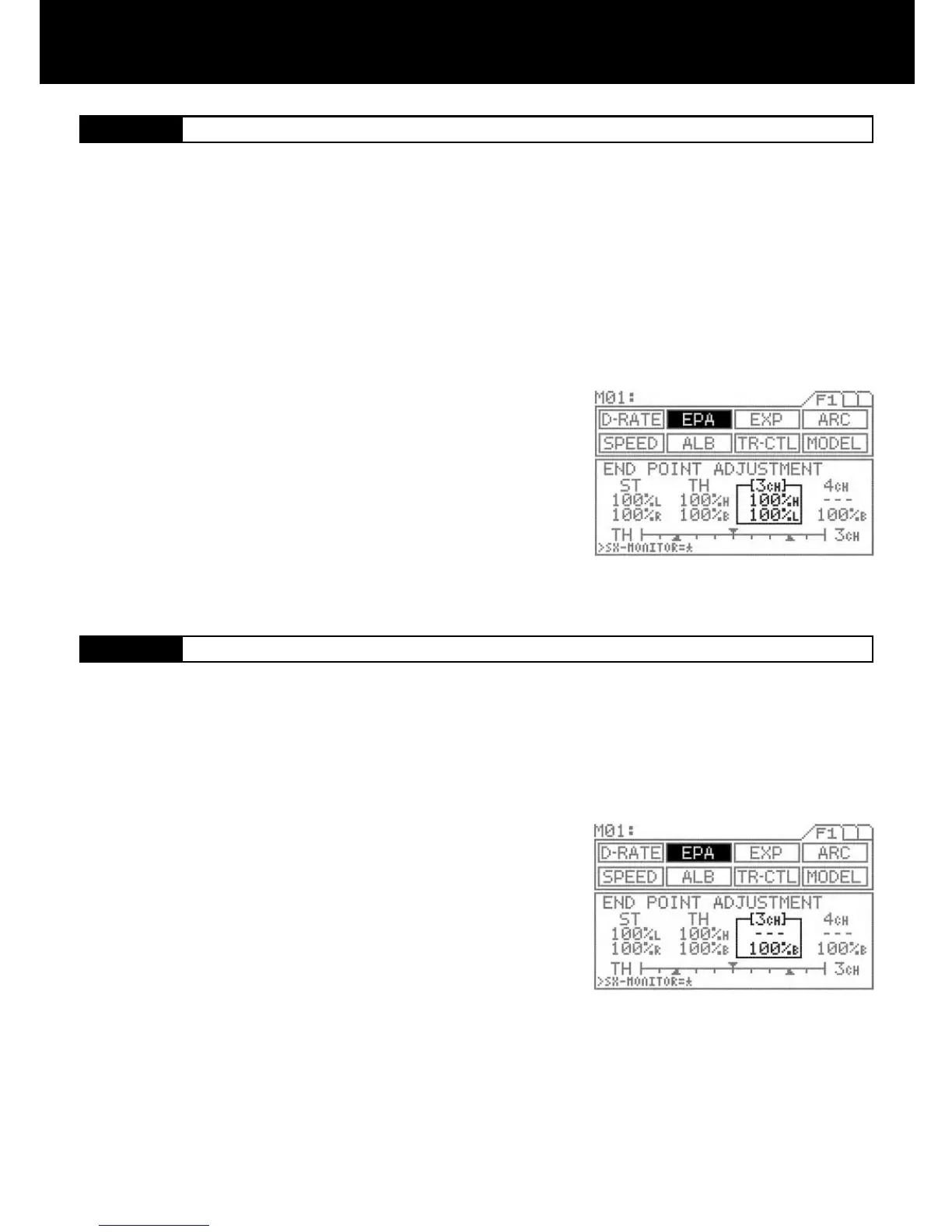
AUX End Point Adjustment ( with 3ch - BRAKE INH )
NOTE: I order to set any functions for AUX 3 and AUX 4, you must rst set the channel setting from 2 to 4 channel. To change from
2 to 4 channel, go to the F3 page on the transmitter, move the function menu cursor to SET-Up and change the channel number in
the programming area on the transmitter screen.
[3ch]
3CH-BRAKE End Point Adjustment ( with 3ch - BRAKE ACT )
1.
The AUX channel can be used for functions such as needle control or for
other uses. The end point adjustment allows ne adjustment of the maxi-
mum servo travel. Further, the high end point and low end point can be set
independently, which provides great exibility of adjustment.
Be sure that channel 4 is selected in the set-up menu and that 3CH-BRAKE
is set to INH in the BR-MIX menu. It is essential to set the M11 as “4channel”
in order to use these functions.
Press the function select key and move the cursor to [3ch] in EPA.
To select the low side AUX setting, turn the dial counterclockwise and de-
press the Inc.+ or Dec.- key. To select the high side setting, do the same after
turning the dial clockwise.
Setting range 0% to 150%
Standard setting 100%
TIP
The standard setting of the AUX key assign trim function is on DIAL. * This
dial can be assignable with other trim switches such as TRM 1 to TRM5.
2.
3.
With 4-channel setting
Make sure that the channel 4 is selected in the set-up menu and that 3CH-
BRAKE is set to ACT in the BR-MIX menu. It is essential to set this function
in order to activate this set up menu.
Press the function select key and move the cursor to [3ch] in EPA.
Push the throttle trigger all the way to the brake side and then adjust by
pressing the Inc.+ or Dec.- key.
Setting range 0% to 160%
Standard setting 100%
If it is necessary to arrange the EPA brake adjustment during the operation of
the vehicle, use trimmer TRM5 on the grip.
When using 3rd channel as the additional BRAKE channel, the end point adjustment can be separately set from the other BRAKE
channel.
1.
2.
3.
IMPORTANT
* Since this channel is exclusively for braking purpose, setting of EPA covers only at the BRAKE side.
4.



 To Next Page