24
All Airzone systems must be connected to internet to offer technical support.
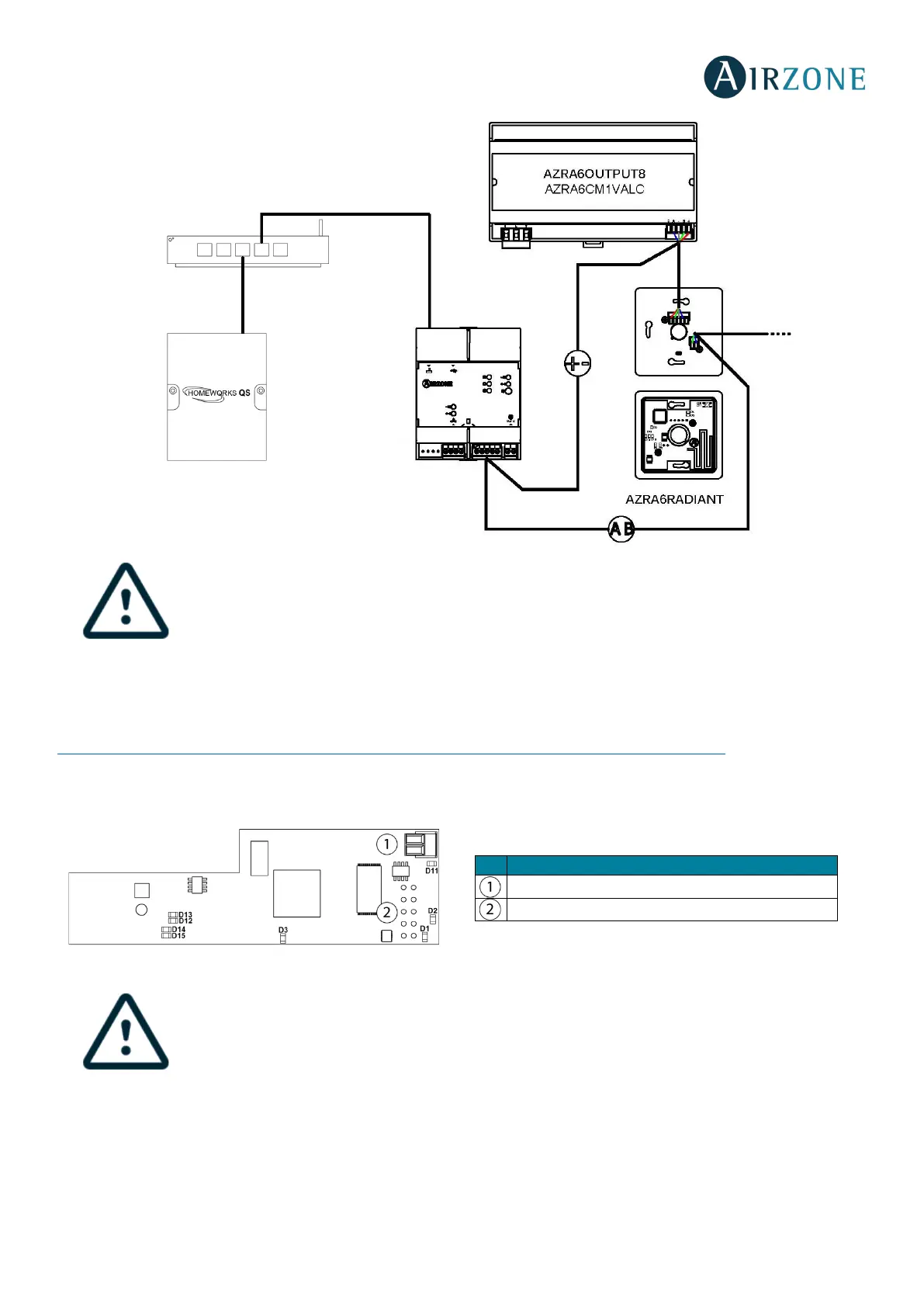
It is only necessary to connect one Lutron integration gateway per installation (control of up to 32
systems). All the system control boards must be correctly addressed.
Configuration
To configure it, follow the steps described in the Airzone Cloud Webserver installation manual, available at myzone.airzone.es
(http://doc.airzone.es/producto/Gama_AZ6/Airzone/Comunes/Manuales/MI_AZ6_LUTRON_A4_EN.pdf
)
WEBSERVER AIRZONE CLOUD WI-FI DUAL 2.4-5G (AZX6WSC5GER)
All Airzone systems must be connected to internet to offer technical support.
It is only necessary to connect one Webserver Cloud per installation (control of up to 32 systems).
Automation bus output
Automation bus input


 To Next Page