41
If the association is correct, the LED will flash green 5 times. If it flashes red, it means the zone is already occupied. If it flashes
red twice, it means the thermostat is out of range.
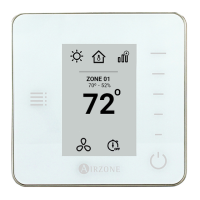
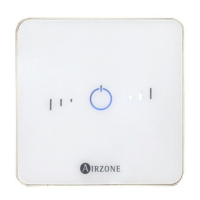
If you want to return your Lite thermostat to factory values, pull down all the microswitchs and reinsert the thermostat in its
base. The LED will flash green twice when the reset process is completed.
Remember: If you need to change the zone number, reset the thermostat and start association process.
INITIAL CONFIGURATION EVALUATION
Check the following aspects:
- AC unit-system communication: Choose any mode (except STOP mode) and switch on the zone to generate demand.
- Opening-closing of the dampers and control outputs: Turn on the system and generate demand in all the zones. Then,
switch off and on all the zones to verify the associated control outputs are correct.
Important: For security reasons, the last zone will take around 4 minutes to close.
USER AND ZONE SETTINGS
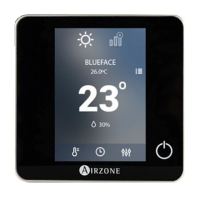
USER SETTINGS - BLUEFACE THERMOSTAT
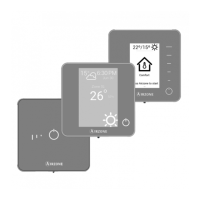
From this setting the user can control and change several features. Press on to see all the direct access list:
Language/Country. Select your language and country
Brightness. Select the brightness intensity and activate/deactivate the brightness on the screensaver.
Screensaver. Determine what information to display on the screensaver. Depending on the configuration of your system,
you can choose among this list:
• Zone state: Displays information about the zone state and settings
• Weather forecast: Only available with Airzone Cloud (AZX6WSC5GER / AZX6WSPHUB)
• AC unit consumption: Only available for some configurations.
• If you deactivate the information feature, only the time and zone state will be displayed.
Date and time. Press on the clock to set time, format type (12 or 24 hours) and whether or not you want the system to
automatically change the time. Press on the calendar to set the date.
Clean screen. Activate this feature to lock the screen for some seconds to clean the screen.
Information. Displays information about:
• Zone: Firmware, zone, association, actuator o communications status.
• System: Firmware, configuration and information about the controllers.
• Devices: Displays what elements are connected to the system.
• Webserver (Only for system 1 Master thermostat): Webserver status and settings, association to router.
• Errors: It warns you if any error occurs.


 To Next Page