28
AIRZONE HYDRONIC PRODUCTION CONTROL BOARD (AZX6CCPGAWI)
Assembly
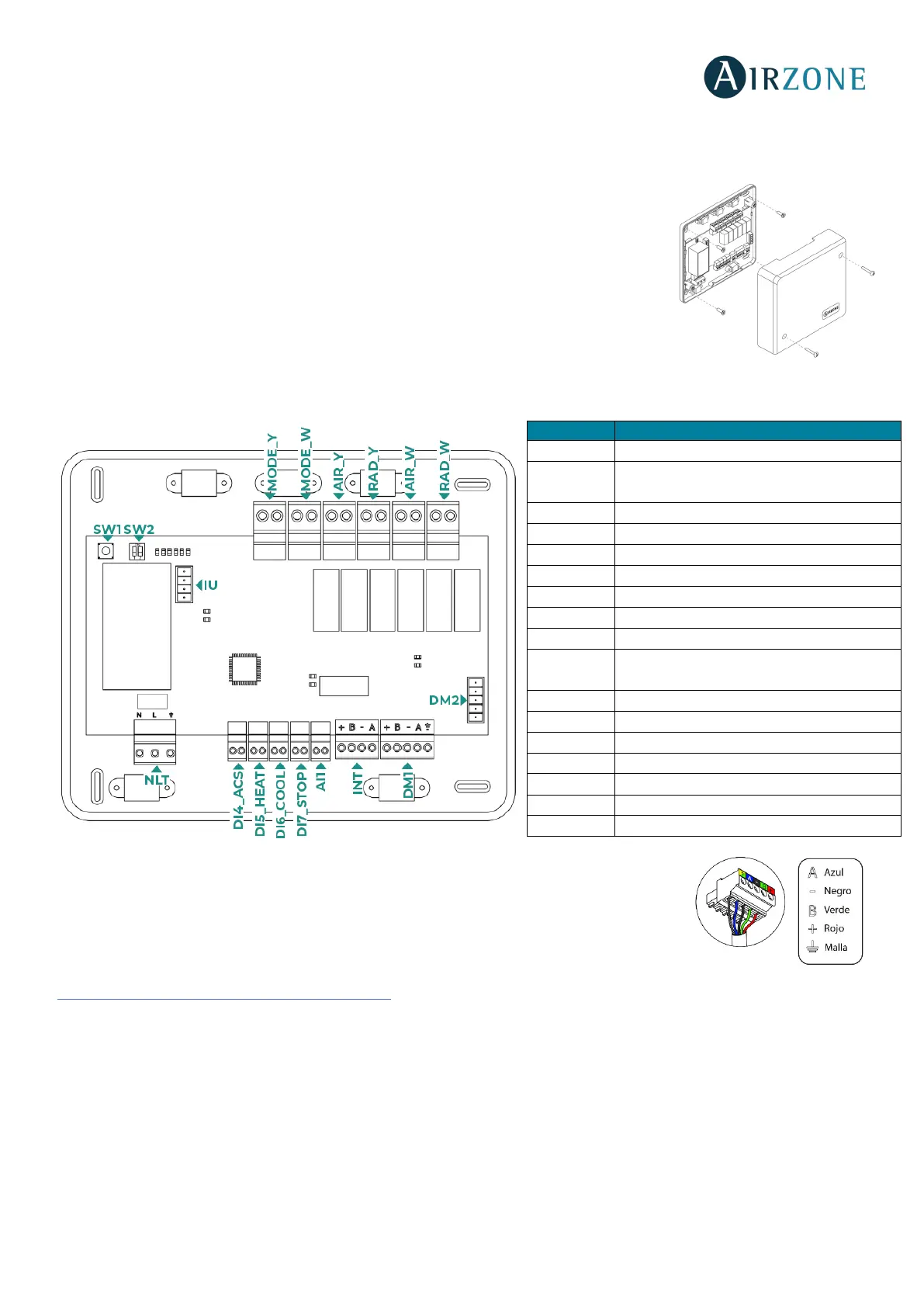
The production control board is supplied to be screwed to the wall. It should be placed and
mounted in accordance with the current electrotechnical regulations. For the mounting of the
main control board, follow the following steps:
• Locate the control board close to the unit to be controlled.
• Unscrew the cover securing the back part to the wall.
• Make all the connections and screw the cover again.
Connection
Production control board is connected to the AC unit bus of the main board.
You can connect the production control board to a Webserver HUB and to the main control board
by using the DM1 automation bus’s 5-pin terminal to connect the Webserver HUB to the
production control board’s automation bus. Use the appropriate cable: 5-wire twisted shielded
cable: 2 x 0.22 mm
2
and 2 x 0.5 mm
2
(2 x AWG 23 and 2 x AWG 20) plus the shield. Fix the cables
with the screws on the terminal, following the color code.
To connect the Webserver HUB to the main control board, make the connection as described in the section
A
irzone Cloud Webserver HUB Dual (AZX6WSPHUB).
DI4_ACS
Deactivates the air conditioning through
AC unit during DHW production
Sets the heating semiforced mode
Sets the cooling semiforced mode
Imposes the Stop mode in the system
Reserved for internal use
Air to water domotic bus output
Cooling mode


 To Next Page