33
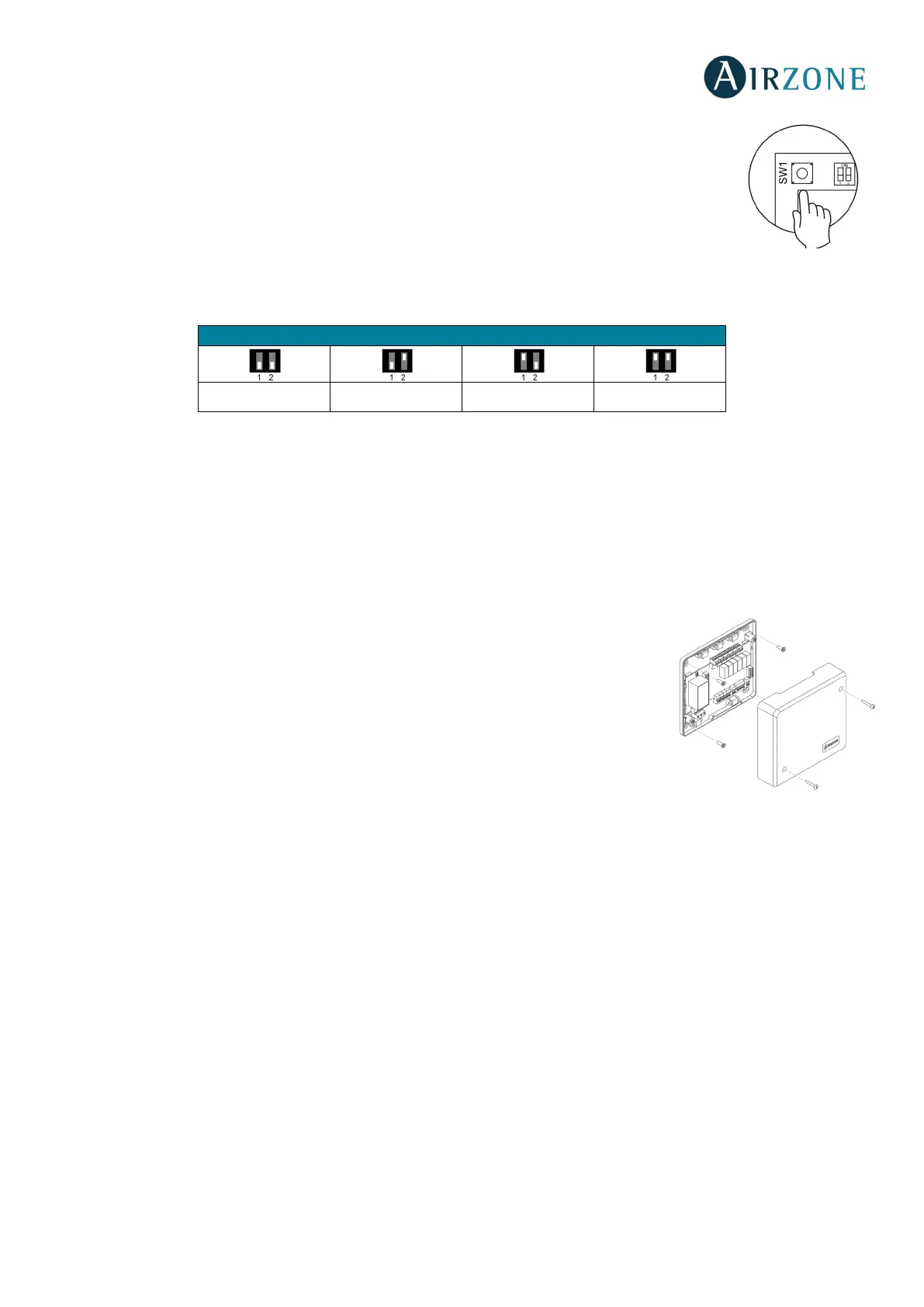
SW1
Once all the main control boards have been addressed, you must save the configuration of the
installation in the production control board. To do that, press SW1. If you make any changes in the
installation, remember to save the new configuration.
SW2
The microswitch SW2 sets the type of installation to control by the central production control. The operation logic of the
microswitch is as follows:
*Only for Airzone RadianT365 system (AZRA6).
Important: The control relays operation logic can be configured from SW2 or from the Production Parameters section on the
advanced configuration menu. Configuration from the menú always has priority over SW2.
AIRZONE PRODUCTION CONTROL BOARD (AZX6CCP)
Assembly
The production control board is supplied in a patter that is screwed to Wall for a better fixing
(Fig. 46). It is should be placed and mounted in accordance with the current electronic
regulations. For the mounting of the main control board, follow the following steps:
• Locate the control board close to the unit to be controlled.
• Unscrew the cover securing the back part to the wall.
• Make all the connections and screw the cover again.
Aerothermal 2 pipes 3/4 pipes RadianT*


 To Next Page