HM135/HM435 Programmer software guide
Preliminary version Page 12
4.2 Structure of Global Data window
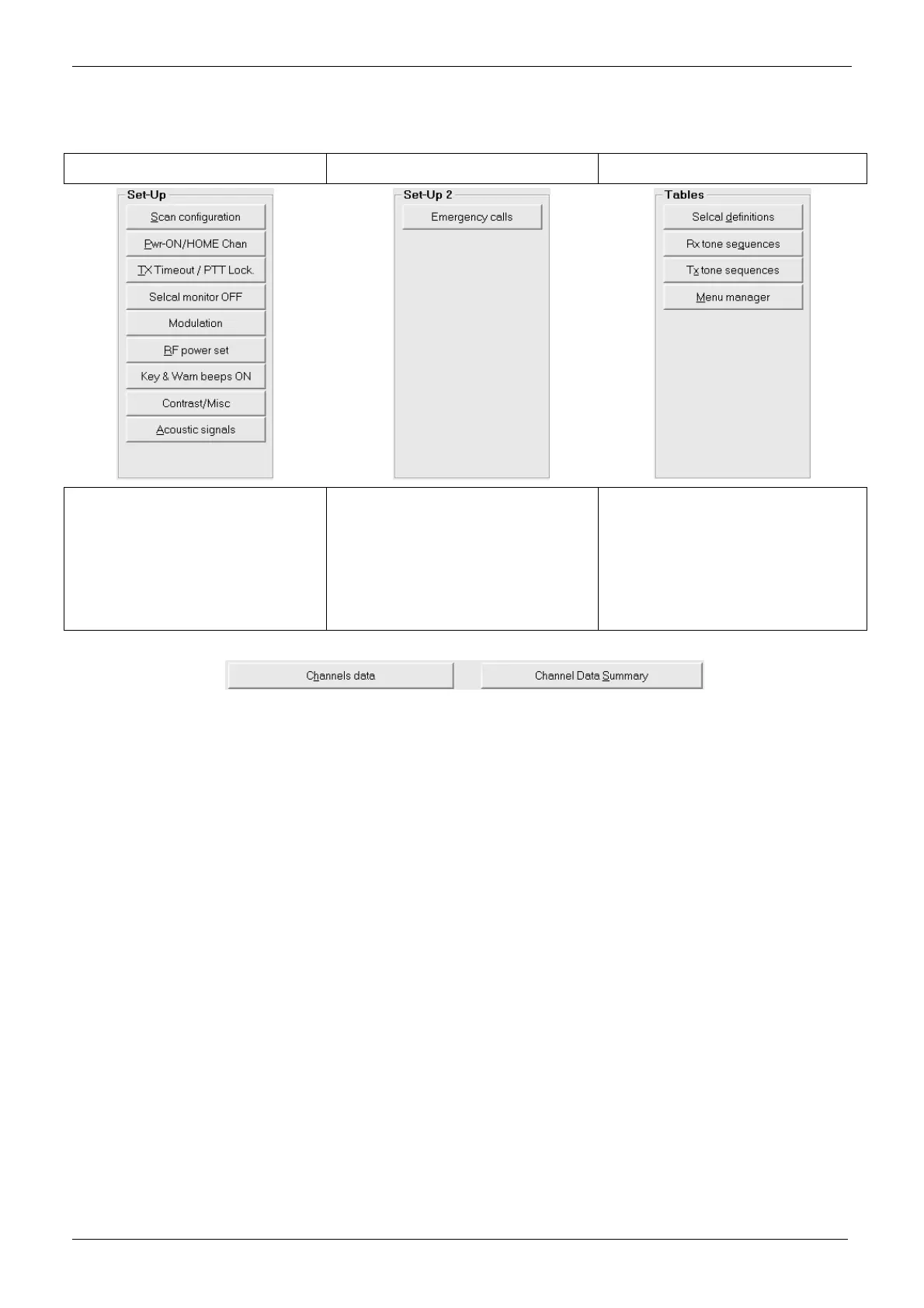
As you can see, Global Data window is divided into three areas: Set-Up, Set-Up 2 and Tables
Set-Up Set-Up 2 Tables
The Set-Up area allows you to adjust or
enable/disable various radio’s
parameters, such as the scan
configuration, the TX timeout and PTT
lock condition, set up the acoustic
signals and many other customizations.
For further information please see the
Chapter 6
The Set-Up 2 area is useful to set up
the emergency call. For further
information please see the paragraphs
6.8.
The Tables area allows you to define the
parameters for the Selective Calls (ref.
par. 6.1), setup RX and TX tone
sequences (ref. par. 5.1 and 5.2) and
customize the menu commands and F
keys functions through the Menu
manager (ref. par. 6.10).
Moreover, there are two buttons at the window’s bottom:
The Channels data button allows to quickly recall the Channel data window as described in the par. 4.1
The Channel Data Summary button allows to quickly see a channel data summary which includes the main parameters of all the
programmed channels. For further information please see the par. 5.7



 To Next Page