HM135/HM435 Programmer software guide
Preliminary version Page 22
Scan attack time – defines the maximum time which the radio can stay on a channel before automatically restart the scan even if the
condition defined at step 2) is not
ceased. If this timer is set to OFF, the radio stays on the channel all the time in which the said
condition (which stopped the scan) is present
PRI channel sampling time – It’s the time after that the radio switches on the priority channel (Dual watch)
The over stated parameters are expressed, respectively, in x10, x20 and x50 ms. so if you type, for example 30 in the priority scan
speed box, the time you will obtain will be: 30 x 20 = 600 ms.
The scan attack timer is useful to avoid that the scan could uselessly stop too much on a channel (e.g. with long-timed noise or non
modulated carriers). However ensure to set it with a sufficient time (or to OFF) in order to avoid the risk to loose the end of long
messages due to an anticipated scan restart
5) Click the OK button to confirm or Cancel to exit without changing the previous settings.
6.3 Power-ON Selcal auto sending
You can define a selective call to be automatically transmitted every time the radio is switched on and which channel the
radio should send it.
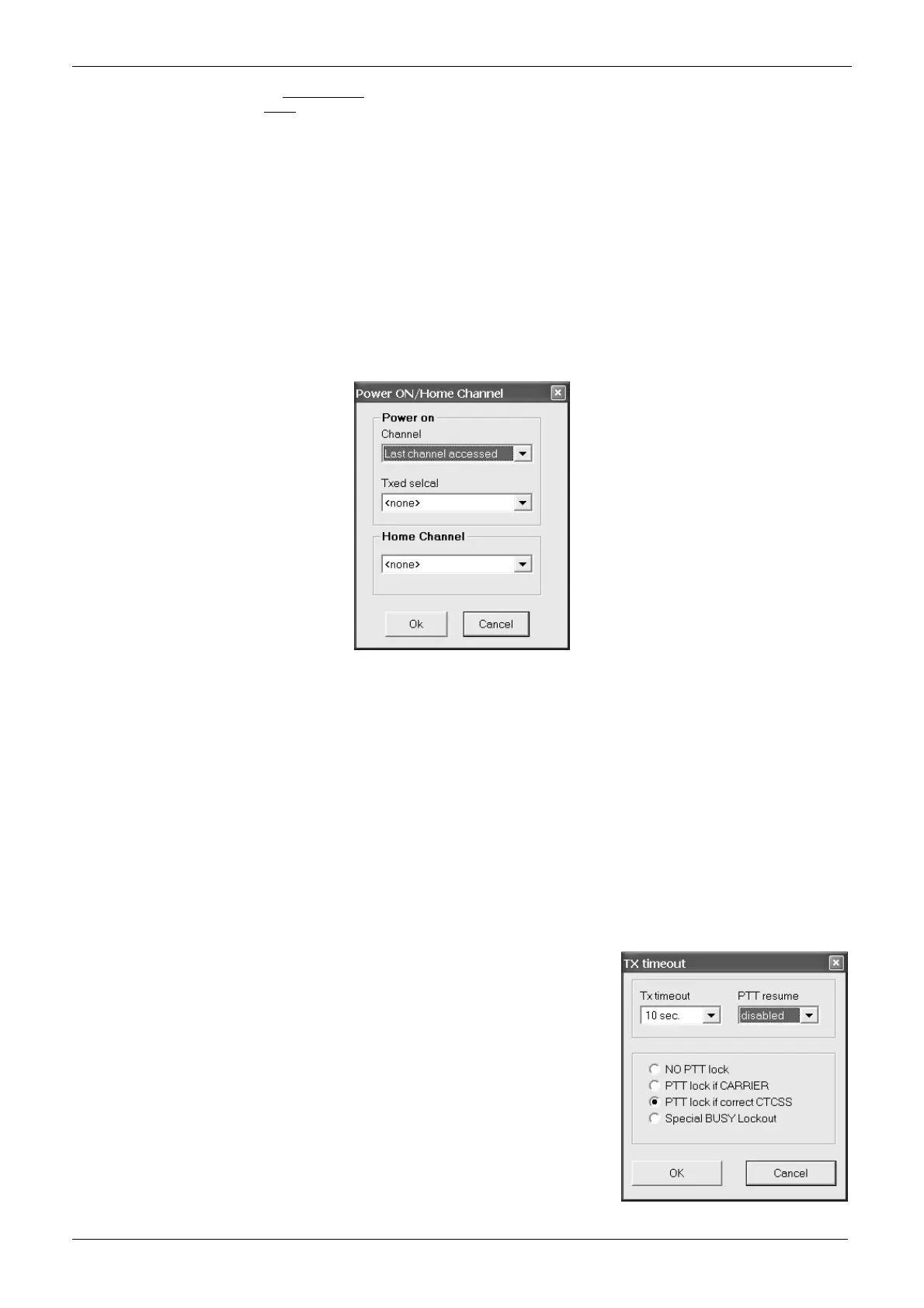
1) From the Global Data window - Set-Up area - click the Power-ON/HOME Chan button: the Power-ON/Home Channel window will
open.
2) In the Power on area:
• Click the Channel drag down button and select the required channel to be automatically selected every time the radio is powered
on. You can also select Last channel accessed if you want to automatically select the last channel used before it was switched
off.
• Click the Txed selcal drag down button and select the required selcal to automatically being sent every time the radio is switched
on.
3) In the Home Channel area, click the Home Channel drag down button and select the required home channel which must be
automatically select every time the related command is activated (by an F key assigned to mon function or by the menu).
4) Click the OK button to confirm or Cancel to exit without changing the previous settings
If you don’t want to automatically send a selective call every time the radio is switched on, at step 2 leave the Txed selcal drag down
button set to <none>
6.4 Transmission timeout / PTT lock (Tx Timeout / PTT Lock button)
This window allows you to reduce the risks of accidental /excessive transmissions on the operating channel, even by non
expert users:
TX timeout - defines the maximum transmission time available for the end user for every
message. If he/she continuously presses the PTT and reaches a certain preset time, the
TX will be momentarily disabled and an error beep is emitted. The TX is automatically
restored when the end user releases the PTT or, if needed, after a certain time with the
PTT released (PTT resume time).
PTT lock – locks the transmission if the channel shown some activities. You can configure
this setting in order to lock the PTT in several activity conditions: just if a carrier is
detected or if a correct/wrong CTCSS is detected. When the preset activity is detected,
the TX will be momentarily disabled and an error beep is emitted.
To access this settings, From the Global Data window - Set-Up area - click the Tx
Timeout / PTT Lock button: the Tx timeout window will open.



 To Next Page