HM135/HM435 Programmer software guide
Preliminary version Page 20
6 CUSTOMIZATIONS
In this section we’ll explain how to define personal (non-standard) Selcall parameters. Moreover you can define the availability
of the menu commands and function keys to the end user in order to boost the customization in order to make the radio better
matching with your needs. You can configure the scanning, set up some controls such as the transmission timeout, the PTT
lock and enabling/disabling the key and warn beeps as well as setting the acoustic signals, enabling/disabling the optional
scrambler board and many others.
6.1 Selcal database (Selcal definitions button)
If necessary, you can change some parameters of the standard Selcals. Moreover, if you don’t want to use the standard
Selcal tone frequencies, you can totally define your own Selcal standard called PERSONAL.
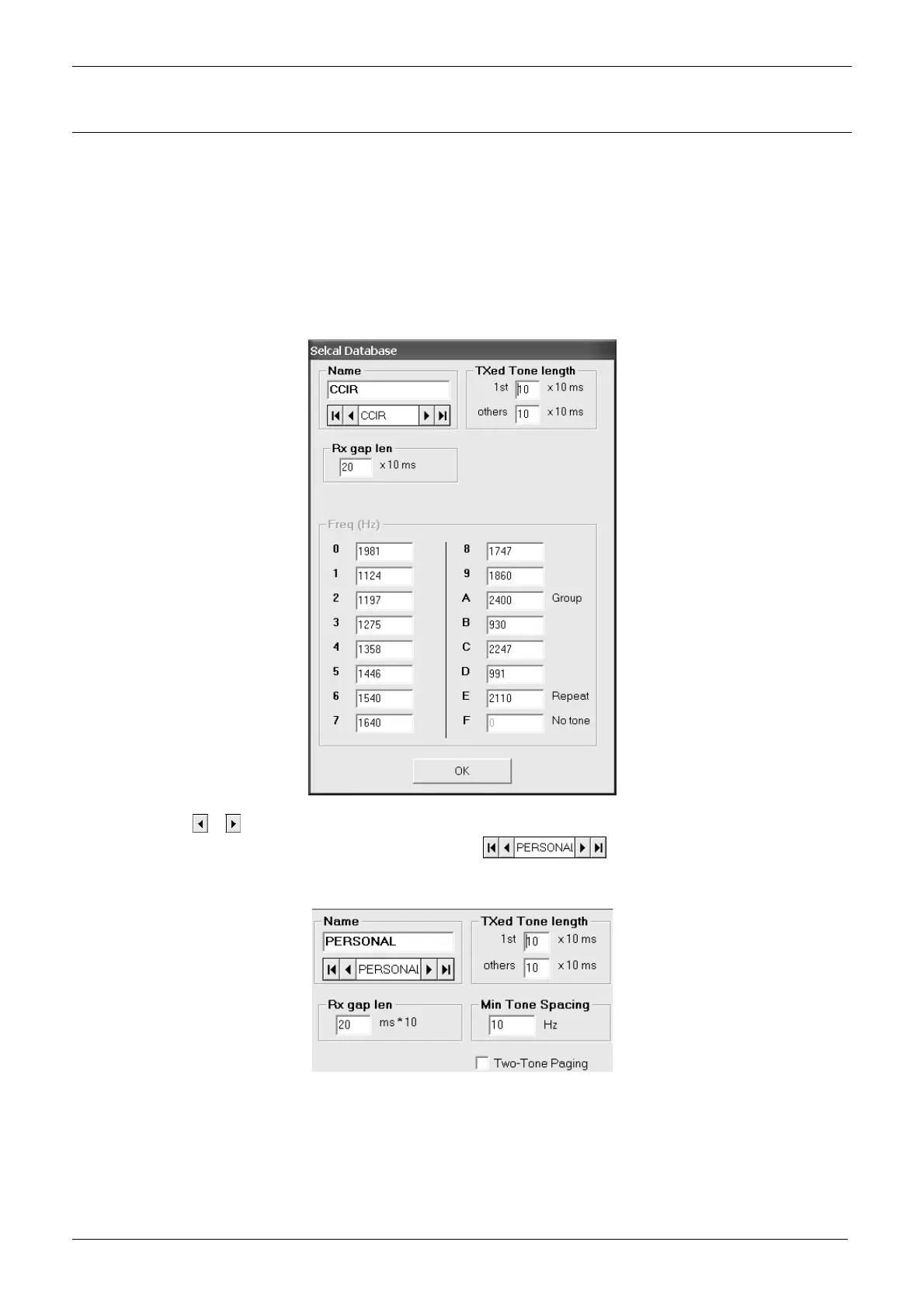
1) From the Global Data window – Tables area - press the Selcal Definitions button: the Selcal database window will open.
2) By means of the
or buttons of the Name area, select the Selcal standard you need to modify. You have two choices:
if you need to completely define a new Selcal standard, select
and go on with step 3)
if you need to modify some allowed parameters of existing Selcal standards, just select it (e.g. CCIR) and go to step 7)
3) If necessary, in the Name box, type a new name over PERSONAL (e.g. FireCorp)
4) You can set the Minimum Tone Spacing. It’s the minimum frequency space between the various tones in order to avoid interferences
between them if decoded by a old (and too wide) decoder. Go to Min. Tone spacing box and type 10 or 100 Hz.



 To Next Page