APOC0274 Ed.3a
Page 10 of 35
+44 (0)1235 861 483 | aleretoxicology.co.uk
Alere™ DDS
®
2 Mobile Analyser User Guide | 2. Getting Started
Step 4: Turn on the analyser by pressing the power button.
Step 5: If mains power is connected when the analyser is running from batteries, the analyser will switch to the mains
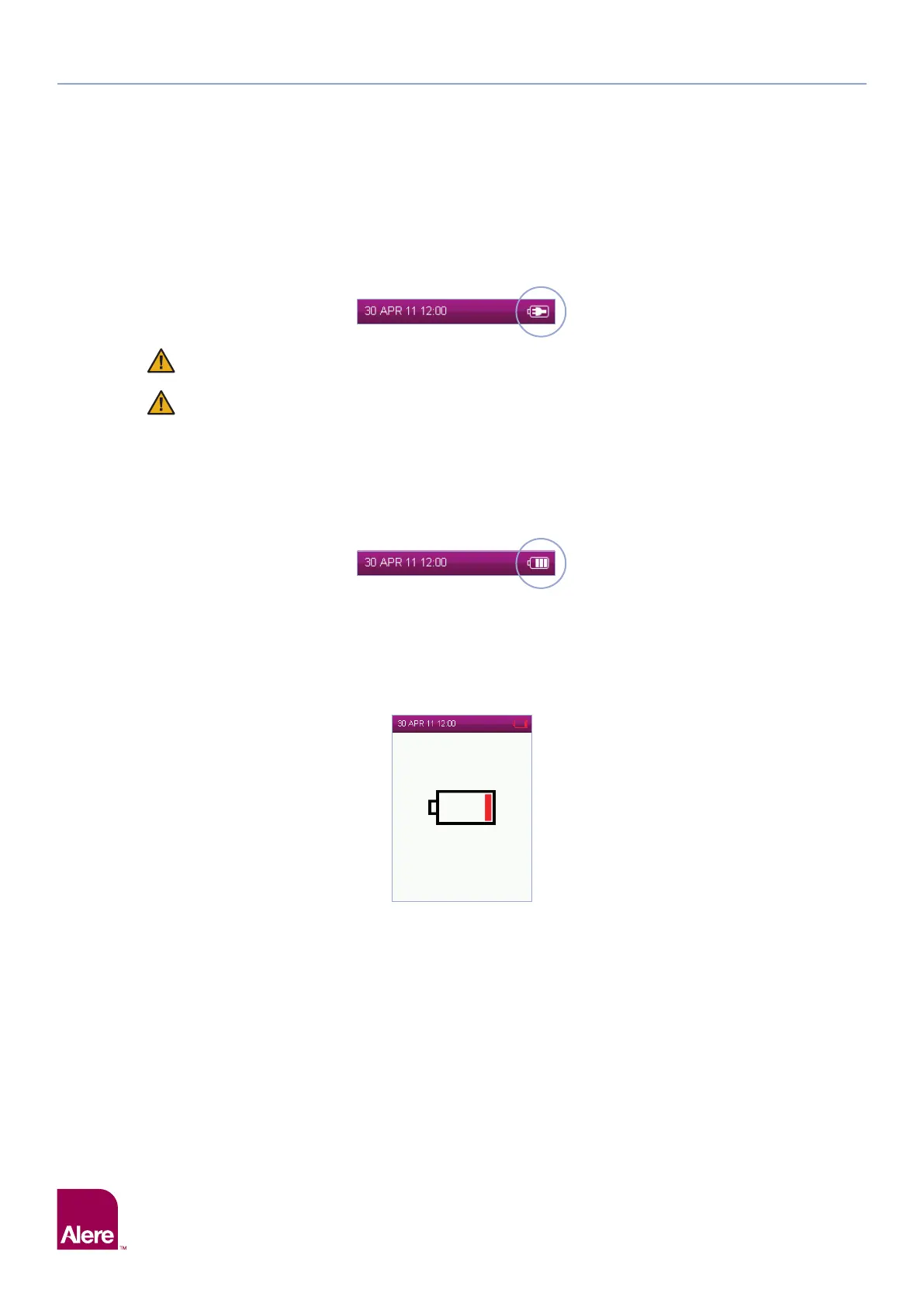
supply as a power source. When the analyser is connected to the mains power, the mains connected symbol
will be displayed in the status line:
Do not use cables or power supply units that are damaged as there may be risk of electric shock.
If the analyser battery requires charging, the battery charging symbol will be displayed when the
analyser is connected to the mains power.
2.6 Battery power
The Alere DDS2 Mobile Analyser will automatically operate from battery when turned on if not connected to
the mains. If mains power is lost or interrupted, the analyser will switch to battery power automatically. To
switch to battery power when in use, simply disconnect the analyser from the mains supply.
When running the analyser on battery power, the battery charge level is displayed by the battery status
symbol within the status line as shown below:
The number of tests that the analyser can perform from one full battery charge will vary depending on the
type of Alere DDS2 Test Cartridge that is being used, the environmental conditions, the age of the analyser,
whether results are printed and whether the questionnaire function is being used.
If the battery level reaches critically low level the screen will display a nearly empty battery symbol with the
final bar red. The battery symbol in the status bar will have a red outline. The screen will appear for a few
seconds before the analyser turns off.
See the following section 2.7 Charging the Alere DDS2 Mobile Analyser, for how to charge the analyser when
the batteries are low.
2.7 Charging the Alere DDS2 Mobile Analyser
The Alere DDS2 Mobile Analyser is supplied with a partially charged battery which is secured within the
analyser. To charge the battery, connect the analyser to the mains A/C power as follows:
Step 1: Insert the A/C power cable into the power supply unit.
Step 2: Connect the power supply unit to the power supply connector port located at the top of the analyser.
Step 3: Connect to the corresponding A/C power socket.
Upon connecting the mains A/C the charging status light above the display will illuminate. A red light means
the battery is charging, a green light indicates the battery is fully charged.
Step 5


 To Next Page