+44 (0)1235 861 483 | aleretoxicology.co.uk
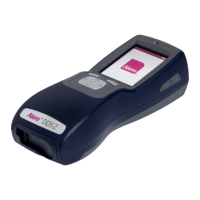
Alere™ DDS
®
2 Mobile Analyser User Guide | Contents
Contents
1 Introduction 1
1.1 Intended use 1
1.2 Test principle 1
1.3 Alere DDS2 Mobile Analyser specifications 2
1.4 Transport and unpacking 3
1.5 Accessories 3
1.6 Special feature 3
1.7 Data handling 4
1.8 Safety warnings and precautions 4
1.9 Alere DDS2 Mobile Analyser calibration 5
1.10 Maintenance and cleaning 5
1.11 Servicing 5
1.12 Warranty 6
1.13 Drug abbreviations 6
2 Getting Started 7
2.1 Alere DDS2 Mobile Analyser at a glance 7
2.2 User interface and symbols 8
2.3 Control keys 9
2.4 Setting up 9
2.5 Mains power 9
2.6 Battery power 10
2.7 Charging the Alere DDS2 Mobile Analyser 10
2.8 Tilt sensor 11
2.9 Silica gel packs 11
3 Printer 12
3.1 Connecting the printer 12
3.2 Loading paper 12
3.3 Charging the printer 12
4 Start-up 13
5 Using the Help Function 14
6 Running a Drug Test 15
6.1 Initiating a drug test 15
6.2 Inserting the Alere DDS2 Test Cartridge 15
6.3 Alere DDS2 Test Cartridge identification and verification of the expiry date 16
6.4 Sample collection 16
6.5 Test in progress and interpretation of results 17
6.6 Completing the questionnaire 18
6.7 Printing results 18
6.8 Completing the test 19


 To Next Page