APOC0274 Ed.3a
Page 16 of 35
+44 (0)1235 861 483 | aleretoxicology.co.uk
Alere™ DDS
®
2 Mobile Analyser User Guide | 6. Running a Drug Test
6.3 Alere DDS2 Test Cartridge identification and verification of the expiry date
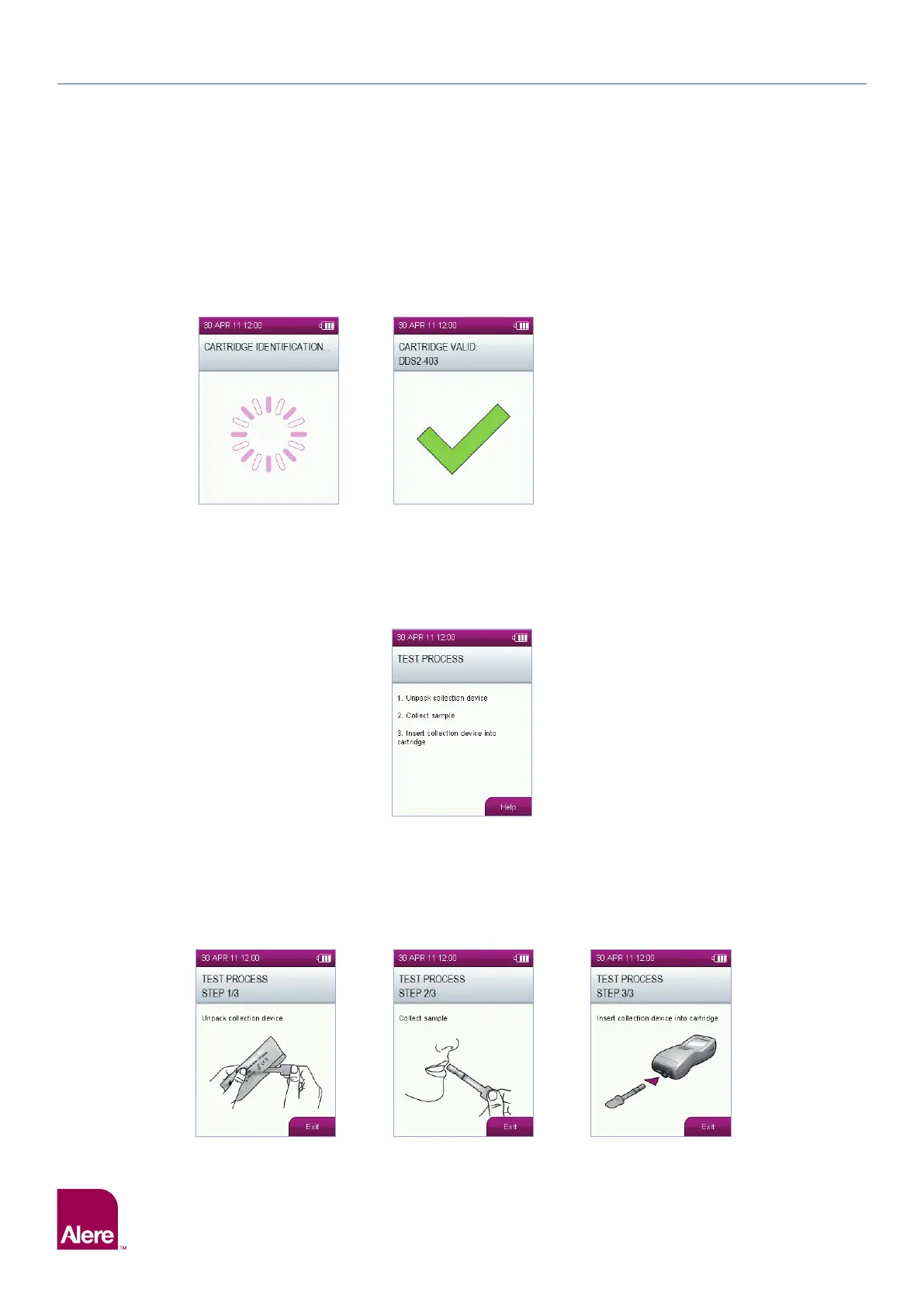
Following insertion of the Alere DDS2 Test Cartridge, the Alere DDS2 Mobile Analyser will read the barcode to
identify the test cartridge and verify that it is within its expiry date. The analyser will also check that the test
cartridge type is installed on the analyser. If the test cartridge has expired, it must not be used and the testing
process must be restarted with a new test cartridge that is within its expiry date.
If the test cartridge is not valid, refer to section 13 Technical Support, Codes and Troubleshooting.
6.4 Sample collection
Following Alere DDS2 Test Cartridge identification and verification of the expiry date, the screen below will be
displayed. For additional guidance on each step of the test process, select the help function on the Alere
DDS2 Mobile Analyser screen or refer to the instructions for use insert supplied with the Alere DDS2 Test Kit.
Step 1: Ask the donor to remove the Alere DDS2 Oral Fluid Collection Device from the packaging, ensuring they hold
the plastic stem of the collection device, and then place it in the mouth.
Step 2: The donor must actively swab the collection device around the gums, tongue and inside the cheek,
until the sample presence indicator starts to turn blue.
Step 3: Insert the collection device into the test cartridge (this should already be inserted into the analyser). Gently
push the collection device all the way into the test cartridge to the stop position.
Step 1 Step 2 Step 3


 To Next Page