APOC0274 Ed.3a
Page 31 of 35
+44 (0)1235 861 483 | aleretoxicology.co.uk
Alere™ DDS
®
2 Mobile Analyser User Guide | 12. Shut Down Procedure
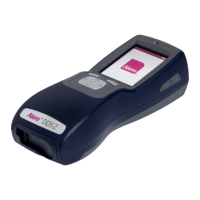
12.1 Turning the Alere DDS2 Mobile Analyser off
Step 1: Remove any Alere DDS2 Test Cartridges from the Alere DDS2 Mobile Analyser.
Step 2: Press the power button on the right hand side of the analyser.
Step 3: The screen will read ‘Analyser Shutting Down’.
Step 4: When the screen turns dark, the analyser has switched off.
The analyser cannot be switched off if a test is in progress of if a test cartridge is inserted.
12.2 Automatic shut down
In order to save power, the Alere DDS2 Mobile Analyser can be set to automatically shut down after a period
of inactivity. Refer to section 10.7 Automatic shut down.
The analyser will not turn shut down if a test is in progress or if a Alere DDS2 Test Cartridge
is inserted.
Step 3
12 Shut Down Procedure


 To Next Page