APOC0274 Ed.3a
Page 27 of 35
+44 (0)1235 861 483 | aleretoxicology.co.uk
Alere™ DDS
®
2 Mobile Analyser User Guide | 10. Alere DDS2 Mobile Analyser Settings
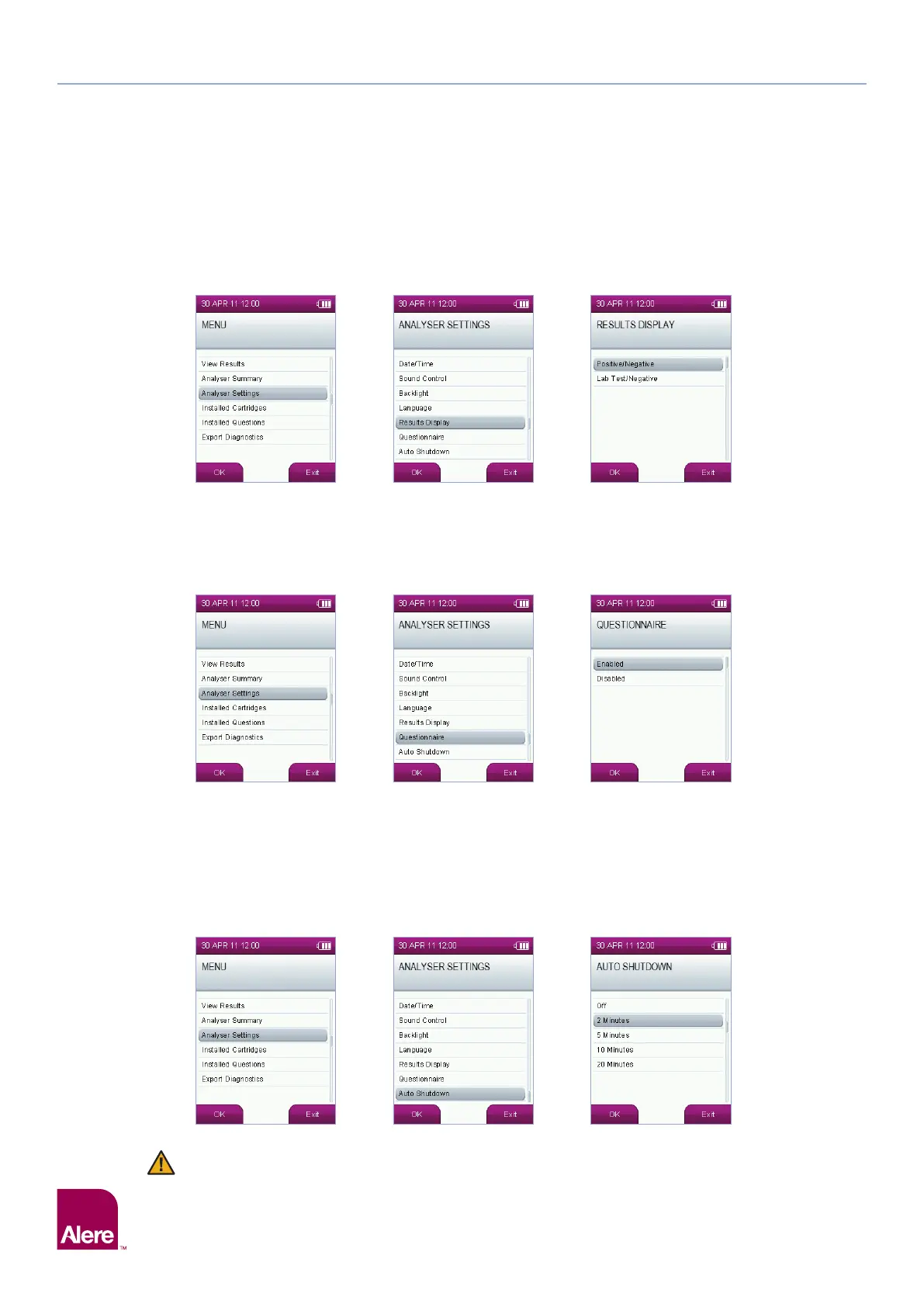
The analyser can either display results as positive/negative or as lab test required/negative. To change the
results display, select the Analyser Settings option from the main menu, then in the Analyser Settings
screen, select the Results Display option. In the Results Display screen, use the five way navigation key to
highlight the results display required, then press OK to save the settings.
10.6 Questionnaire
To enable or disable the questionnaire, select the Analyser Settings option from the main menu, then in the
Analyser Settings screen, select Questionnaire.
In the Questionnaire screen, the first option enables the questionnaire set and the second option disables it.
Use the five way navigation key to select the required settings. Press OK to save the settings.
10.7 Automatic shut down
The Alere DDS2 Mobile Analyser can be set to automatically shut down after a period of inactivity to save
power. The automatic shut down function can be set to on or off and the time period before shut down can
be selected.
Select Analyser Settings from the main menu, then in the Analyser Settings screen, select Auto Shut
Down. In the Auto Shut Down screen, use the five way navigation key to highlight the required setting and
press OK to save the setting.
The analyser will not automatically shut down while a test is in progress or if a Alere DDS2 Test
Cartridge is inserted.


 To Next Page