APOC0274 Ed.3a
Page 17 of 35
+44 (0)1235 861 483 | aleretoxicology.co.uk
Alere™ DDS
®
2 Mobile Analyser User Guide | 6. Running a Drug Test
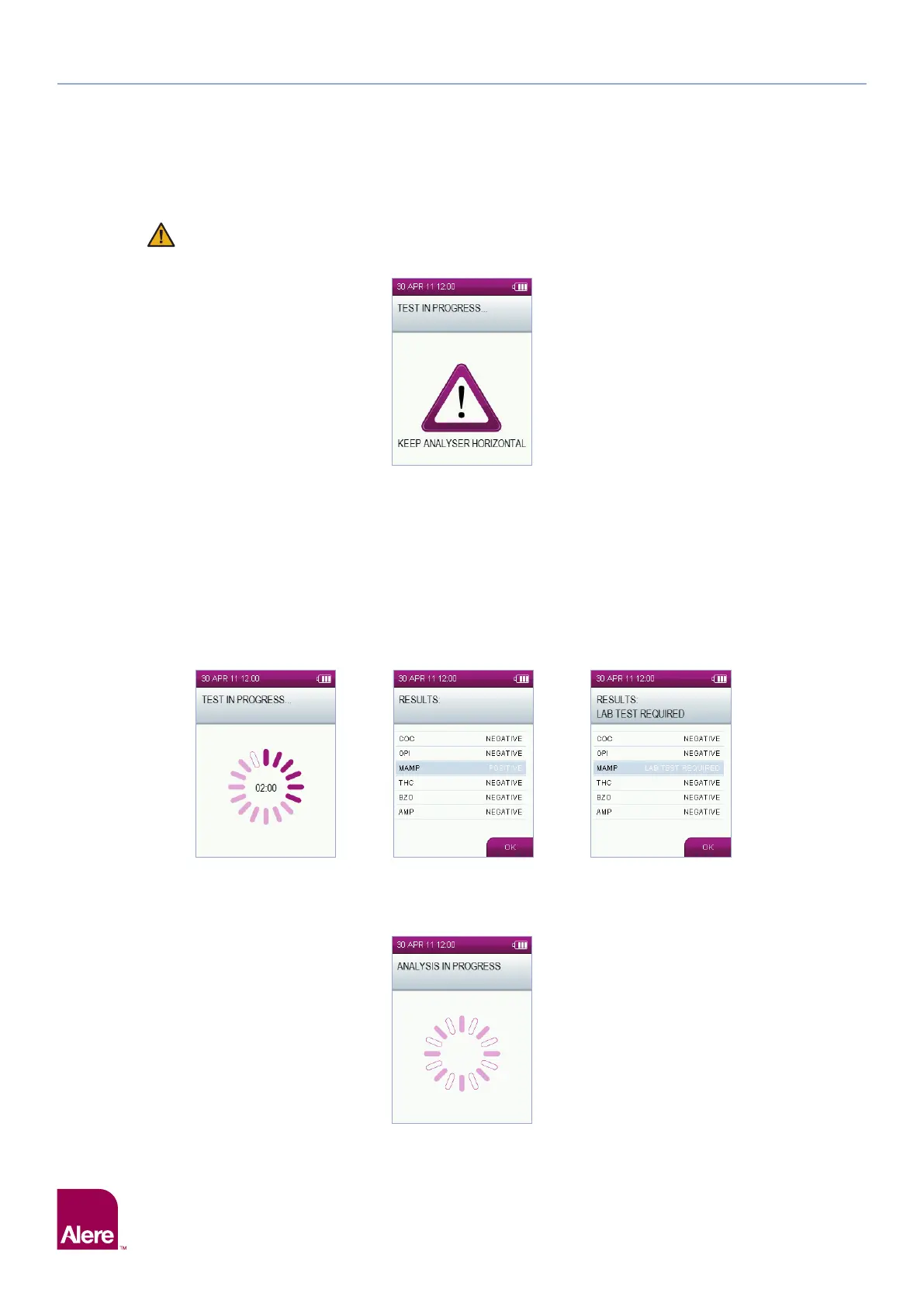
Once the sample collection device has been inserted, the analyser should be kept in a horizontal
plane remaining as still as possible throughout testing. If the analyser is tilted beyond the
acceptable range, this warning symbol will appear on the screen:
Correct the orientation of the analyser immediately to prevent disruption to the test. See section 2.8 Tilt
Sensor, for more information about the tilt sensor.
6.5 Test in progress and interpretation of results
When the Alere DDS2 Oral Fluid Collection Device has been inserted into Alere DDS2 Test Cartridge in the
Alere DDS2 Mobile Analyser, the screen will display ‘test in progress’ and a countdown timer appear. The
time it takes to analyse results depends on the type of test cartridge being used.
When the analyser has finished processing the test, a results screen will be displayed. Results are displayed
as positive, negative or lab test required against each drug group, depending on which results display option
has been set up on the analyser. To change the results display, refer to section 10.5 Results display.
Select OK using the right select key to move onto the next screen.
On occasion prior to the results screen being displayed you may see an additional analysis screen which is
shown below. This screen may be present for a maximum of 60 seconds.


 To Next Page