APOC0274 Ed.3a
Page 30 of 35
+44 (0)1235 861 483 | aleretoxicology.co.uk
Alere™ DDS
®
2 Mobile Analyser User Guide | 11. Using the SD Card
11.3 Exporting diagnostic data
Diagnostic data can be exported from the Alere DDS2 Mobile Analyser to an SD card, if required and
instructed to by Product Support on behalf of the manufacturer. This data can be used to aide with
troubleshooting of a particular issue or as part of routine monitoring of how the Alere DDS2 Mobile Test
System is working.
To export the diagnostic data to an SD card, follow these steps:
Step 1: Insert the SD card into the analyser before starting this procedure.
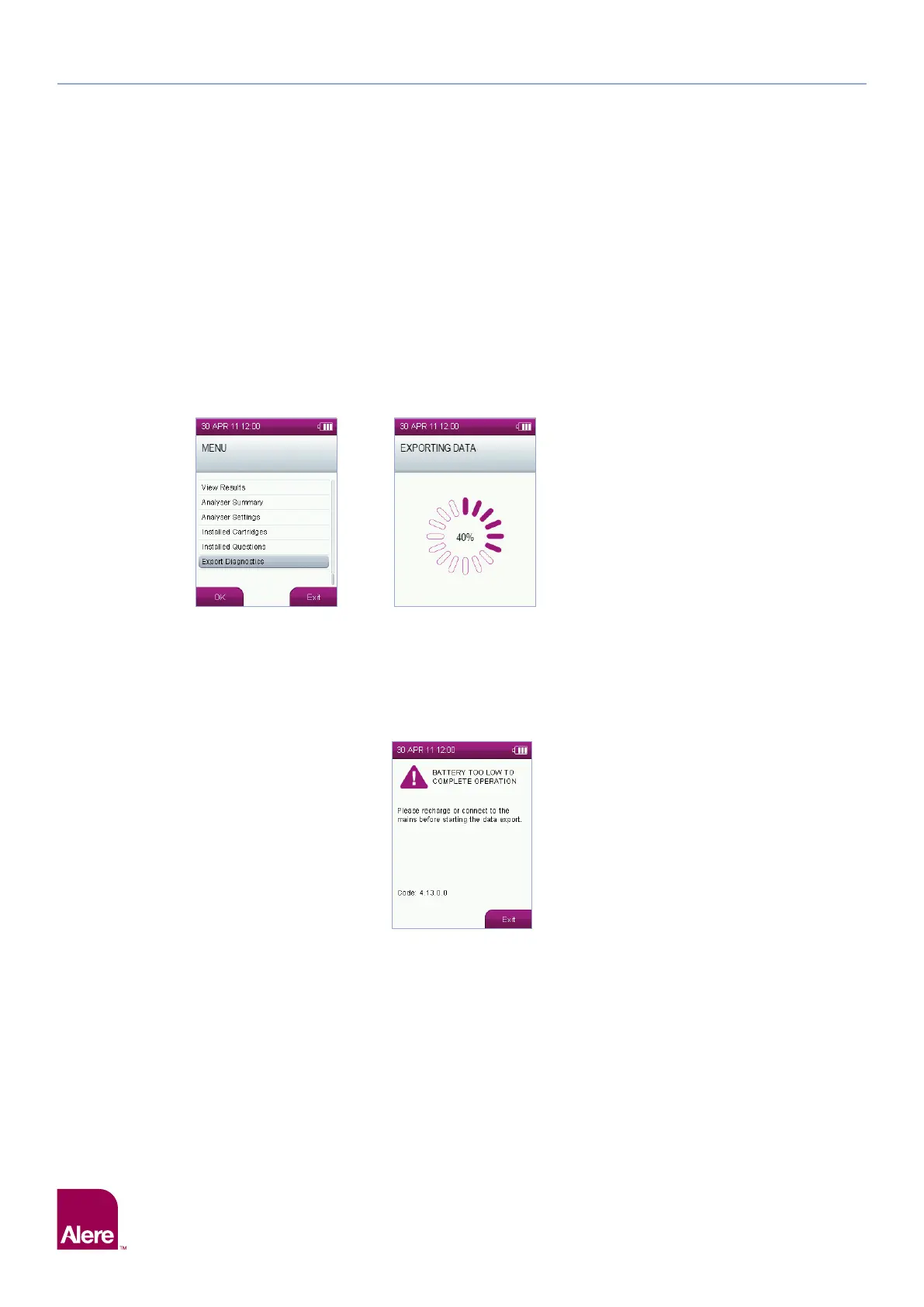
Step 2: From the main menu, select the Export Diagnostics option.
Step 3: A progress wheel will be displayed while the data is being exported. It may take several minutes to complete
as it is dependent on the number of tests completed on the analyser.
Step 4: On completion of the export the main menu will be displayed.
Step 5: Turn the analyser off and remove the SD card from the slot and return to Product Support as instructed.
Step 6: Re-screw the card cover into place.
Please note that if the battery is too low, then the warning message shown below will appear when you start to
export the data. Either charge the analyser or simply connect to the mains before starting the export again.
Step 2 Step 3


 To Next Page