APOC0274 Ed.3a
Page 32 of 35
+44 (0)1235 861 483 | aleretoxicology.co.uk
Alere™ DDS
®
2 Mobile Analyser User Guide | 13. Technical Support, Codes and Troubleshooting
13.1 Technical support
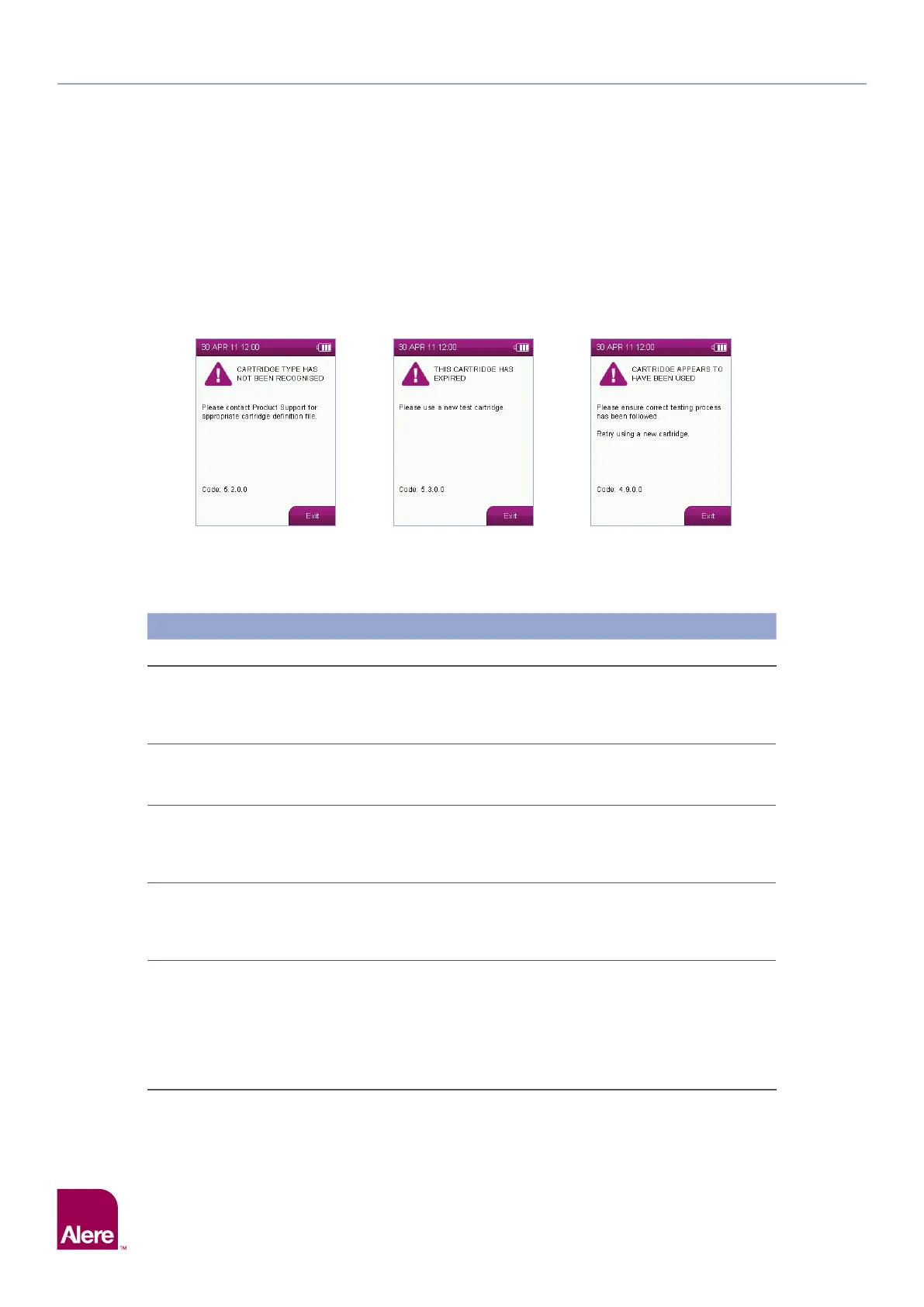
In the event of an incomplete test or Alere DDS2 Mobile Analyser issue, in most cases on screen feedback
will be provided to the user to assist with diagnosis and resolution of the issue. In some cases, the analyser
will report specific codes – please refer to the list of codes on the following pages for interpretation. If the
issue cannot be resolved using this guide, please contact Product Support.
Examples of screens:
13.2 Codes and troubleshooting
Please note, the codes listed below are examples. When displayed by the Alere DDS2 Mobile Analyser, the
characters denoted by ‘X’ will be numbers. The first and second numbers are used to denote the type of code.
Codes and Troubleshooting
Code Description Possible Causes Solutions
1.1.X.X
to
1.5.X.X
Cartridge
analysis
incomplete.
The test cartridge was not detected
correctly. Can be due to dirty optics,
a damaged test cartridge or a
hardware fault.
Initiate a QC test, if the QC test fails contact
Product Support. If the QC tests pass
complete the test.
1.6.X.X
Insufficient
sample.
The reference band has not been
detected; the sample has not run on
the test cartridge.
Ensure that the test process has been
correctly followed.
1.7.X.X
Insufficient
sample.
The sample has not run sufficiently
on the test cartridge. Can be due
to insufficient sample collection,
incorrect test process.
Ensure that the test process has been
correctly followed.
1.8.X.X
to
1.10.X.X
Cartridge
analysis
incomplete.
The test cartridge was not detected
correctly. Can be due to dirty optics,
a damaged test cartridge or a
hardware fault.
Initiate a QC test, if the QC test fails contact
Product Support. If the QC tests pass
complete the test.
2.1.X.X
to
2.6.X.X
Cannot read
barcode.
During the barcode analysis the
analyser has detected a fault this
could be due to the test cartridge/
barcode being damaged, dirty optics
or a hardware fault.
Initiate a QC test. If the QC test passes, verify
that the inserted test cartridge is not used
and its barcode is not damaged. If the test
cartridge or its barcode is damaged, dispose
of the test cartridge and start a new test
with a new test cartridge. If the QC test fails,
contact Product Support.
13 Technical Support, Codes and Troubleshooting


 To Next Page