APOC0274 Ed.3a
Page 26 of 35
+44 (0)1235 861 483 | aleretoxicology.co.uk
Alere™ DDS
®
2 Mobile Analyser User Guide | 10. Alere DDS2 Mobile Analyser Settings
10.4 Backlight settings
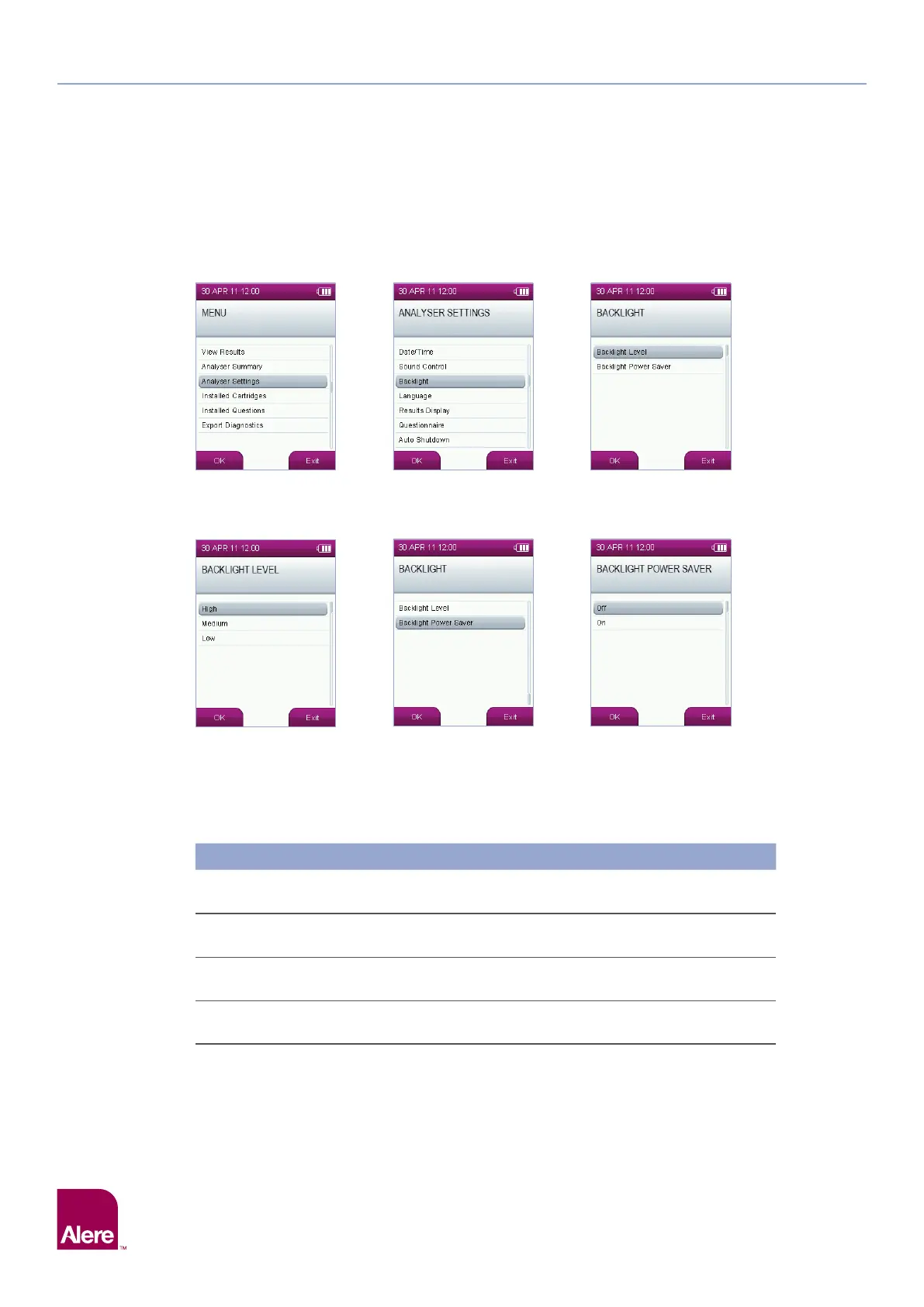
To alter the backlight setting on the Alere DDS2 Mobile Analyser, select the Analyser Settings option from
the main menu, then in the analyser settings screen, select the Backlight option.
In the backlight screen, the first menu item allows you to change the backlight level; the second one enables/
disables the backlight auto-shut down, where the backlight is turned off after 15 seconds of inactivity, to save
battery power. Press OK to save the settings.
10.5 Results display
The Alere DDS2 Mobile Analyser is a screening device and all positive screens should be confirmed by a
second test method such as Gas Chromatography-Mass Spectrometry (GC-MS) or Liquid Chromatography-
Mass Spectrometry (LC-MS). Both of these confirmatory methods are laboratory tests.
Test results can be displayed on the analyser in the following formats:
Results Display
Results Display Meaning
Laboratory Confirmation
Recommended
Positive
The drug or metabolites of the drug have been
detected in the sample at levels above the cut off.
Yes
Negative
The drug or metabolites of the drug have not been
detected in the sample at levels above the cut off.
No
Lab Test Required
The drug or metabolites of the drug have been
detected in the sample at levels above the cut off.
Yes
To carry out a confirmation test, a second sample must be collected from the donor using a laboratory Alere
DDS2 Test Kit. Please contact Product Support for more information of how to do this.


 To Next Page