APOC0274 Ed.3a
Page 3 of 35
+44 (0)1235 861 483 | aleretoxicology.co.uk
Alere™ DDS
®
2 Mobile Analyser User Guide | 1. Introduction
1.4 Transport and unpacking
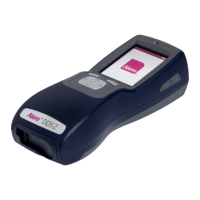
The The Alere DDS2 Mobile Analyser and its accessories are supplied in a convenient Carry Case, and all
have been fully inspected and tested. Upon receiving the Alere DDS2 Mobile Test System, immediately
inspect the contents of the case for any transportation damage or missing items (see list of accessories
below). If any sign of damage is found, or if any items are missing, contact your distributor or Product
Support immediately.
The case is designed to allow the analyser and accessories to be used from within the case, however the
analyser can be removed if required. It is recommended that the analyser is operated and transported in the
case, and is secured by the Velcro straps to prevent movement when in transit.
1.5 Accessories
The following items are supplied with the Alere DDS2 Mobile Analyser:
Alere DDS2 Mobile Analyser User Guide CD-ROM.
Carry Case.
Power supply unit and power cable.
Micro USB cable for connection to a PC if Alere Software Application Suite is used.
QC Alere DDS2 Test Cartridge set.
Printer and RJ12 printer cable.
The following optional items may also be supplied with your analyser:
Alere Software Application Suite CD-ROM.
Alere DDS2 car power supply.
The following item may be required, but is not supplied with the Alere DDS2 Mobile Test System:
Small Phillips head screwdriver. This tool is required to access the SD card. Refer to section 11 Using the
SD Card.
1.6 Special feature
The Alere DDS2 Mobile Analyser guides the user through the testing process with a series of on-screen
messages and prompts and also has an on-board ‘Help’ function providing on the spot support if required.
The analyser automatically performs a series of start-up checks on start up along with process controls
during testing to ensure correct operation. The analyser will not allow a test to be carried out or continued
if a malfunction is detected.
The analyser is provided with a positive and negative quality control Alere DDS2 Test Cartridge (PQC and
NQC). It is recommended that these performance checks are carried out at least once on each day of
testing. Please refer to section 7 QC Tests, for further information.
The analyser has internal sensors to detect the presence and position of the test cartridge and Alere DDS2
Oral Fluid Collection Device. If the test cartridge and collection device are not detected, are detected at the
wrong time in the test protocol, or are removed from the analyser prematurely, the test may be abandoned.
The analyser reads and stores test cartridge information from the test cartridge barcode.
If the test cartridge has expired, the test will not be continued.
New test cartridge types must be installed on the analyser via the SD card or the Alere Software
Application Suite before use. Updates will be provided by the manufacturer.
The analyser should be positioned horizontally and kept flat when in use. User feedback on the tilt angle of
the analyser is provided on the screen. If the analyser is tilted out of the operational range, the test may be
abandoned. Refer to section 2.8 Tilt sensor for more information.
The analyser detects and monitors test cartridge temperature and uses a heating element to warm the test
cartridge to optimum temperature for testing.


 To Next Page