APOC0274 Ed.3a
Page 15 of 35
+44 (0)1235 861 483 | aleretoxicology.co.uk
Alere™ DDS
®
2 Mobile Analyser User Guide | 6. Running a Drug Test
6.1 Initiating a drug test
Ensure the instructions for use insert supplied with the Alere DDS2 Test Kit has been read carefully before
beginning a test. If additional guidance is required please contact Product Support.
Step 1: Refer to section 4 Start-up to switch on the Alere DDS2 Mobile Analyser.
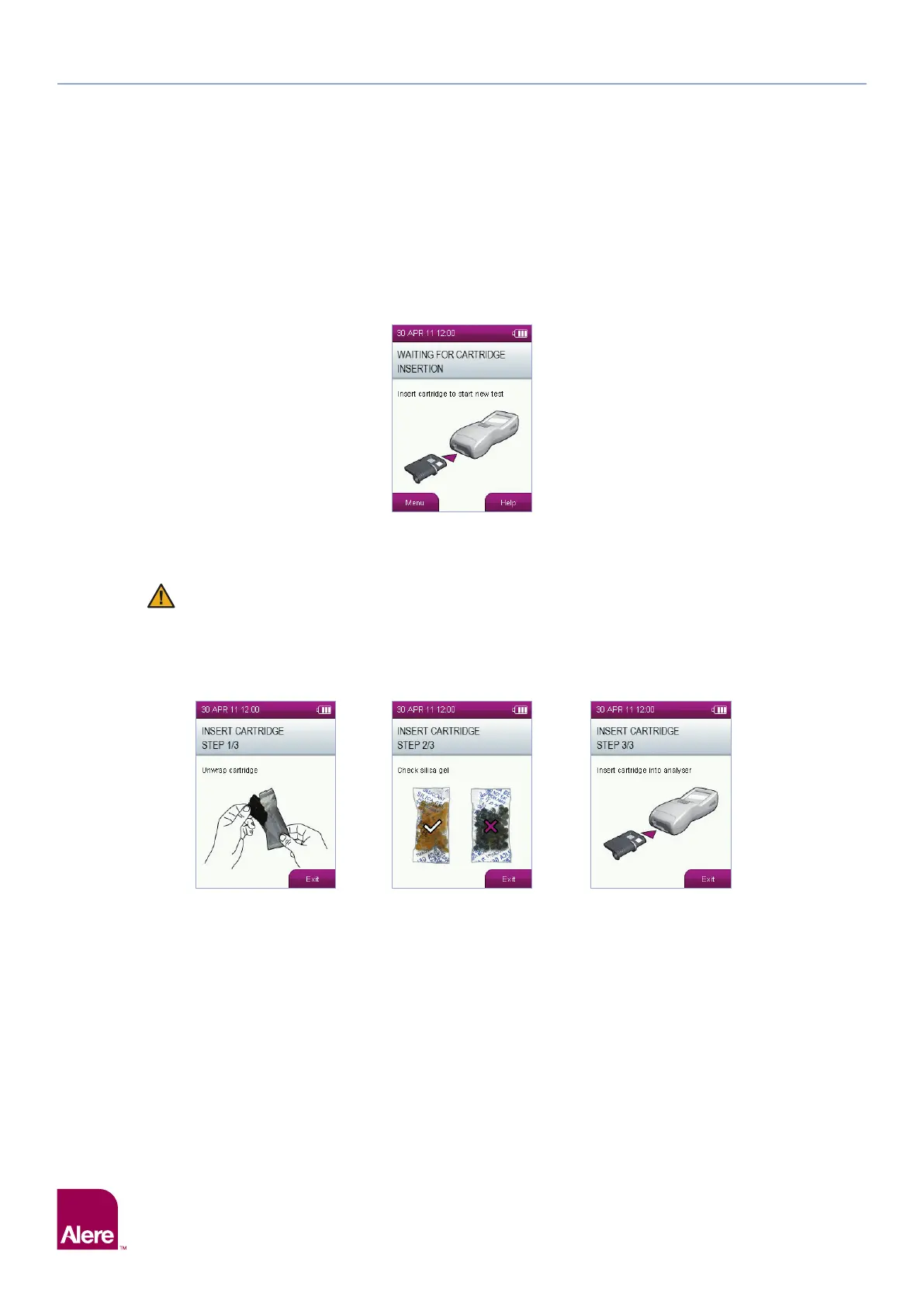
Step 2: When the analyser is ready to begin a test, the screen below will appear:
6.2 Inserting the Alere DDS2 Test Cartridge
Step 1: Remove a new Alere DDS2 Test Cartridge from the foil wrapper.
The test cartridges and Alere DDS2 Oral Fluid Collection Device are designed for single use only
and must be disposed of after use. DO NOT re-insert a used test cartridge into the Alere DDS2
Mobile Analyser or re-use the collection device.
Step 2: Check the silica gel pack is yellow. If the silica gel is green, discard the test as the performance of the
product may have been compromised. See section 2.9 Silica Gel Packs, for more information.
Step 3: Insert the test cartridge into the test cartridge slot on the front of the analyser.
Step 1 Step 2 Step 3
6 Running a Drug Test


 To Next Page