25
2.10 Turning backlight ON/OFF
The DJ-X2000 has a backlight to make it easier to use at night. The backlight can
be turned ON/OFF as follows.
2.10.1 Turning backlight ON/OFF
manually
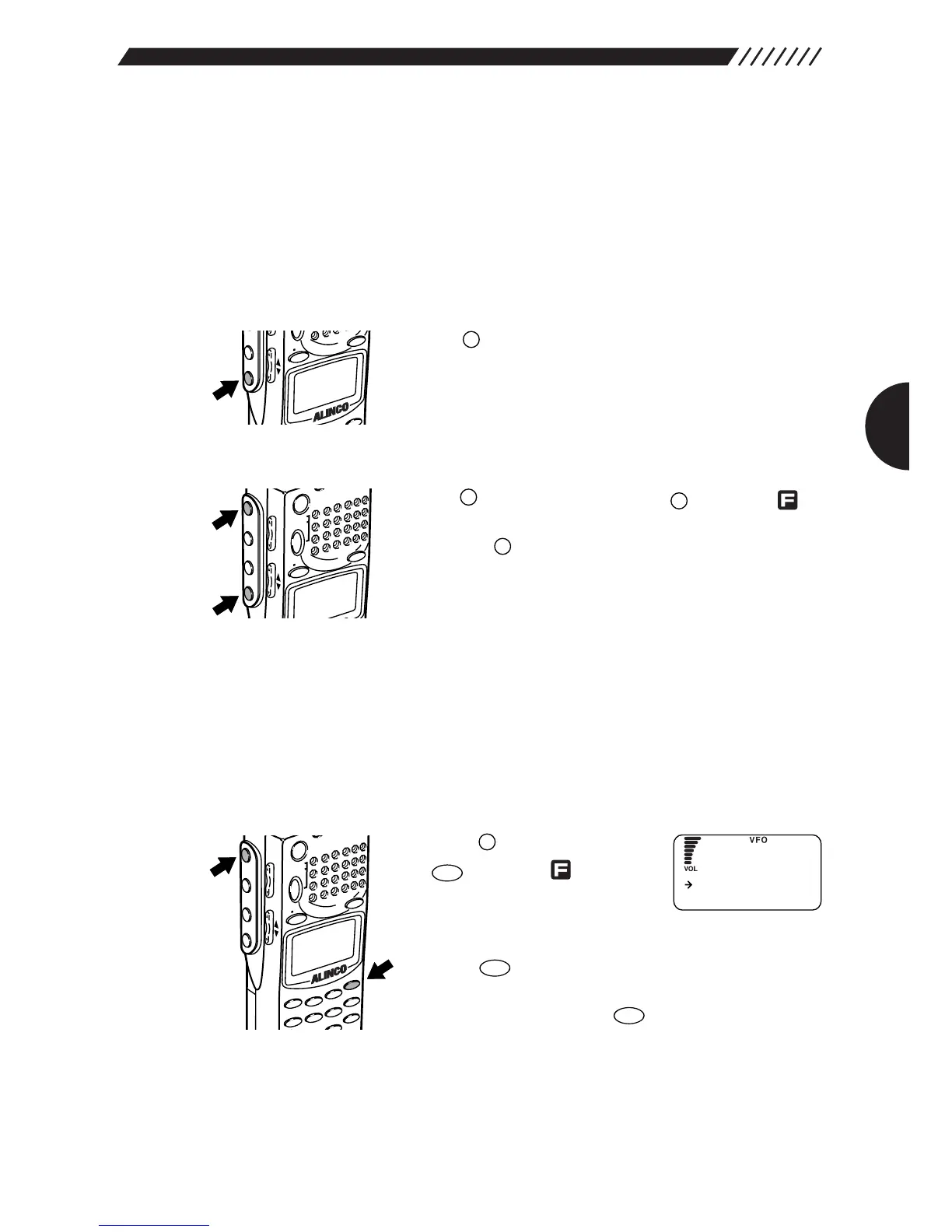
• To turn the backlight ON
Press the key. The display will be lit while operating
the dial or keys. Keys also light up when pressed or held
down. The backlight goes OFF automatically if the controls
are not used for approximately 5 seconds.
• To leave the backlight ON at all times
Press the key, and then press the key while
is shown on the display. The backlight will remain ON until
you press the key again.
2.10.2 Turning backlight ON/OFF based
on the setting
The backlight can be automatically turned ON/OFF in accordance with the
setting. To do so, perform the following steps:
1
Call up the LAMP screen.
Press the key, and then press
the key while is shown
on the display. The MENU will
appear. Point the arrow at
+CONFIG using the dial or UP/DOWN key, and then
press the key.
The CONFIG menu will appear. Point the arrow at
+LAMP, and then press the key.
The LANP screen will appear.



 To Next Page