36
When the cloning procedure is finished, the slave unit returns to the normal
screen and the master unit to the CLONE menu.
3
Finish the cloning procedure.
Once the cloning procedure is finished, disconnect the cable from both DJ-
X2000 units. Press the key on the master unit to exit the CLONE menu.
The slave unit can be used without this operation.
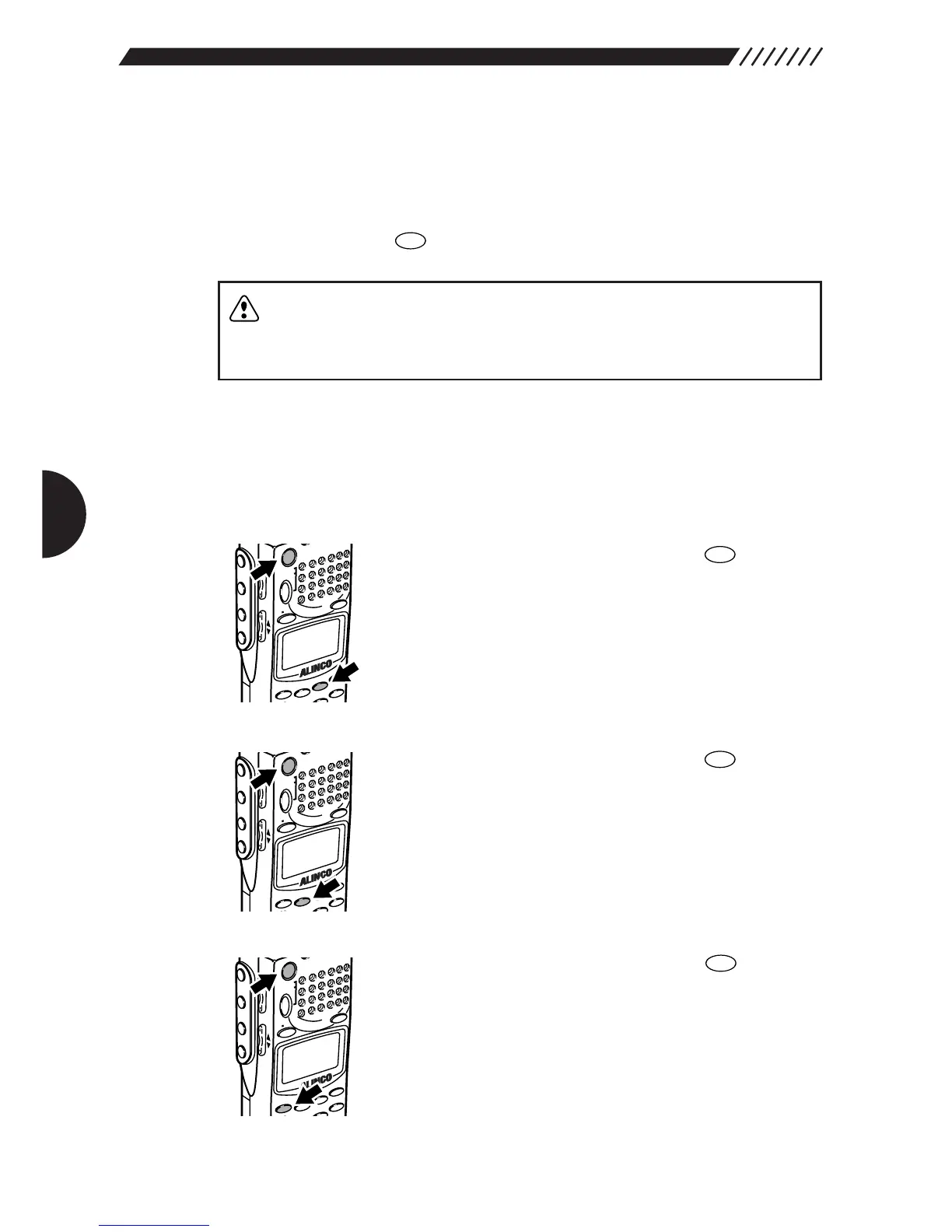
3.1.6 Selecting a communication speed
A communication speed during the cloning procedure or communication with a
personal computer can be selected (the initial setting is 38400 bps).
• To select 38400 bps:
Turn the power ON while holding down the key.
• To select 19200 bps:
Turn the power ON while holding down the key.
• To select 9600 bps:
Turn the power ON while holding down the key.
When the power is turned ON, the communication speed is shown on the display.
CAUTION: • Do not disconnect the cable, nor turn the power OFF during the
cloning procedure.
• If a cloning error occurs, press the hardware reset key or remove
the battery.



 To Next Page