42
3.1.14 Tuning in frequencies in the
PMS/MR modes (M.TUNE)
You can tune in frequencies in the PMS and MR modes. You do not have to
return to the VFO mode.
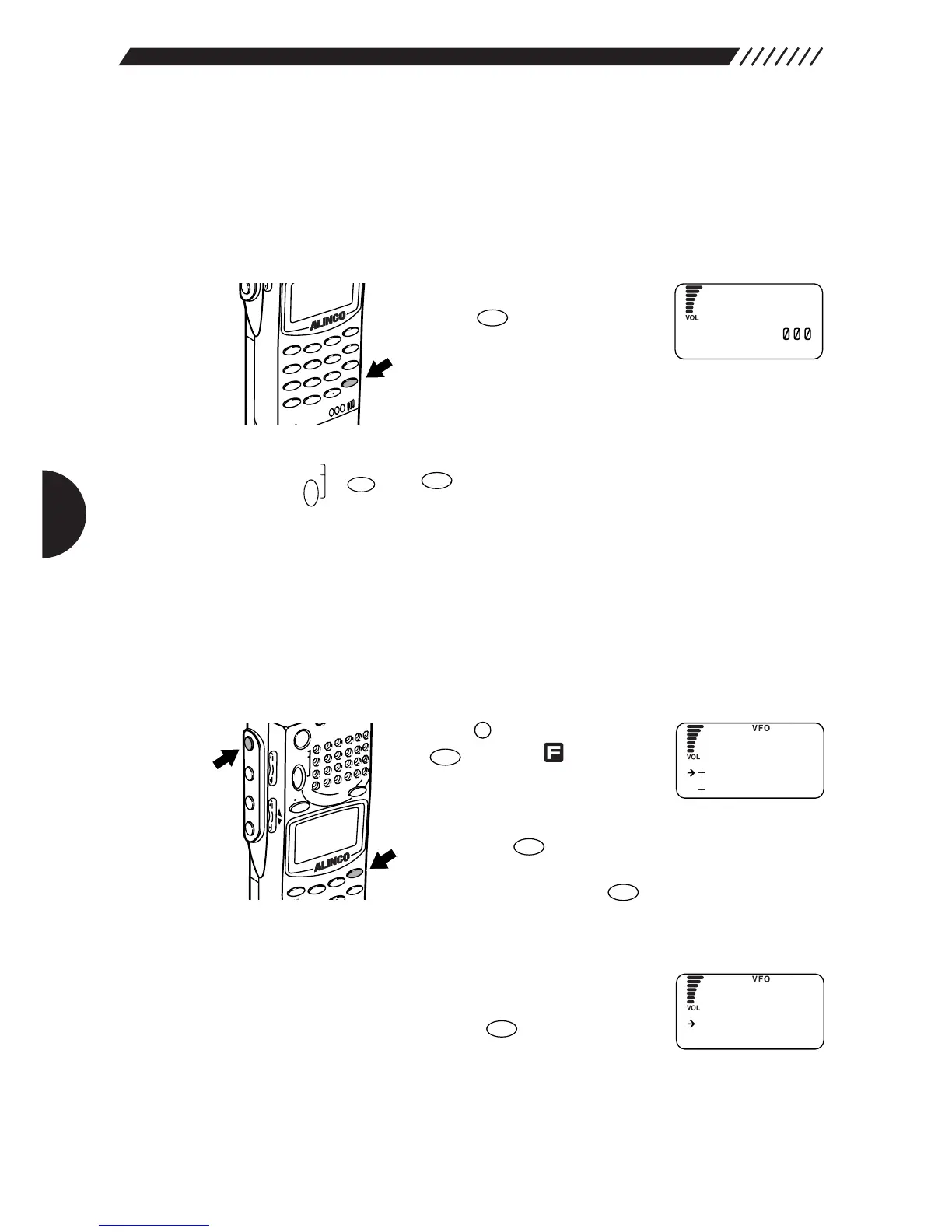
• To tune in a frequency
While in the PMS or MR mode,
press the key. A frequency
and M.TUNE will appear on the
display. Turn the dial or press the
UP/DOWN keys to tune in a frequency.
• To cancel M.TUNE
Press the , or keys.
3.1.15 Setting scan resume condition
(SCAN MODE)
This setting determines what the DJ-X2000 does when it picks up a signal while
scanning. This is referred to as the “scan mode”.
1
Call up the SCAN menu.
Press the key, and then press
the key while is shown
on the display.
The MENU will appear. Point the
arrow at +CONFIG using the dial or UP/DOWN key, and
then press the key.
The CONFIG menu will appear. Point the arrow at
+SCAN and then press the key.
The SCAN menu will appear.
2
Call up the SCAN MODE screen.
Point the arrow at +SCAN MODE using the dial or
UP/DOWN key, and then press the key.
The SCAN MODE screen will appear.


 To Next Page