32
3. Other Useful Functions
This chapter describes the useful functions of the DJ-X2000.
3.1 Functions common to all modes
This section describes the functions that are commonly available in the VFO,
PMS, and MR modes.
3.1.1 Selecting a modulation mode
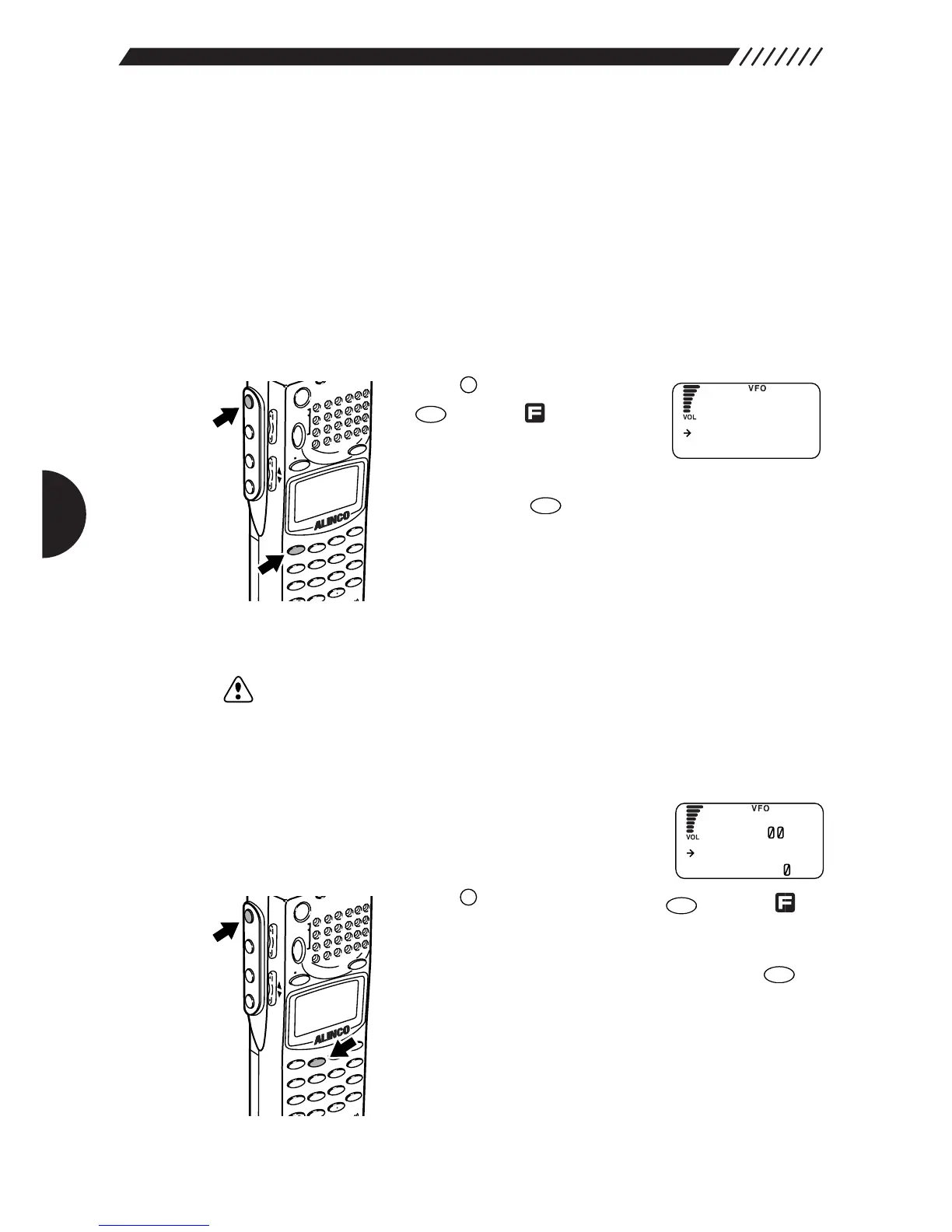
Press the key, and then press
the key while is shown on
the display. The MODE menu will
appear. Point the arrow at the
desired modulation mode using the dial or UP/DOWN key,
and then press the key.
A modulation mode can be selected from AM, NFM, WFM,
USB, LSB, CW, and AUTO. If AUTO is selected, the most
suitable modulation mode will be automatically selected in
accordance with the received frequency (the initial mode
is AUTO).
Note: In the PMS or MR mode, when DIRECT WR is turned ON (the initial setting is
OFF), a signal mode can be selected. For further details, see “3.1.30 Directly
changing the settings” (page 60).
3.1.2 Setting the frequency step
Frequency step is the distance that the DJ-X2000 moves
from one frequency to the next. It can be selected from 23
fixed settings.
Press the key, and then press the key while is
shown on the display. This will display the STEP menu.
Then, move the arrow to the frequency step you want,
using the dial or the UP/DOWN key, and press the
key.
A frequency step can be selected from AUTO STEP,
50 Hz, 100 Hz, 200 Hz, 500 Hz, 1 kHz, 2 kHz, 5 kHz,
6.25 kHz, 8.33 kHz, 9 kHz, 10 kHz, 12.5 kHz, 15 kHz,
20 kHz, 25 kHz, 30 kHz, 50 kHz, 100 kHz, 125 kHz,
150 kHz, 200 kHz, 250 kHz, 500 kHz, and USER STEP.



 To Next Page