EasyManua.ls Logo

Alinco DJ-X2000 - User Manual

Alinco DJ-X2000
88 pages
Print Icon
To Next Page IconTo Next Page
Loading...
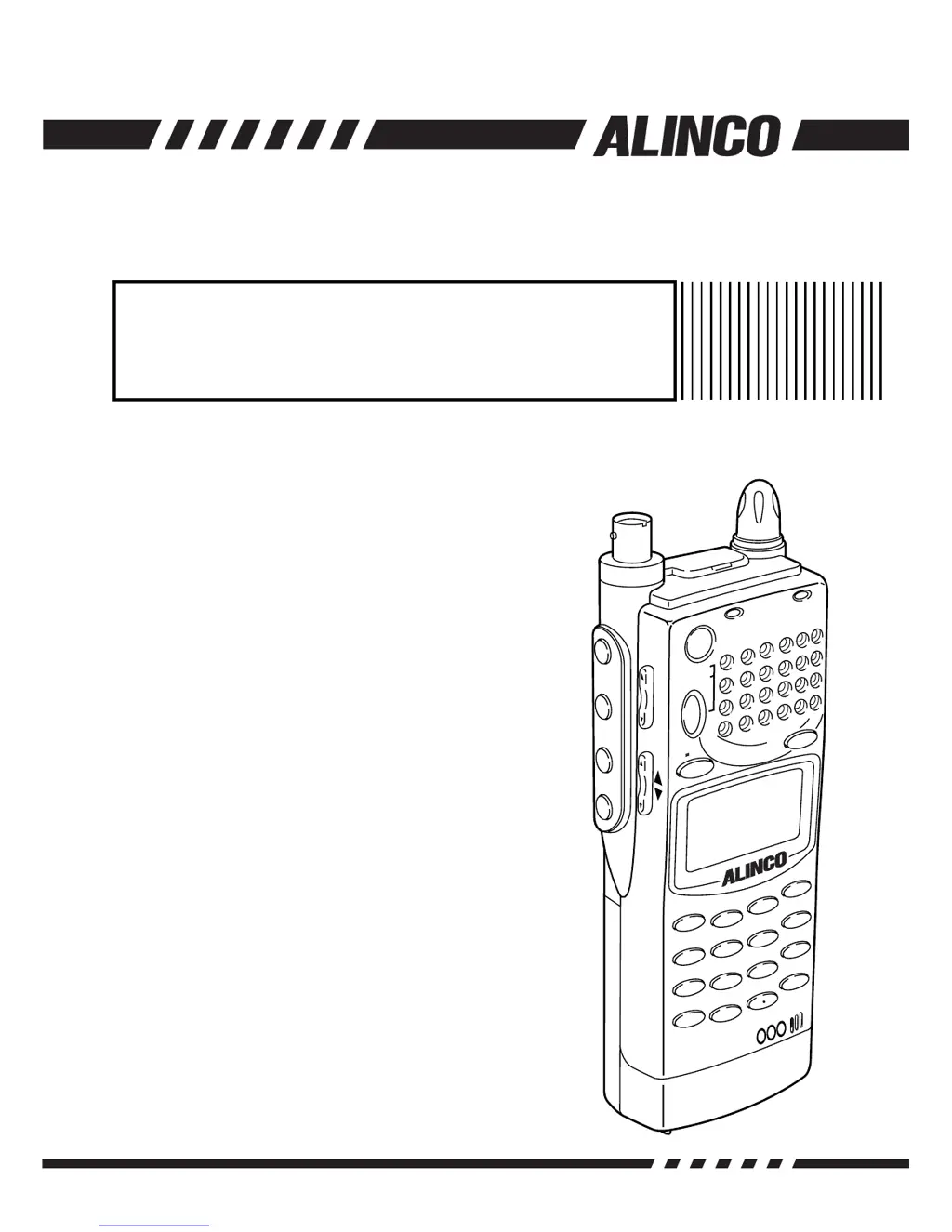
DJ-X2000
WIDE RANGE SCANNING RECEIVER
Instruction Manual
M
O
D
E
AUTOMW
INTELLIGENT
RECEIVER
DJ-X2
MIC
SCRT
PRIO
REC
CTCSS
FTUNE
A-BS
MNAME
TF
SKIP
S
T
E
P
A
T
T
S
E
T
P
O
W
E
R
R
X
/S
T
P
M
S
VFO
MRMW
AB
S
E
T
K
L
3
6
9
8
0
5
2
1
4
CLR
ENT
M
I
C
SCN
RF C
HELP
7
MONI
F
SRCH
LAMP
S
Q
LV
O
L
D
O
W
N
U
P
C
LN
S
P
Thank you for purchasing this ALINCO
receiver.The DJ-X2000 instruction
manual contains important safety and
operating instructions. Read this manual
carefully before using the product.

Table of Contents

Questions and Answers

  • R
    Randall BakerJul 31, 2025
    Why is there no sound coming from my Alinco Receiver speaker?
    • A
      Allen DavisJul 31, 2025
      If you're not hearing any sound from the Alinco Receiver's speaker, there are a couple of things to check. First, make sure the volume isn't set too low. You can adjust it by pressing the VOL key on the left side and turning the volume up. Also, the squelch level might be too high, which can block the sound. Try pressing the SQL key, then the DOWN key to decrease the level until you hear noise, and then increase it just until the noise disappears.
  • T
    Thomas PearsonAug 5, 2025
    Why does my Alinco Receiver beep and turn off?
    • R
      Richard ShafferAug 5, 2025
      If the Alinco Receiver is beeping, the sound is distorted, or the display turns off, it probably means the battery is low. When the battery icon appears on the display, it's time to replace the battery.
  • K
    kelly85Aug 10, 2025
    Why is there no sound coming from my Alinco Receiver?
    • C
      chad94Aug 10, 2025
      If you cannot hear any sound from the Alinco Receiver's speaker, there are a couple of potential reasons. First, the volume level might be too low. Try pressing the VOL key and turning up the volume. Alternatively, the squelch level could be set too high. To resolve this, press the SQL key, then decrease the level until you hear noise, and then increase it just until the noise disappears.
  • R
    Randy MuellerAug 16, 2025
    What to do if my Alinco DJ-X2000 Receiver beeps, has distorted sound, and the display turns off?
    • C
      Christine SerranoAug 16, 2025
      If your Alinco Receiver is emitting a warning beep, the sound is distorted, and the display turns off, it likely means the battery has run out. When the battery icon appears on the display, replace the battery.
  • J
    Jessica FarrellAug 20, 2025
    How to fix Alinco DJ-X2000 Receiver when it can't receive a signal?
    • J
      Jeffrey JonesAug 20, 2025
      If your Alinco Receiver isn't receiving any signal, the antenna might not be properly attached. Ensure that the antenna is correctly and securely attached.
  • J
    Jeremy Oneal MDAug 26, 2025
    Why can't I change frequency settings on my Alinco Receiver?
    • M
      meaganclarkAug 26, 2025
      If you are unable to adjust settings such as frequencies on your Alinco Receiver, the key locking function may be active. You need to cancel the key locking function to make these changes.

Summary

Features

Wide Frequency Range

Covers a wide frequency range from 0.1 to 2149.999950 MHz.

Three Operating Modes

Offers Dual VFO, Memory (MR), and Scan Programming (PMS) modes.

Large Memory Capacity

Allows programming up to 2000 channels in 40 channels x 50 banks.

Before Use

Unpacking the Receiver

Check the package contents against the list of included accessories.

Precautions in Use

Provides guidelines on proper storage, usage, and safety regarding the receiver.

Names of Parts and Their Functions

Details the top, front, left, rear, and right panels, display, and keypad.

Setting up the DJ-X2000

Instructions for attaching the antenna, belt clip, and wrist strap.

About the Batteries

Information on attaching, charging, and handling the battery pack.

Basic Operations

POWER Switch

Procedure for turning the DJ-X2000 unit ON and OFF.

Volume Control

How to adjust the audio volume using the VOL key and dial.

Squelch Control

Setting the squelch level to mute speaker noise when no signal is received.

Setting Frequency

Methods for setting frequencies using numeric keys, UP/DOWN keys, or the dial.

Switching Frequency Band

How to switch between the dual VFO bands (A and B).

Copying Frequencies from One Band to the Other

Procedure to copy frequencies between VFO bands A and B.

Scanning

Basic operations for locating frequencies with signals.

Searching (Channel Scope)

Checks frequencies in set steps and displays signals in a 40 or 7-channel range.

Monitoring (Squelch OFF)

Enables picking up weak signals by turning squelch OFF.

Turning Backlight ON;OFF

Manual and automatic control of the display backlight.

Turning Beep ON;OFF

Controls the beep sound emitted when keys are pressed or operations performed.

Locking;Unlocking

Locks keys to prevent accidental operation.

Setting the Clock

Configuration of ON and OFF timers for automatic power control.

Basic Modes

Introduction to the VFO, PMS, and MR modes of operation.

Alinco DJ-X2000 Specifications

General IconGeneral
BrandAlinco
ModelDJ-X2000
CategoryReceiver
LanguageEnglish

Related product manuals