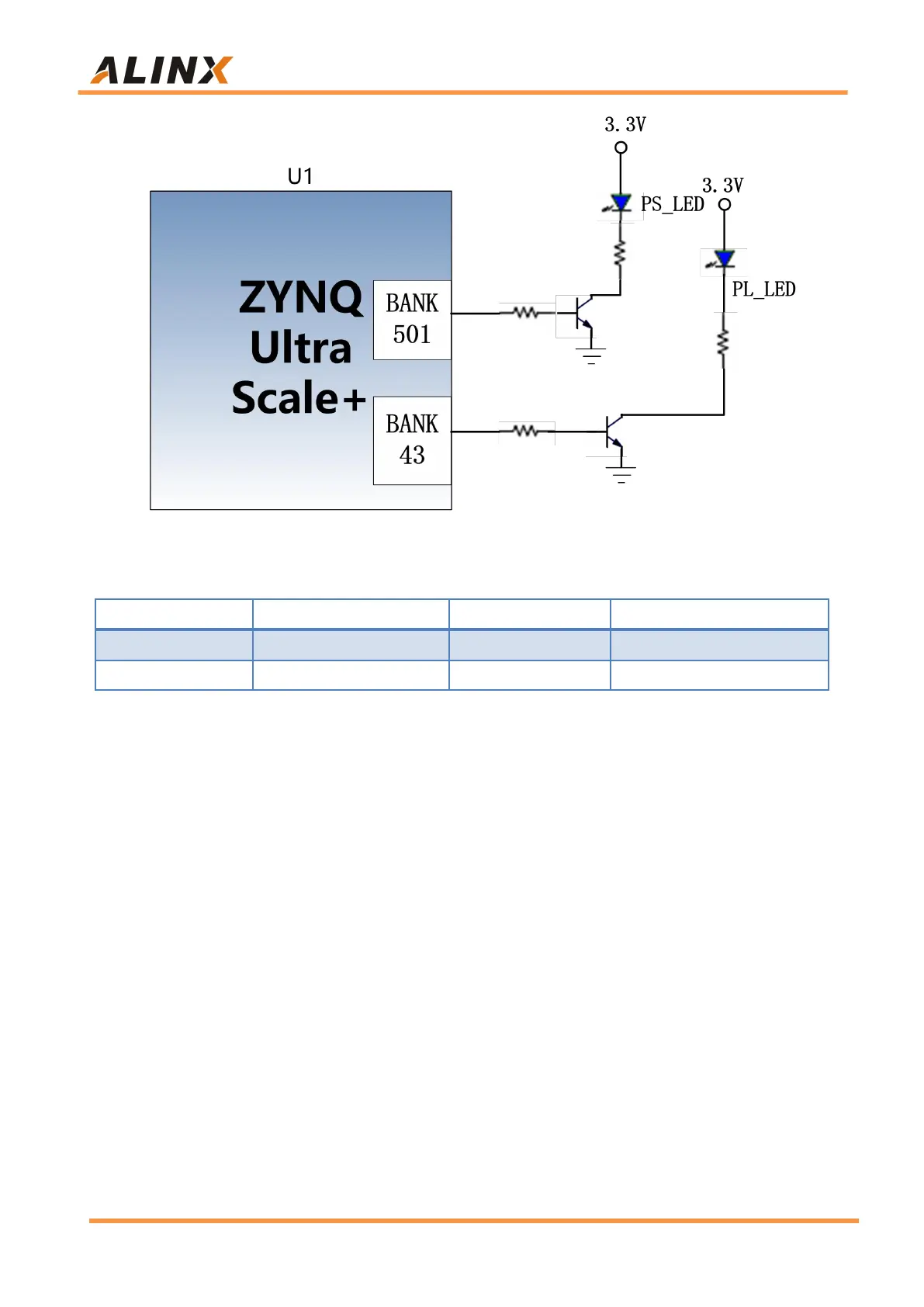
Figure 3-15-1: The User LEDs Hardware Connection Diagram
Pin assignment of user LED lights
User LED controlled by PS
User LED controlled by PL
Part 3.16: Keys
There are 1 reset KEY RESET and 2 user buttons on the AXU2CGB-E
carrier board. The reset signal is connected to the reset chip input of the core
board ACU3EG, and the user can use this reset KEY to reset the ZYNQ system.
One user KEY is connected to the MIO of the PS, and one is connected to the
IO of the PL. The reset KEY and the user KEYs are both low-level active. The
connection diagram of the user key is shown in Figure 3-16-1:


 To Next Page