11
Part names
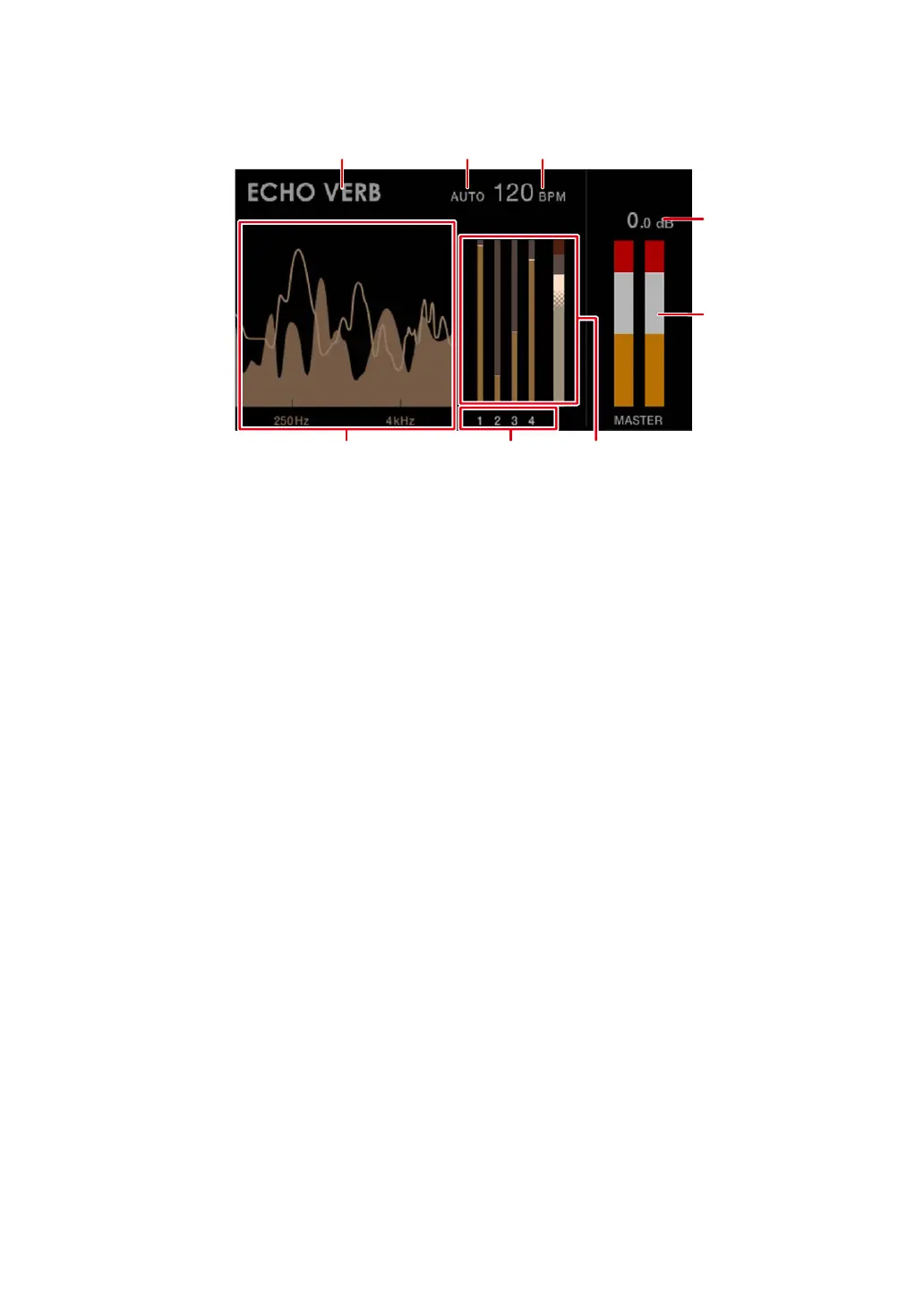
Digital View:
1. Effect name
Displays the selected effect.
2.
AUTO/TAP
Displays [AUTO] when in automatic BPM measuring mode, and [TAP] when in manual
BPM input mode.
• The BPM value blinks when it can’t be measured correctly in the [AUTO] setting. Use
the [TAP] mode if this happens.
3.
BPM value
Displays the current BPM.
4.
Peak level
Displays the peak level of the master sound output to the [MASTER] or [REC OUT]
terminals. [CLIP] is displayed when excessive volume is output.
5.
Peak level meter
Displays the peak level in a meter for the master sound output to the [MASTER] or [REC
OUT] terminals.
6.
Spectrum Analyzer
Shows the frequency spectrum for the master sound (doesn’t reflect the setting of the
[MASTER LEVEL] knob) and mix sound (doesn’t reflect the setting of the Master
Isolator) as follows.
— Master sound: Shown by a spectrum with filled area
— Mix sound: Shown by a spectrum with a line



 To Next Page