17
PC/Mac setup
Setting the audio data output from the unit to a PC/Mac
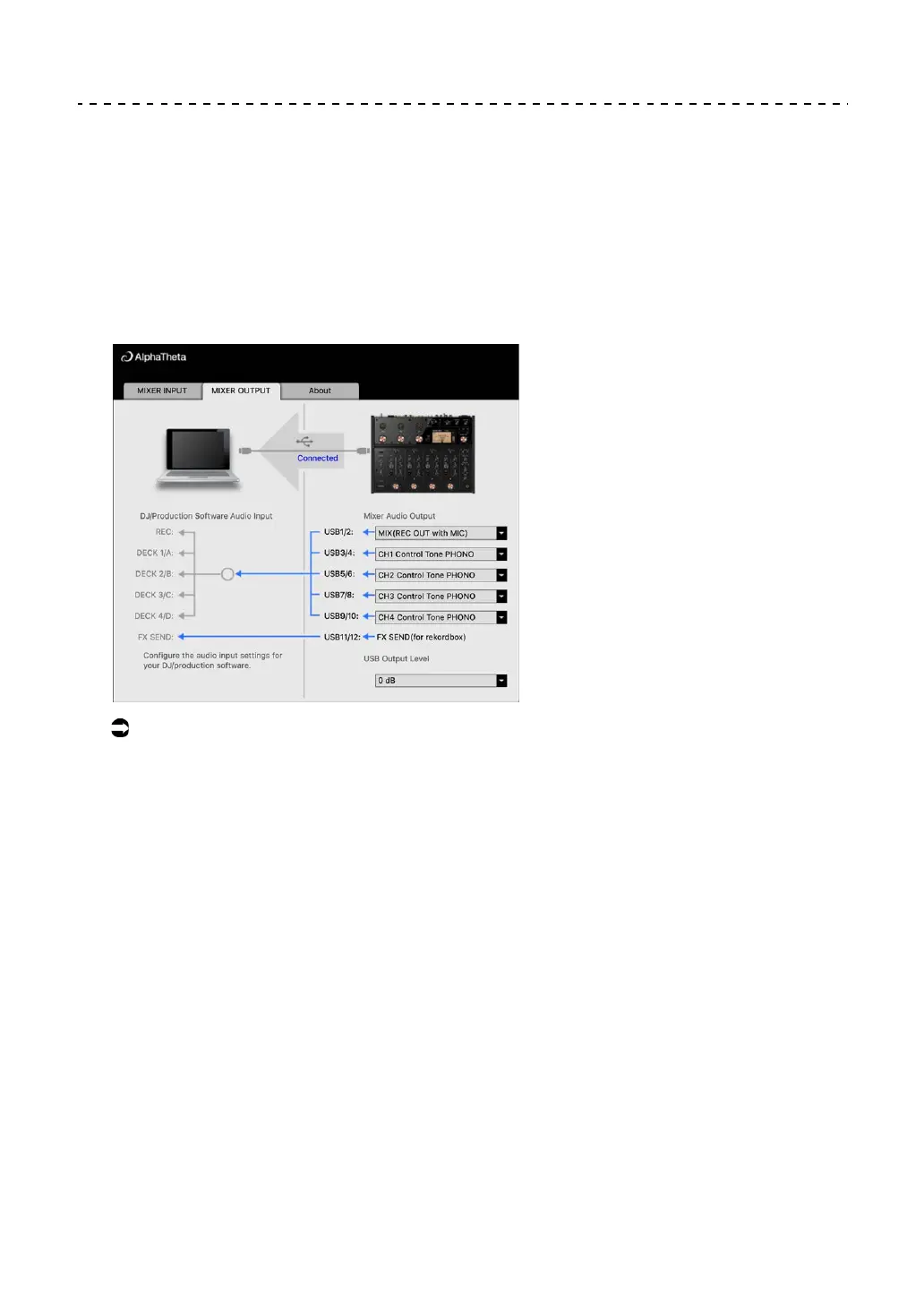
1 Click the [MIXER OUTPUT] tab.
2 Click the pull-down lists under [Mixer Audio Output] and set
the audio data to output from the unit to the PC/Mac.
Read more: Mixer Audio Output pull-down list (page 20)
3 Click the pull-down list under [USB Output Level] and select a
level of volume to output from the unit.
• Set the volume in [USB Output Level] when you can’t produce as much volume as
you expect using the volume adjustment in your DJ application. Note that the sound
may be distorted if you set the volume too high.



 To Next Page