18
How to Adjust the Date
This section explains how to adjust the MX-300's calendar when the date is incorrect.
1
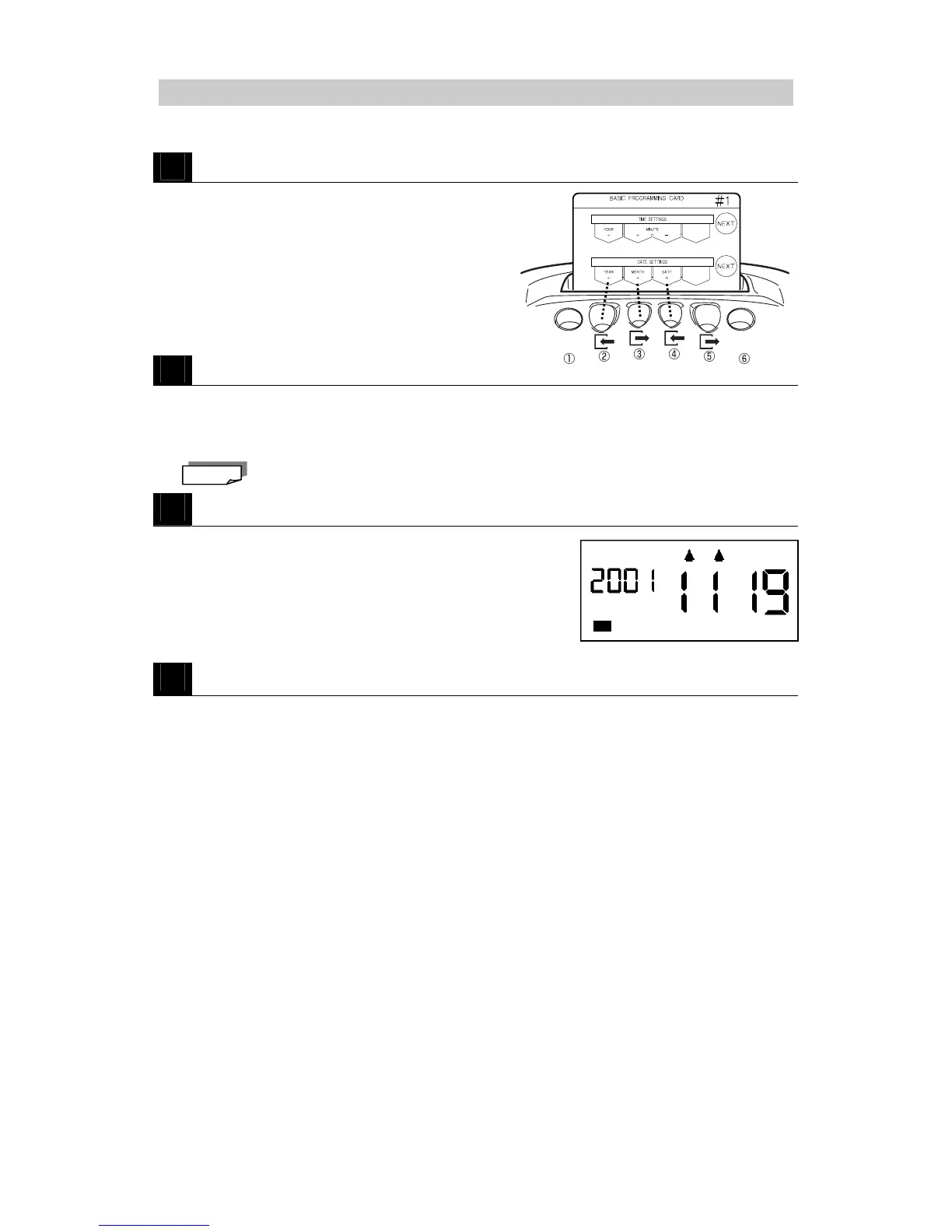
Insert BASIC PROGRAMMING CARD #1 and then scroll to DATE SETTINGS.
・Insert the card and then press NEXT (button
⑥) once to the DATE SETTINGS position.
2
Adjust the year, month and date.
・Press YEAR + (button ②) to increase the year one year at a time (returns to 2000 after 2050).
・Press MONTH + (button ③) to increase the month one month at a time (returns to 1 after 12).
・Press DATE + (button ④) to increase the date one day at a time (returns to 1 after the last day of the
corresponding month).
Keep the corresponding button pressed to speed scroll.
3
Press NEXT (button ⑥).
・The new date is registered and the card is scrolled to the
next setting (Pay Period Ending Date).
Example: November 19, 2001
4
Press NEXT (button ⑥) and then press END (button ⑥) to exit.
・The programming card is ejected and the current time is displayed.
Note



 To Next Page