59
・The methods discussed in this section are intended only for emergency
situations and should not be used if you have the necessary card.
・Some of these operations involving printing on cards while the top
cover is open so be extra careful not to get your fingers caught in the
MX-300.
IF YOU LOSE A CARD ·····························
In the event that you should lose Basic Programming Card #1 or the special combination card, it is still possible to perform a few
operations using the operation panel inside the MX-300's top cover. Follow the corresponding steps to perform the desired operation:
・Time Settings:
1
→ A →
2
・Employee Card Registration:
1
→ B →
2
・Total Hours Print:
1
→ C →
2
If you lose the special combination card or any of the programming cards, please purchase the "MX-300
Programming Card Set" from your local Amano service dealer or representative.
1
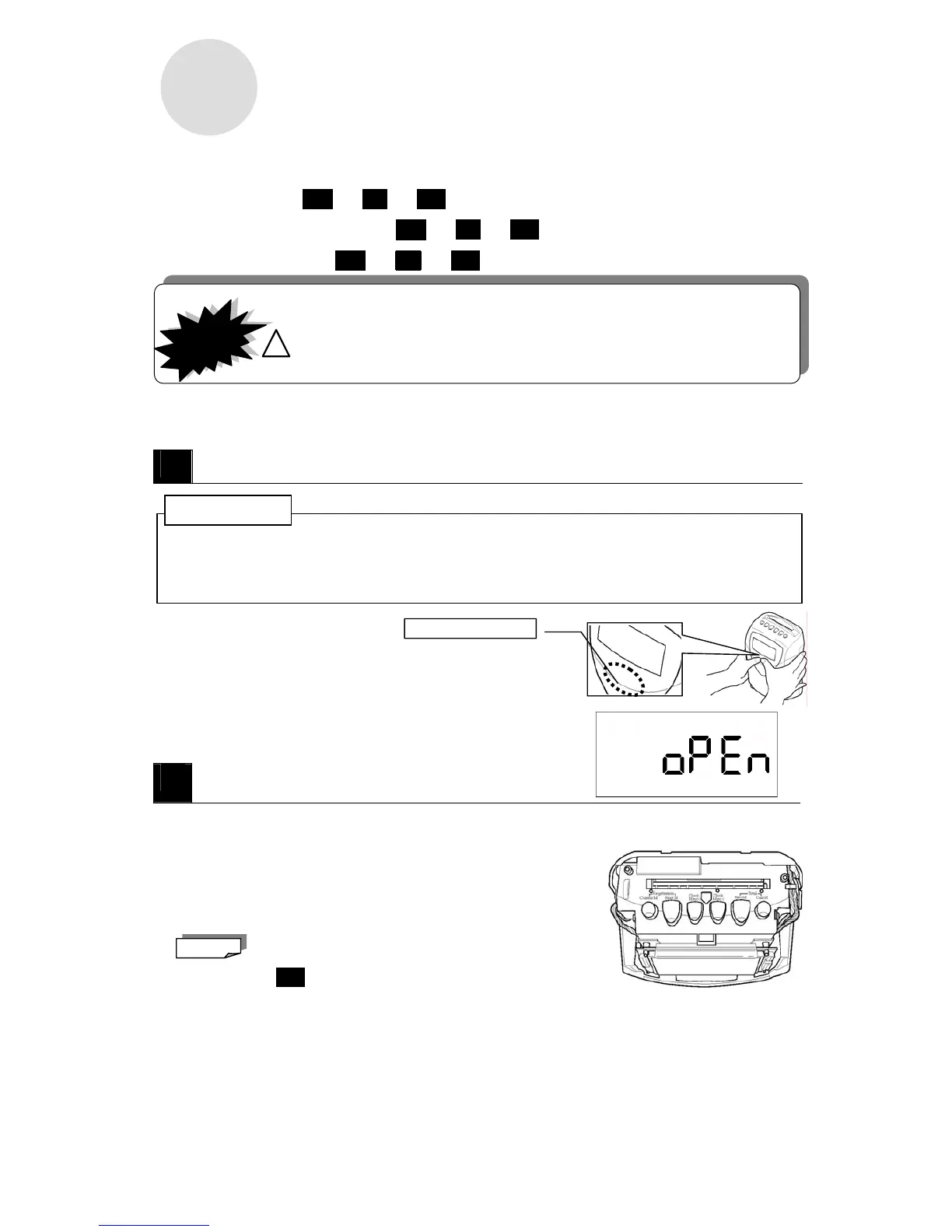
While the power is still on, remove the top cover.
・Prior to opening the top cover, be sure to first ground yourself (e.g.; touch a large metal object such as a steel desk) to
remove static electricity from your body to avoid shocking the MX-300. This is particular important during when the
humidity is low (winter, et al). Failure to remove static electricity could result in mechanical failure.
・Press your thumbs (somewhat firmly) just below the LCD
display (in the location illustrated) to remove the top cover.
・When you remove the top case, the word "OPEN" flashes on the display.
A
Time Settings
① Press and hold down the Clock Min(+) button for two seconds.
・When you hold down the Clock Min(+) button for two seconds, a monotone beep will sound and the current
time will be displayed.
② Adjust the time.
・Press the Clock Min(+) button to increase the time
one minute at a time.
・Press the Clock Min(-) button to decrease the time
one minute at a time.
o The moment you press either button the seconds are reset to "0."
o Keeping either button pressed will not enable speed scrolling.
→ Go to step
2
IMPORTANT!
!
CAUTION
Press your thumbs here.
Note
ATTENTION!



 To Next Page