39
How to Configure the Number of Regular Hours
for Hourly Workers with Open Shift
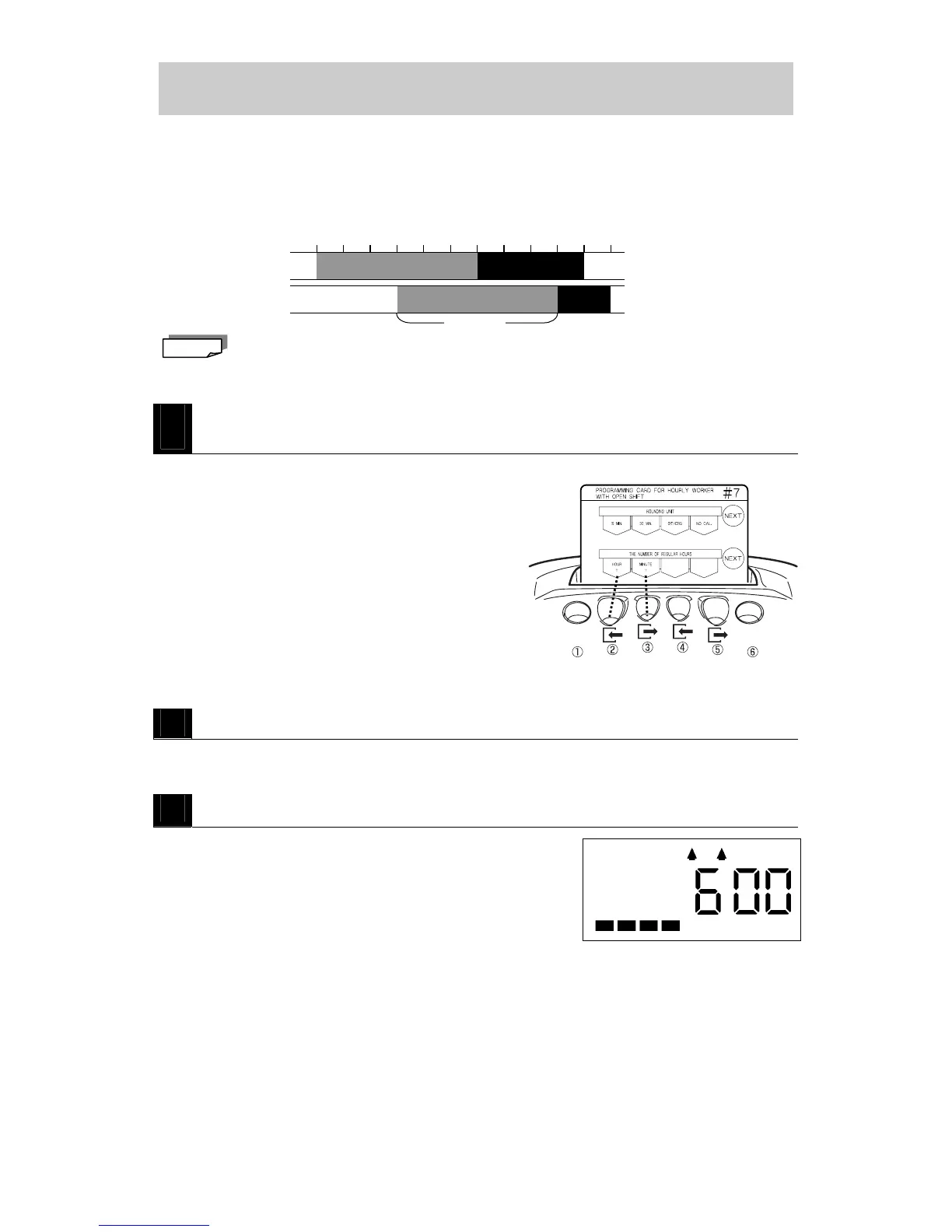
This section explains how to configure the Number of Regular Hours for hourly workers with
open shifts. You can configure the Number of Regular Hours for hourly workers with open
shifts and thereafter any time that they work beyond that total (regardless of the time they start
and stop working) will be calculated individually during monthly totaling as overtime.
The factory setting is "0:00," which = unconfigured. If the factory setting is used, then all the
hours worked are treated as regular work hours.
1
Insert PROGRAMMING CARD FOR HOURLY WORKERS WITH OPEN
SHIFT #7 and then scroll to THE NUMBER OF REGULAR HOURS.
・Insert the card and then press NEXT (button ⑥).
2
Configure the Number of Regular Hours.
・Press HOUR + (button ②) to increase the Number of Regular Hours one hour at a time.
・Press MINUTE + (button ③) to increase the Number of Regular Hours one minute at a time.
3
Press NEXT (button ⑥).
・The Number of Regular Hours is registered and then the
card is scrolled to the next setting (Basic Hours for
Break).
Note
Example: Number of Regular
Hours confi



 To Next Page