78
How to Print Out the Settings for Reference
You can use the following method for printing out your MX-300 settings onto a time card for easy reference.
1
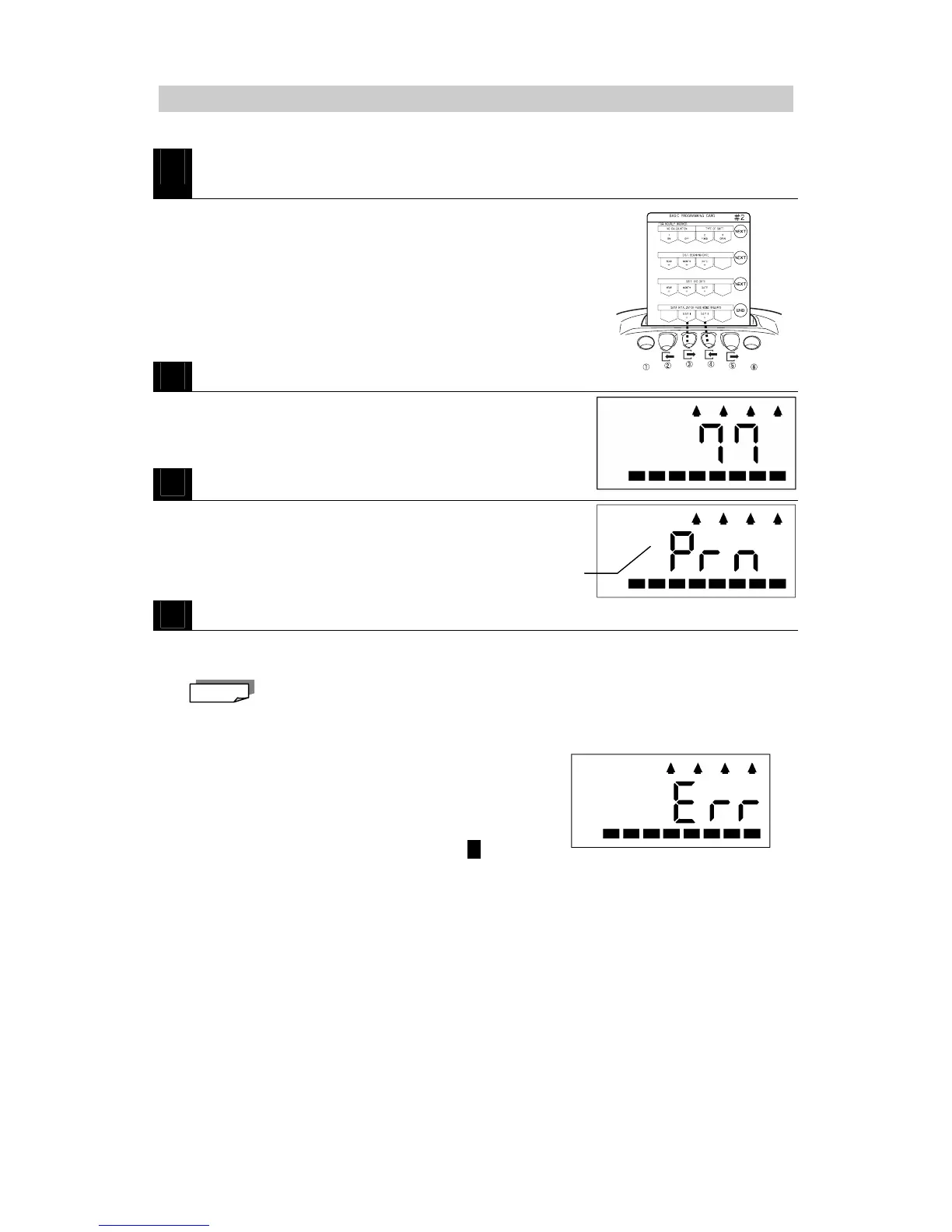
Insert BASIC PROGRAMMING CARD #2 and then scroll to DATA
INITIALIZATION.
・Insert the card and then press NEXT (button ⑥) three
times.
2
Enter the password ("77").
・Press DIGIT 1 + (button ③) to increase the first digit.
・Press DIGIT 2 + (button ④) to increase the second digit.
・Adjust to "77."
3
Press END (button ⑥).
・ The programming card is ejected, the display appears as
illustrated on the right and the ②③④⑤ buttons light up in
order.
4
Insert a new time card (front or back is okay).
・Your MX-300's settings are printed onto the time card.
・When printing is completed, the programming card is ejected and the current time is displayed.
If you attempt to use a time card that is has already been used last month, this month or
next month for a regular employee or hourly worker, error E-12 will be generated and the
settings will not be printed out. (The card will be automatically ejected.) However, you
can print over a card that only has punchs made during No Calculation mode.
* If you enter the wrong password:
A two-tone beep is sounded and "ERR" is displayed on
the LCD to indicate an error.
Press button ⑥. The programming card is ejected and
the current time is displayed. Try again from step 1 .
* If you want to abort the operation:
・ To abort the operation, enter the password "00" or "99" and then press button ⑥. The
programming card is ejected and the current time is displayed.
・ To abort the operation while "PRN" is displayed on the LCD, simply press button ⑥. The
operation is aborted and the current time is displayed.
The display flashed "PRN"
Note



 To Next Page