31
How to Adjust the Midnight Shift Time Zone
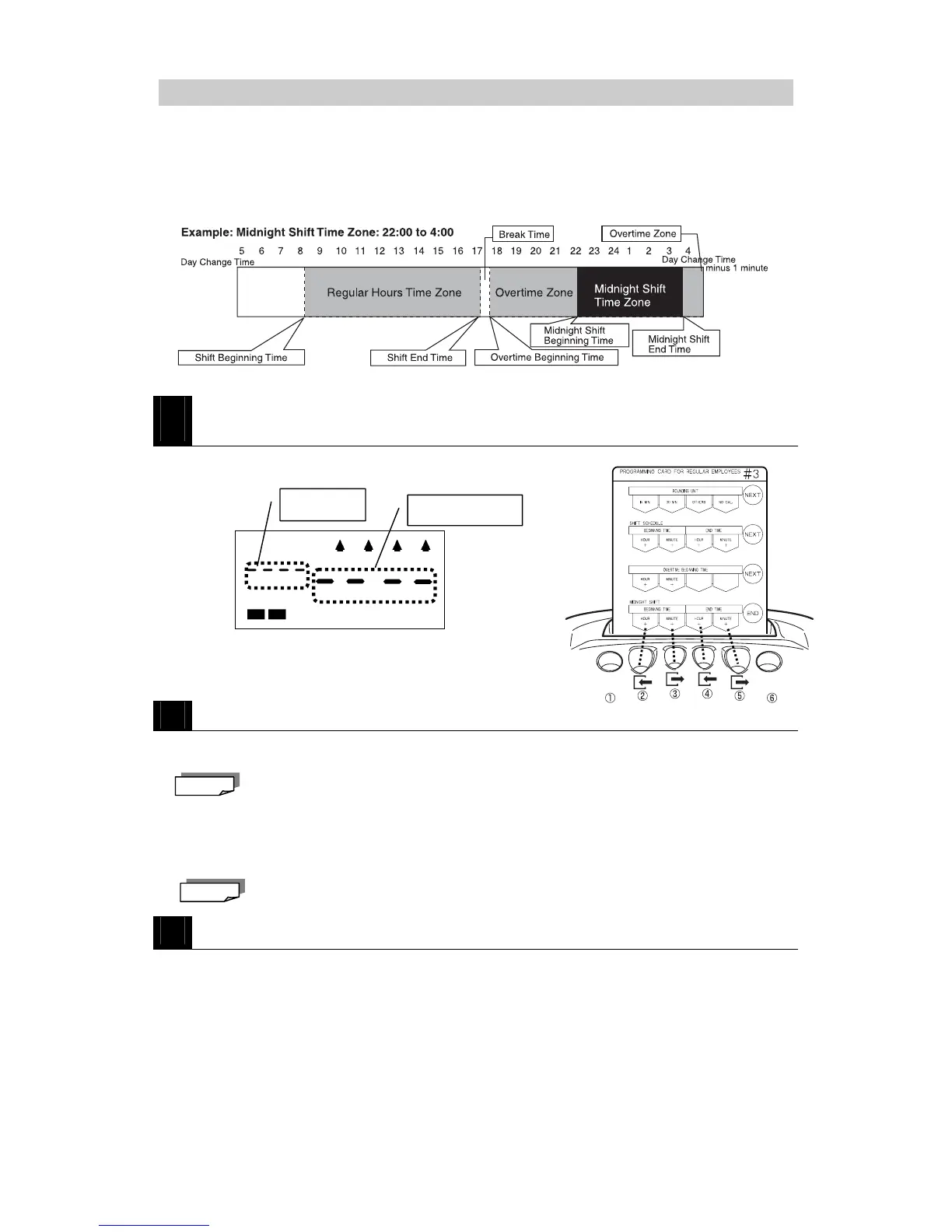
This section explains how to adjust the Midnight Shift Beginning and End Times.
When a Midnight Shift Beginning and End time is configured, the corresponding time zone is
treated as a Midnight Shift Time Zone and is the corresponding hours worked during that time
is calculated separately from overtime hours in the monthly totals.
(The daily totals for both overtime and midnight hours are printed as one total.)
1
Insert PROGRAMMING CARD FOR REGULAR EMPLOYEES #3 and then
scroll to MIDNIGHT SHIFT BEGINNING TIME / END TIME.
・Insert the card and then press NEXT (button ⑥) three times.
2
Adjust the Midnight Shift Beginning and End Times.
・Press HOUR + (button ②) to increase the Midnight Shift
Beginning Time one hour at a time.
Select "----" if you don't wish to specify a Midnight Shift Beginning Time.
・Press MINUTE + (button ③) to increase the Midnight Shift Beginning Time one minute
at a time.
・Press HOUR + (button ④) to increase the Midnight Shift End Time one hour at a time.
・Press MINUTE + (button ⑤) to increase the Midnight Shift End Time one minute at a
time.
Keep the corresponding button pressed to speed scroll.
3
Press END (button ⑥) to exit.
・The Midnight Shift Time Zone is registered and the programming card is ejected.
Note
Note
Midnight Shift
Beginning Time
Midnight Shift End
Time
Not configured (factory setting). Selec



 To Next Page