21
How to Adjust the Day Change Time
This section explains how to adjust the Day Change Time.
The "Day Change Time" is the time of day that a normal business day starts. The MX-300 is shipped
with the Day Change Time configured to5:00. This means that all work performed from 5:00 to 2:59 the
next day is treated as one day and the corresponding times are printed and totaled on the same row on
the time card.
・If an employee needs to clock out on or after the Day Change Time threshold, the employee simply
needs to first press the corresponding button (c) and then their times for that shift will be kept on the
same row.
1
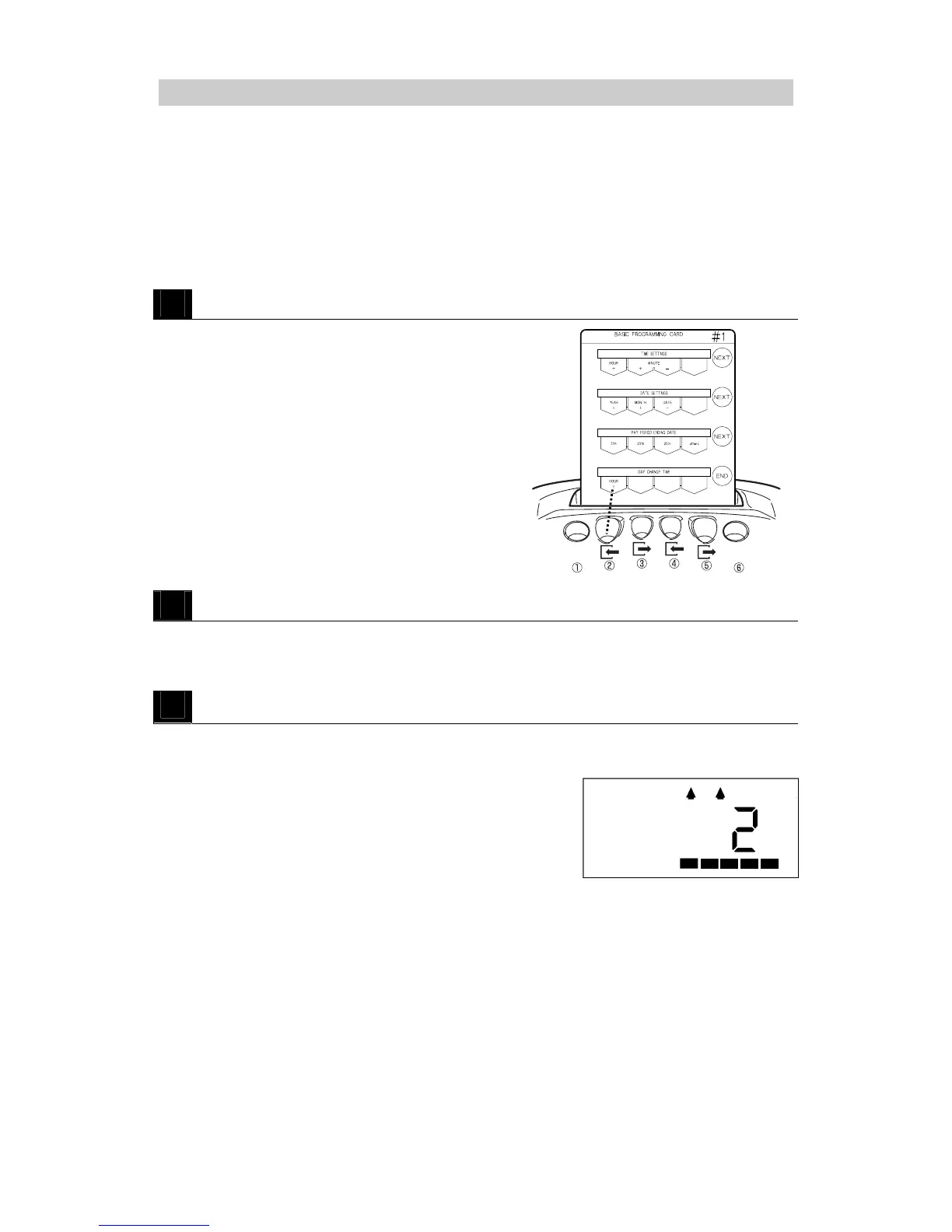
Insert BASIC PROGRAMMING CARD #
8
and then scroll to DAY CHANGE TIME.
・Insert the card and then press NEXT (button ⑥)
once.
2
Adjust the Day Change Time.
・Press HOUR + (button ②) to increase the time one hour at a time.
* The Day Change Time can only be configured in units of hours, not minutes.
3
Press END (button ⑥).
・The Day Change Time is registered and then the
programming card is ejected.
Example: 2 AM



 To Next Page