Chapter 5 — Assembly Replacement 5-6 Keypad Membrane and Main Keypad PCB Replacement
MS272xC MM PN: 10580-00279 Rev. E 5-9
5-6 Keypad Membrane and Main Keypad PCB Replacement
This procedure provides instructions for removing and replacing the keypad membrane and PCB.
1. Place the instrument face up on a protected work surface.
2. Carefully remove the rotary knob, nut and retaining waster.
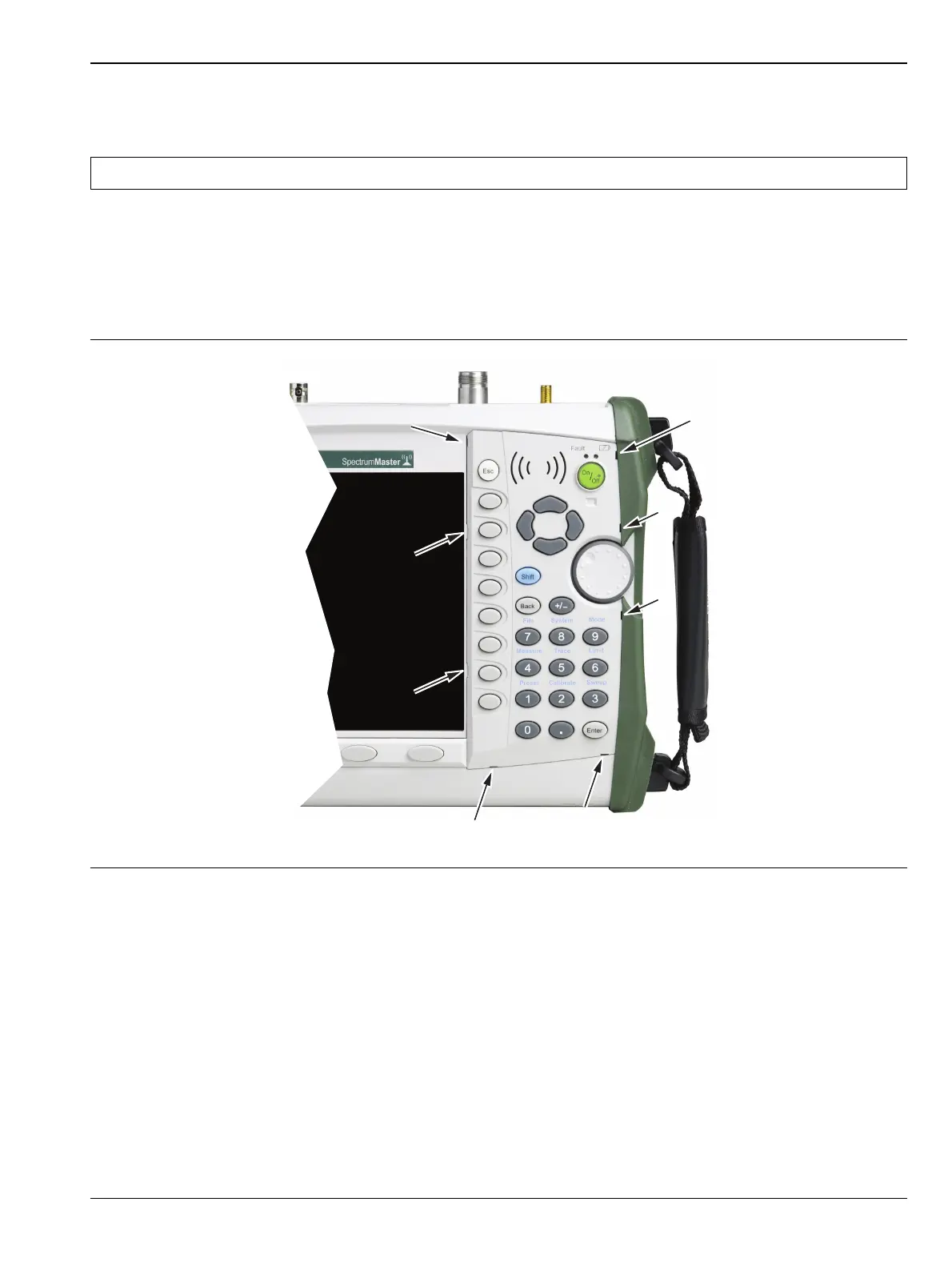
3. There are eight locking tabs holding the keypad bezel to the case (Figure 5-9). Using a small flat-blade
screwdriver, carefully pry the front bezel locking tabs free of the main body of the case. This will expose
the keypad membrane.
Note The keypad PCB and membrane can be replaced without opening the Spectrum Master case.
Figure 5-9. Front Panel Keypad Bezel
Location of the 8 tabs holding the keypad bezel














 To Next Page