Chapter 4 Run the Experiment
Monitor the Run
63
Applied Biosystems 7500/7500 Fast Real-Time PCR System Getting Started Guide for Standard Curve
Experiments
Notes
About the Run Method Screen
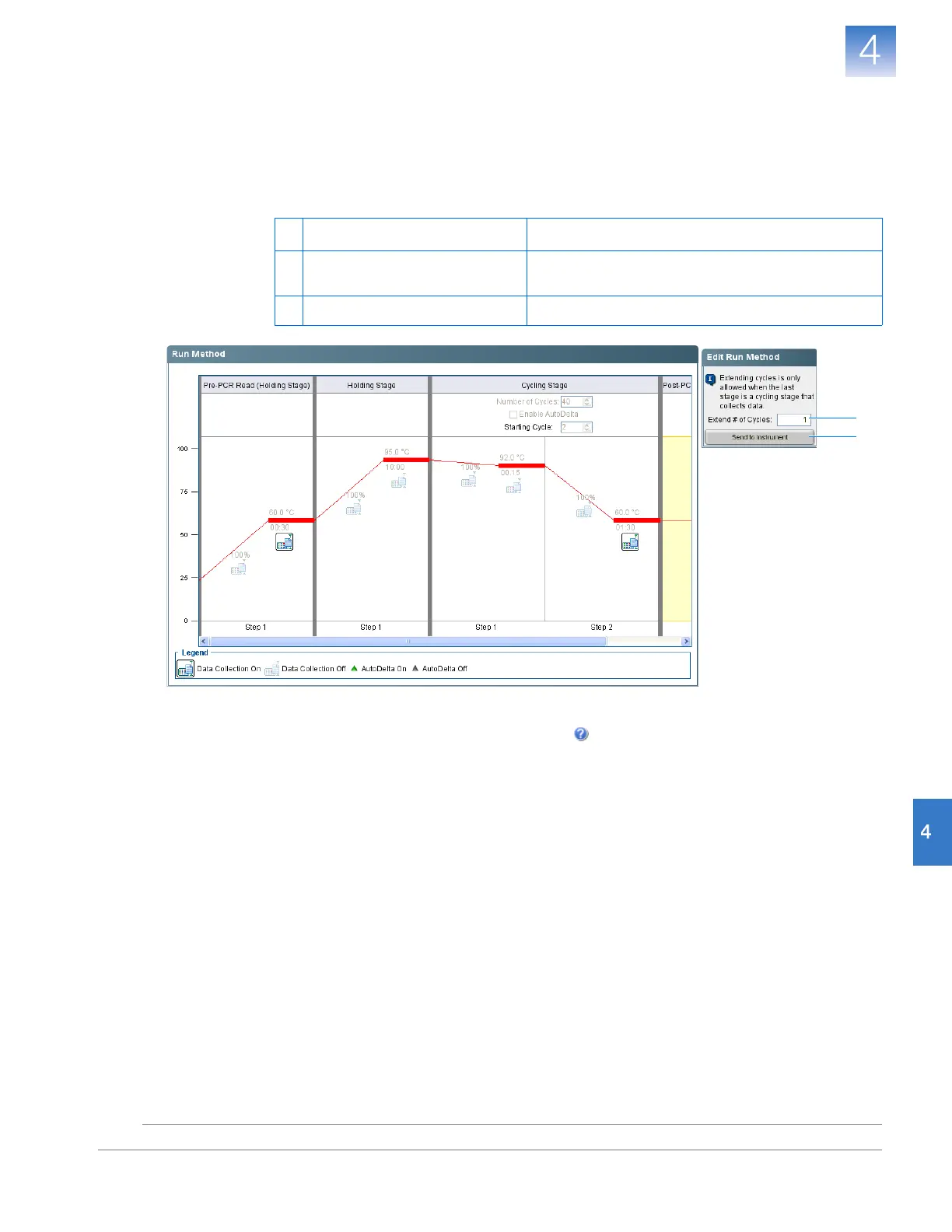
The screen displays the run method selected for the run in progress. The software updates
the Run Status field throughout the run. The figure below shows the Run Method screen
as it appears in the example experiment.
If an alert appears, click the error for more information, then troubleshoot the problem as
explained in the 7500 Software Help (click or press F1).
To… Acti on
A Change the number of cycles In the Extend # of Cycles field, enter the number of
cycles to apply to the Cycling Stage.
B Apply your changes Click Send to Instrument.
A
B












 To Next Page