Chapter 6 Analyzing Data in an RQ Study
Omitting Samples from a Study
Applied Biosystems 7300/7500/7500 Fast Real-Time PCR System Relative Quantification Getting Started Guide 77
Notes
6
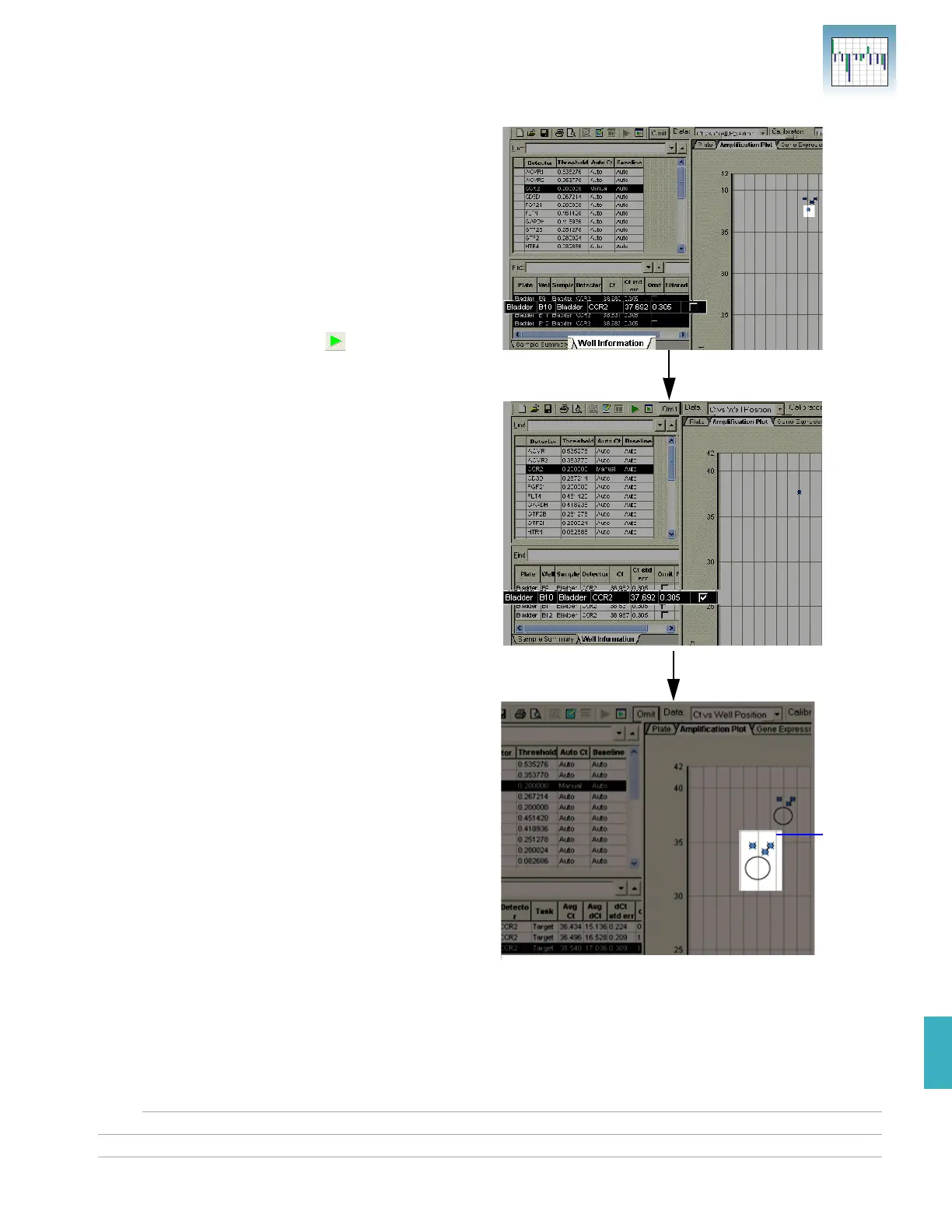
6. Do one of the following:
• If outliers are present, select the Well
Information tab, find the outlying sample,
and select the Omit check box for the
sample.
• If outliers are not present, go to step 7.
7. Repeat steps 5 and 6 to screen the remaining
replicate groups.
8. Select Analysis > Analyze ( ) to reanalyze the
run without the outlying data.
9. Repeat steps 3 to 8 for other detectors you want
to screen.
The outlier is
removed
during
analysis.
This is an
enlarged
version
showing that
the outlier is
removed
during
analysis.
Select
Omit.












 To Next Page