Chapter 6 Analyzing Data in an RQ Study
Exporting RQ Study Data
78 Applied Biosystems 7300/7500/7500 Fast Real-Time PCR System Relative Quantification Getting Started Guide
Notes
Exporting RQ Study Data
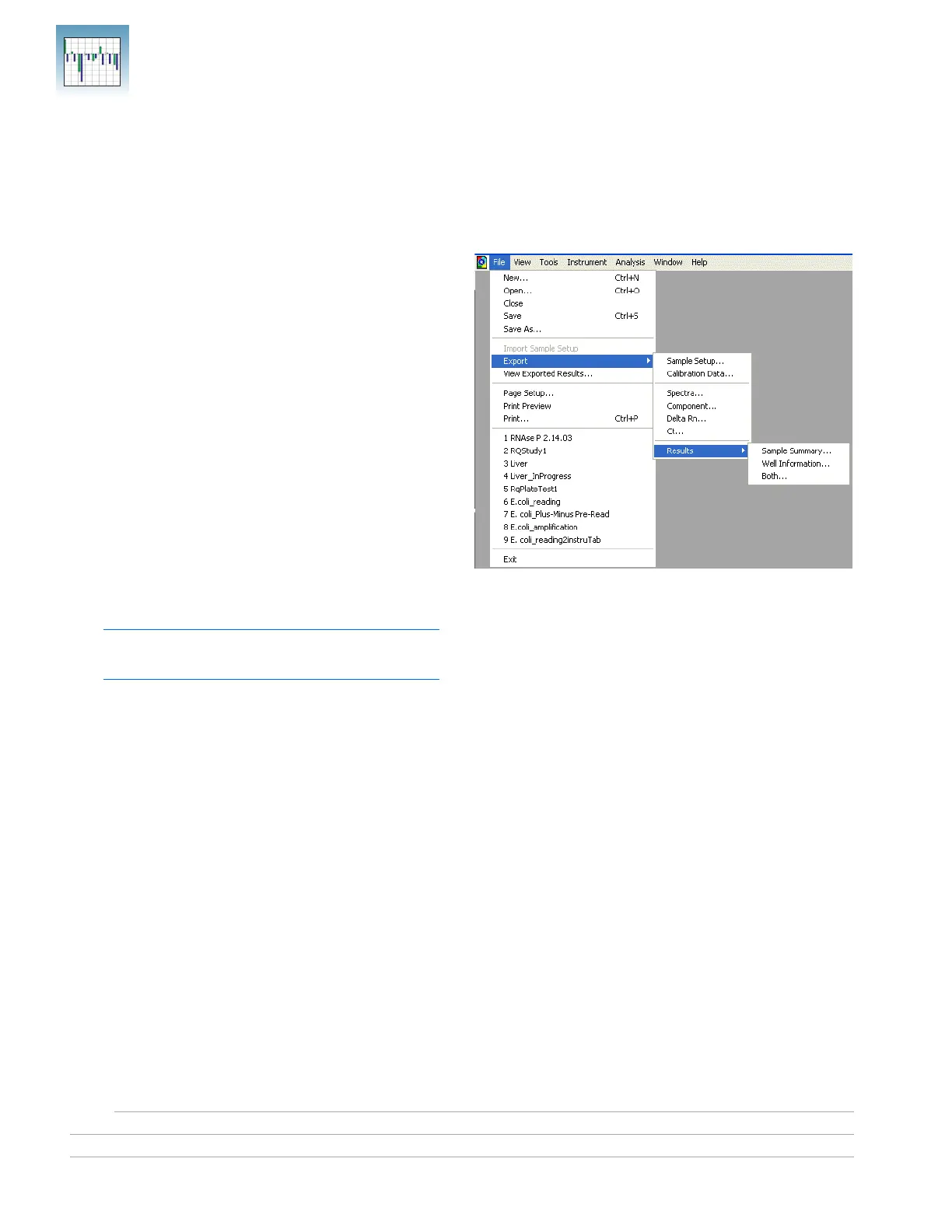
You can export numeric data from RQ studies into
text files, which can then be imported into spreadsheet
applications such as Excel.
1. Select File > Export > Results, then select the
data type to export:
• Sample Summary (*.csv)
• Well Information (*.csv)
• Both (*.csv)
Refer to the Online Help for information about
the export file types.
2. Enter a file name for the export file.
Note: The name of the dialog box depends on
the type of data you want to export.
3. Click Save.












 To Next Page