Arkel ArLine User Manual V1.24
The parameter and status information under the “Arkel ArLine Settings” tab is described below.
• Under the “Settings” section, the necessary parameters are set for the device
Alarm filtering is activated. This setting should be selected in normal operation of the
device.
Alarm filtering is disabled. The rescue service/staff can disable filtering by using this
option if they find it necessary.
It is selected when the CANbus connection is used with compatible ARKEL control
systems.
It is selected when CANbus connection is not available.
For details on the parallel connection, refer to the '12 Input Functions' section of this
Outside Calls
When there is an alarm condition initiated, all incoming calls to the device are
answered automatically, regardless of the number.
When there is an alarm condition initiated, only external calls from 5 numbers defined
via ARKEL Cloud are automatically answered.
Duration
To allow manual testing of the alarm system, the filter is deactivated when the alarm
button is pressed for the time specified by this parameter.
It should be set between 20 and 30 seconds.
Test Duration
The duration of the automatic communication test.
It must be set between 12 and 72 hours.
For details, see”17 Automatic Communication Test (3-Day Test)” section of this
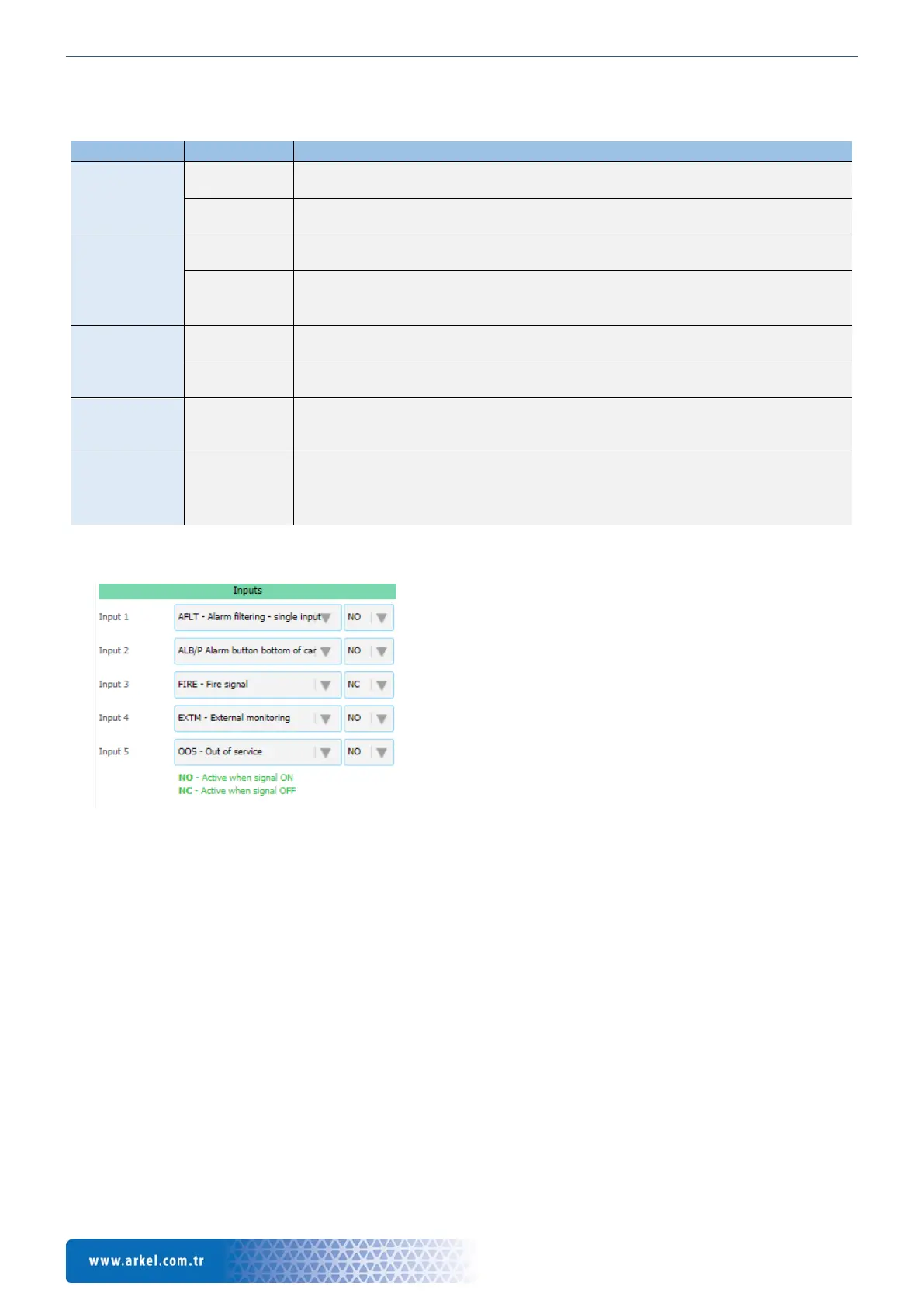
• The function assignments of the programmable inputs are made under the 'Inputs' section. The functions that can be
assigned to the programmable inputs are described in detail in section '12 Input functions'.
After the input assignment is made, in which case the function is active is selected:
• If NO is selected, the function will be active when the signal is applied to the input.
• If NC is selected, the function will be active if the signal is interrupted.
For example, if the REV (Maintenance / revision) function is selected and the input type is set to NC, it will be informed that the
lift is in revision when there is no signal at the relevant input.
If no input is to be used, the "NONE - Undefined" function must be assigned to the input.
• Assignments of output functions are made under the 'Outputs' section. The functions that can be assigned to the
programmable relay outputs are described in detail in the section ‘13 Outputs (Relay) Functions’.
If no output (Relay) is to be used, the output must be assigned to "NONE - Undefined" function.
• The 'Status' section displays the current information about the device.
Figure 21 ARKEL Cloud, Inputs sectiontammad


 To Next Page